


Participant
May 29, 2023
Question

Copy Settings does not replicate look

  • May 29, 2023
  • 2 replies
  • 256 views

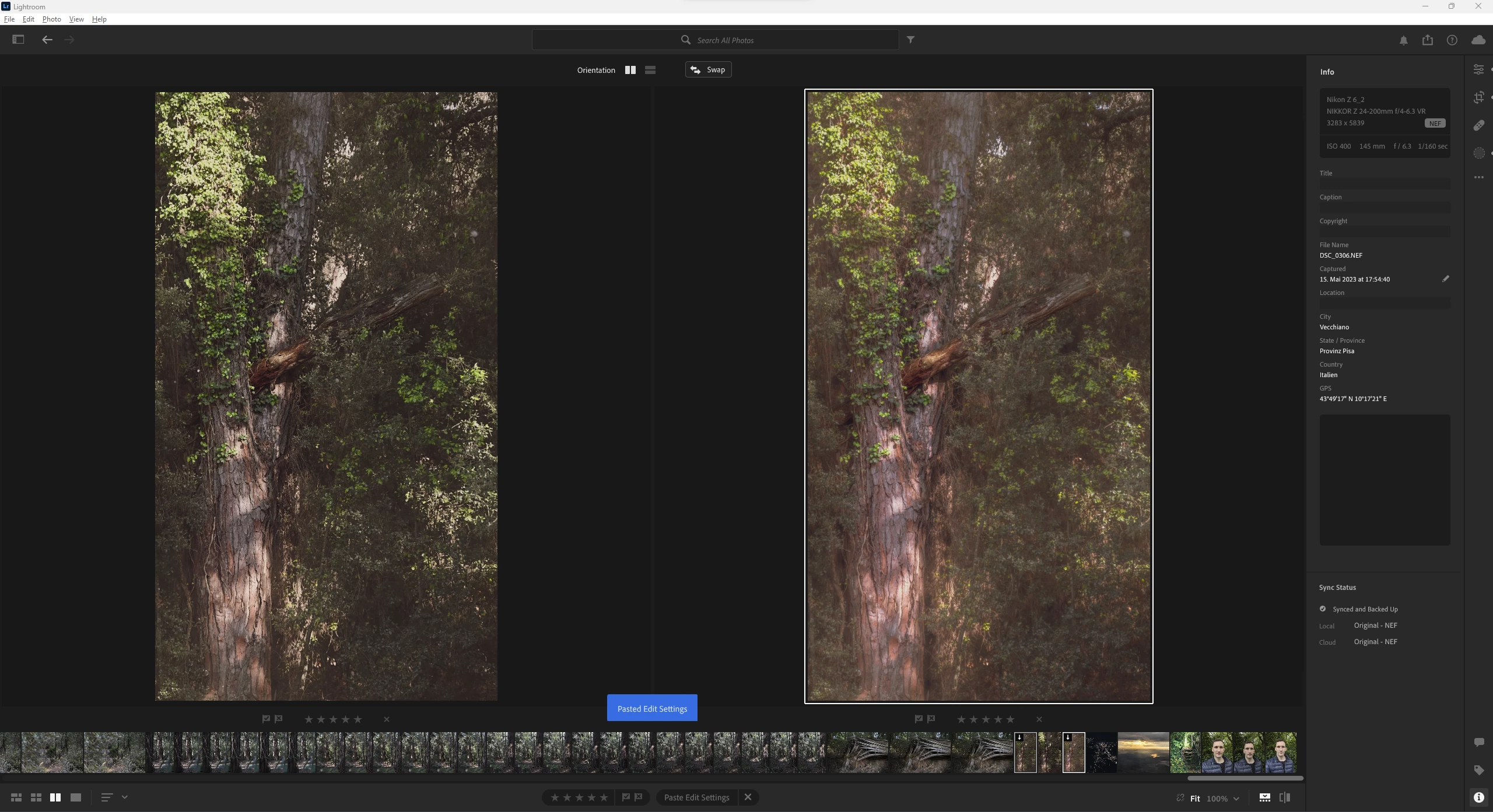
I shot a photo in JPG+RAW mode on my Nikon Z6 II. I accidentally edited the JPG photo instead of the RAW photo. I copied all settings of the JPG (CTRL-SHIFT-C) and pasted them on the RAW (CTRL-V) but the end result is not the same, as you can see in the first picture (JPG left, RAW right).


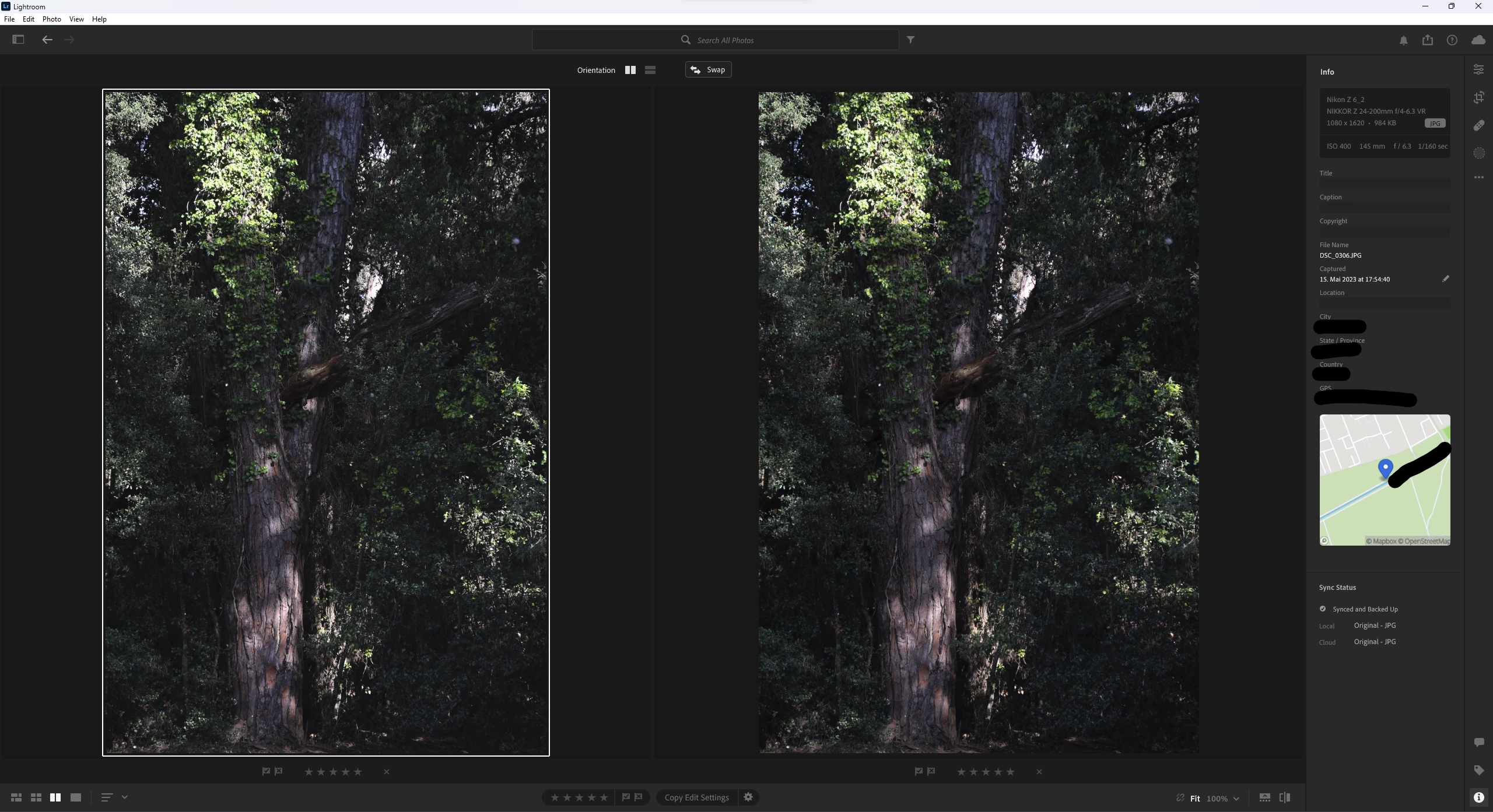
To verify the behaviour I reset both the JPG and the RAW to the original look (JPG left, RAW right).
 

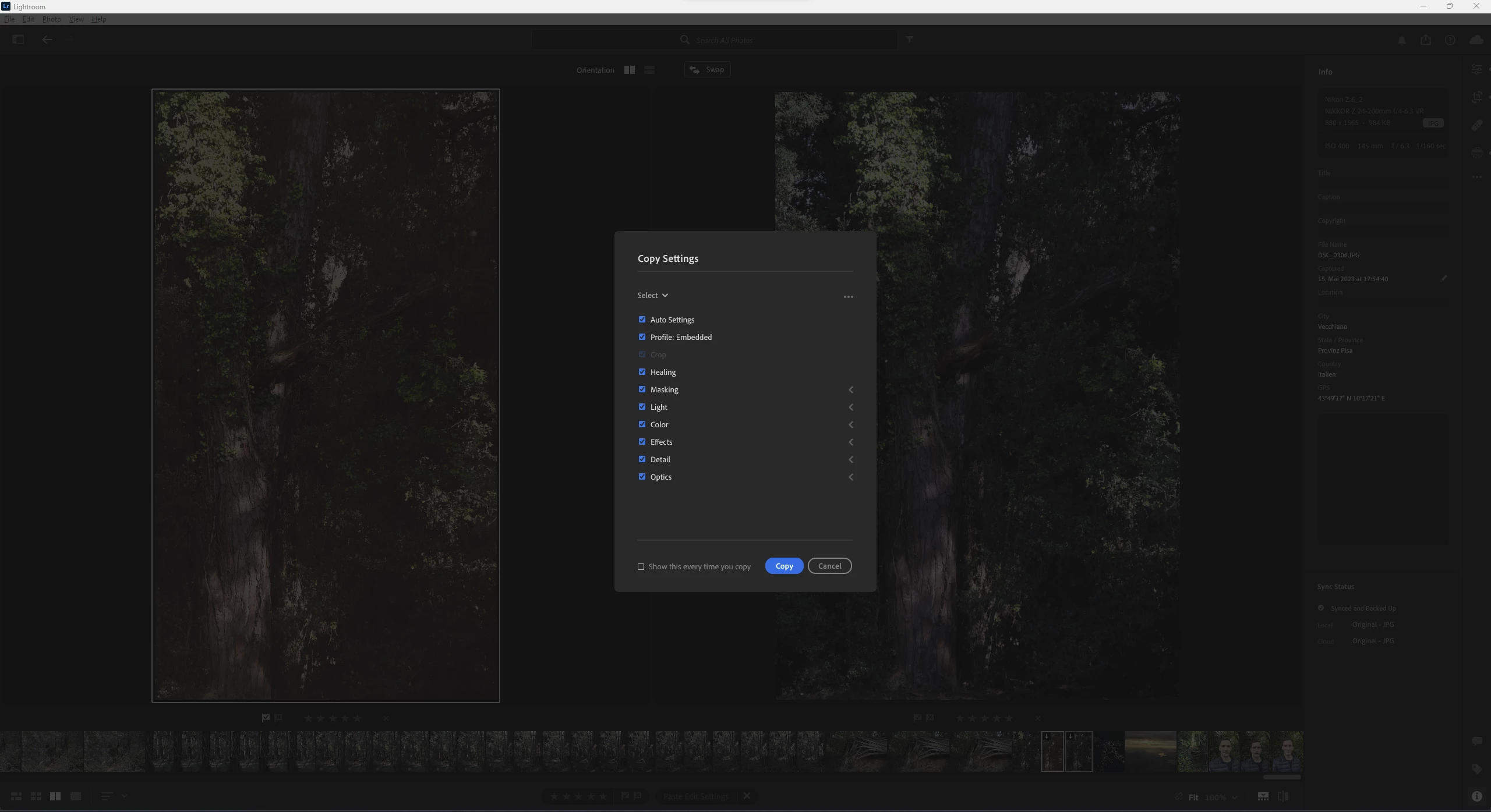
Then I copied all the settings with CTRL-SHIFT-V.


I pasted them onto the JPG first ...
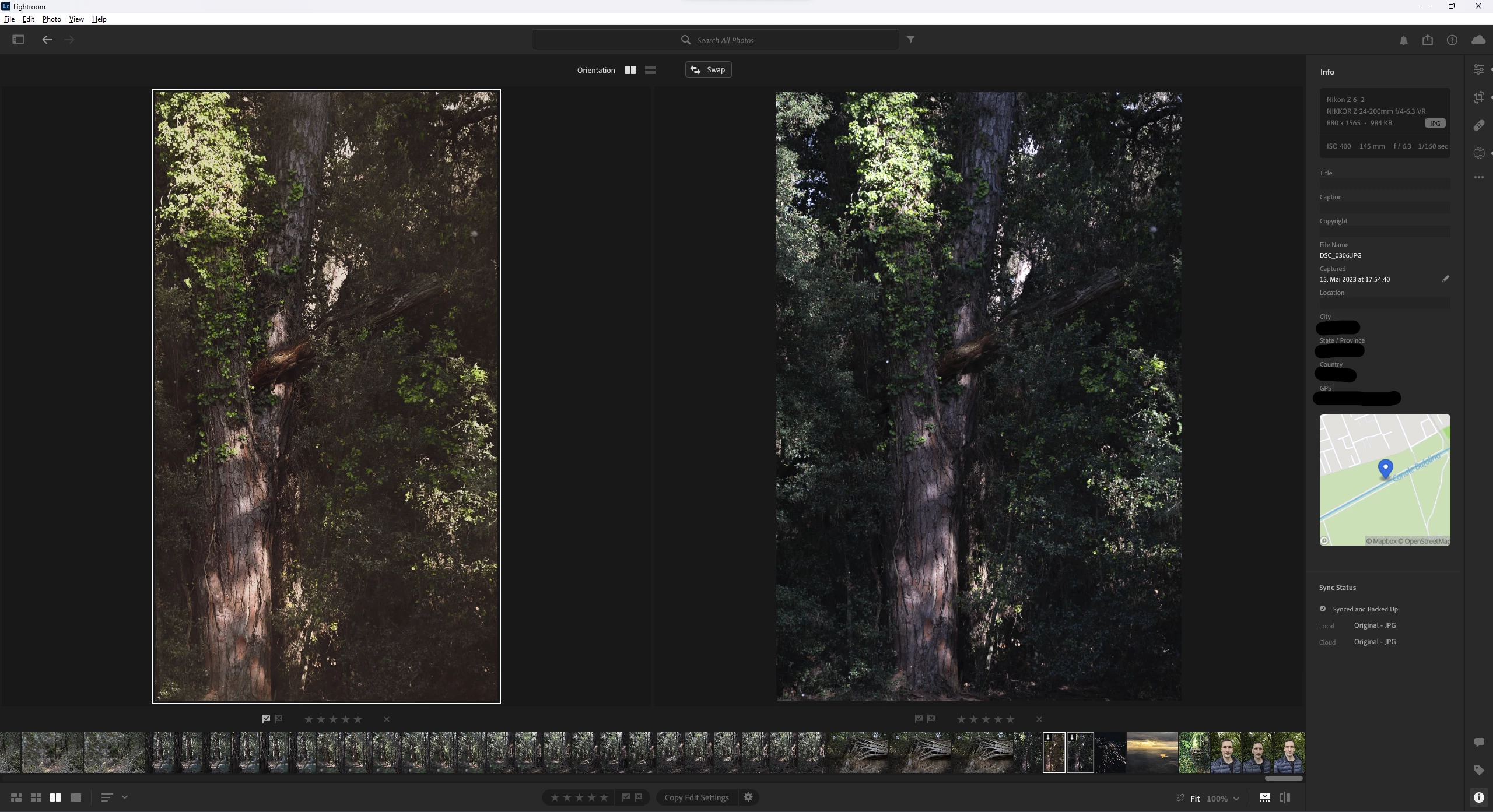


... and onto the RAW second.


As you can see they look vastly different to each other.

This topic has been closed for replies.

2 replies

Rob_Cullen
Community Expert
Community Expert
May 29, 2023

Copying develop settings from a raw to a JPG will rearely give identical results. (Polishing a red apple won't do the same for an orange 🙂 ).

For a better result you could try a Plugin made especially for the purpose-

Syncomatic – Lightroom Solutions  

Edit: Sorry- Plugins are only available for Lightroom-Classic.


Regards. My System: Windows-11, Lightroom-Classic 15.1.1, Photoshop 27.3.1, ACR 18.1.1, Lightroom 9.0, Lr-iOS 10.4.0, Bridge 16.0.2 .
DoscanaAuthor
Participant
June 4, 2023

NEF/DNG and JPG are two different formats, that is right. But applying the same corrections to it, when the displayed image data is 99% identical, should result in 99% identical images. Your analogy with apples and oranges do not apply here, because they also look completely different, which is not the case between the DNG and the JPG.

Rikk Flohr_Photography
Community Manager
June 5, 2023

99% would not be accurate here. 


A raw file is typically 10, 12, or 14 bit of data mapped into a 16 bit data space. A jpeg file is 8 bits of data in an 8 bit space. 

The JPEG has 256 levels of tone per channel

The raw file starts with 1024, 4096, 16394 levels of tone per color channel - depending upon the camera used. 


Simplistically speaking, at best, a JPEG has only 25% of the information of the raw file, at worst it has less than 2% of the information. 

Beyond that a JPEG has many items baked into the file: Color Profile, Contrast, Noise Removal, Sharpening, and depending upon the camera other settings as well. A raw file has none of these baked in and thus responds differently to different edit controls. 

Regardless of the 'sameness' of the appearance of the Library Preview or the Develop Render of a raw and its companion, JPEG, I would not expect them to react exactly or similarly for that matter. Boosting shadows would be a good example of how the two files behave very differently. 


Rikk Flohr: Adobe Photography Org
DoscanaAuthor
Participant
May 29, 2023

Correction: In the first post I obviously copied the settings before resetting the image back to the original, but failed to reflect the correct order of the steps I did, when I wrote this post.