
Participant
February 3, 2025
Answered

crashing and failing

  • February 3, 2025
  • 1 reply
  • 114 views

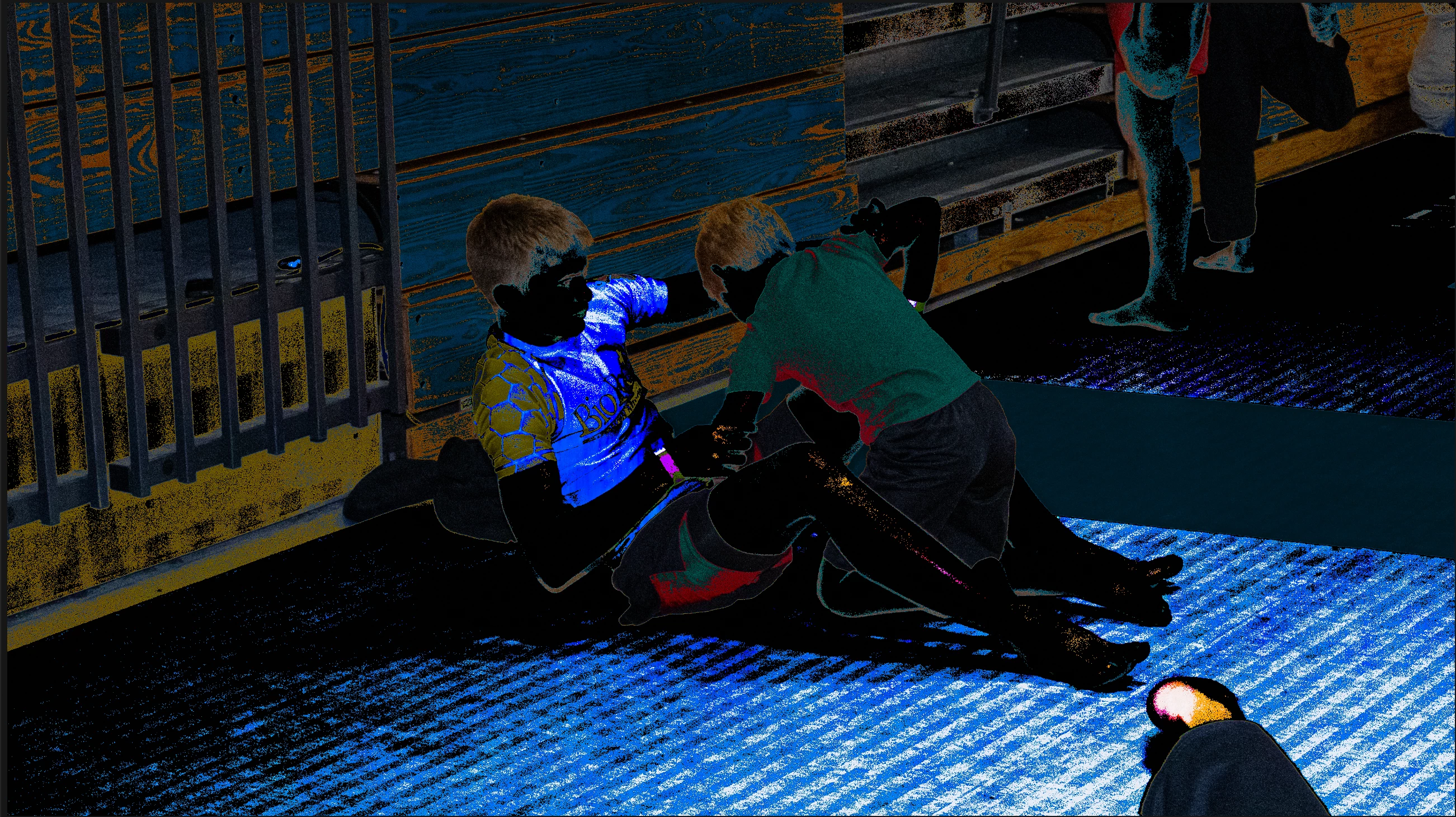
the program keeps crashing and failing  it started doing this about a week ago, and it is making it very difficult to get any work done. i have reported the issue several; times in crash reports and still having problems. i have re-installed the program, and tried to re-install an older version. nothing seems to help. the pic attached is a screen shot of what happens when the program crashes. editing the colors or light on the photo causes this to happen to the photo, then the program crashes.
 crashing and 

Correct answer Sameer K

Hey, @PrjctSphynx. Welcome to the Lightroom Community. Thanks for sharing the details. We couldn't find crash reports submitted with the account you've signed in to the community with. If you see a crash dialogue, submit it with your Adobe ID. Check here for more steps: https://adobe.ly/3Wpjx0B


You can also monitor the Windows Event Viewer > Windows Logs > Application Logs to check for error reports and share them here. 

As per the screenshot, it is likely a GPU-related crash. For now, follow the steps here to troubleshoot the GPU: https://adobe.ly/4aNMIjk


Let me know how it goes. Thanks! 
Sameer K

(Type '@' and type my name to mention me when you reply)

1 reply

Sameer K
Community Manager
Sameer KCommunity ManagerCorrect answer
Community Manager
February 3, 2025

Hey, @PrjctSphynx. Welcome to the Lightroom Community. Thanks for sharing the details. We couldn't find crash reports submitted with the account you've signed in to the community with. If you see a crash dialogue, submit it with your Adobe ID. Check here for more steps: https://adobe.ly/3Wpjx0B


You can also monitor the Windows Event Viewer > Windows Logs > Application Logs to check for error reports and share them here. 

As per the screenshot, it is likely a GPU-related crash. For now, follow the steps here to troubleshoot the GPU: https://adobe.ly/4aNMIjk


Let me know how it goes. Thanks! 
Sameer K

(Type '@' and type my name to mention me when you reply)

Participant
February 6, 2025

this seems to have worked, i will update if i run into the problem again. thanks for your help!