
Participant
June 29, 2020
Question

Crop feature crashing my LR

  • June 29, 2020
  • 1 reply
  • 298 views

Hi forum!


When I click the "crop" button, I get the spinning wheel of death for a minute, and then my image goes blank.


It also seems to be missing some of the functions I used to use here.
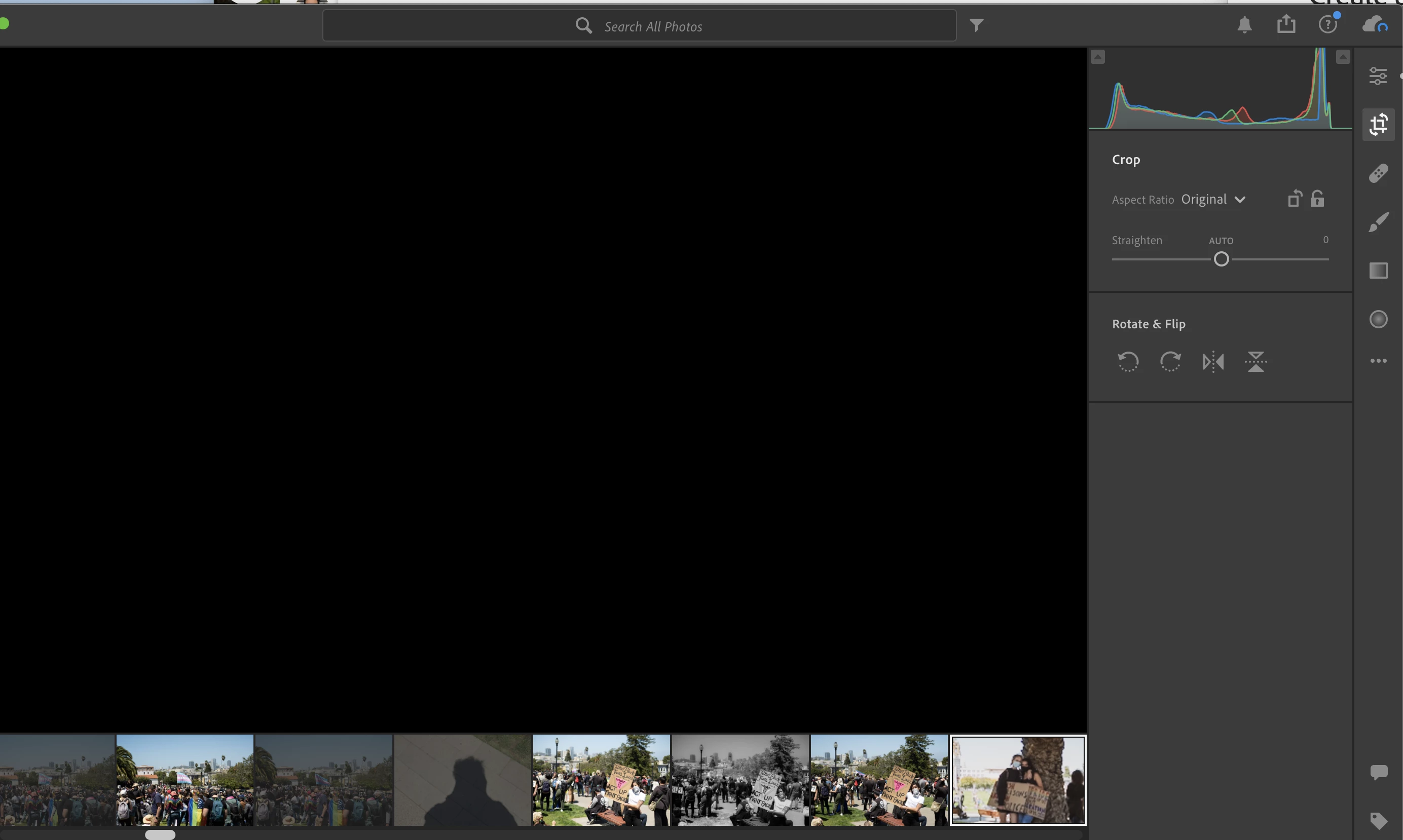


Brand new macbook pro - just bought it last month.



Updated LR - Version 3.3


Any ideas greatly appreciated! I am new to Lightroom and kinda upset at how it's been behaving.


This topic has been closed for replies.

1 reply

Participating Frequently
June 29, 2020

Hi
As per your screenshot, it seems like your sync is still pending for images. You need to check for sync to complete and check then.

You can also go with disabling GPU in the application.
Lightroom > Preferences > performance
and disable GPU and restart the application. 
I hope this Helps.


CHEERS!!!!!


bradleybhAuthor
Participant
June 30, 2020

Thanks for your response!


GPU shouldn't matter because I have a brand new macbook pro and it's on the list of machines that work well with GPU processing.


Also Sync isn't working: all I get is "unable to connect to network"


None of this should explain why the set of crop tools I'm used to doesn't show up in the crop menu.


Anyone have any ideas? I'm tempted to just uninstall and reinstall.

selondon
Community Expert
Community Expert
June 30, 2020

Are you seeing Unable to Connect to Network on a regular basis?