
Participating Frequently
May 29, 2026
Question

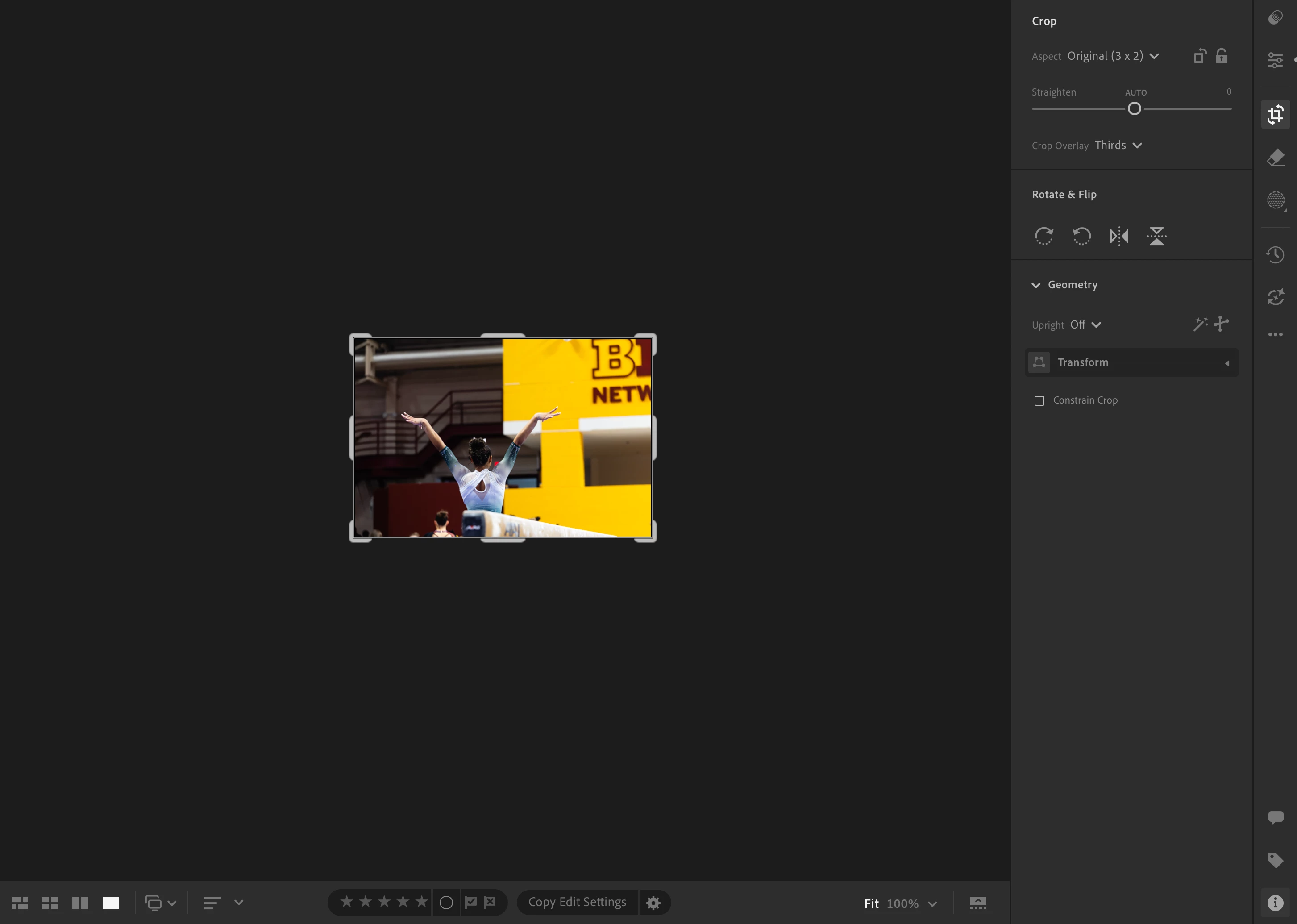
Cropping - Fit zoom option is broken

  • May 29, 2026
  • 4 replies
  • 43 views

When I go to crop an image in Lightroom, the default zoom level of ‘Fit’ appears broken.
Every other options works as expected. Reclicking on ‘Fit’ does not resolve issue, nor does selecting a different option and switching back to fit. It’s been an issue for a couple months, the only thing that fixes it is going back to older versions of the software. Please advise

M4 Pro, Lightoom 9.3+


    4 replies

    Participating Frequently
    June 26, 2026

    The issue is still occurring on latest version.
    I have uninstalled, remove preferences, and deleted the catalog multiple times on the latest version with no improvement.
    Issue doesn’t not occur on 9.2

    Participating Frequently
    May 30, 2026

    Hello,
    The issue occurs on Lightroom 9.3 & 9.3.1.
    I have tried reset preferences and that did not resolve the issue.

    Anshul_Saini
    Community Manager
    Community Manager
    June 1, 2026

    Hi ​@artanner13,

    Thanks for confirming. Since the issue does not occur in 9.2 but does in both 9.3 and 9.3.1, resetting preferences also did not help. The next thing I’d like you to try is updating to Lightroom Desktop v9.3.2 and checking whether the behavior persists there.


    If the issue continues in 9.3.2, could you please share a short screen recording showing:

    • Opening an image
    • Entering Crop mode
    • Selecting “Fit” zoom
    • The incorrect behavior occurring

    That will help us compare it against expected behavior and report it directly to the product team if needed.

    Also, please confirm whether this happens on all images or only specific file types (RAW, JPG, TIFF, etc.)


    Best,
    Anshul Saini

    Participating Frequently
    June 26, 2026

    All versions newer than 9.2 have this issue.
    I had tried multiple times to uninstall and remove preferences and delete the catalog to start fresh.
    The only thing that works is reverting back to 9.2

    selondon
    Community Expert
    Community Expert
    May 30, 2026

    @artanner13 

    Have you tried updating to 9.3.1, mine seems to be working as expected in this.

    If not, maybe reset the preferences. 

    Participating Frequently
    May 29, 2026

    Issue does not occur on 9.2