

Custom Camera Profiles in Lightroom Web Buggy
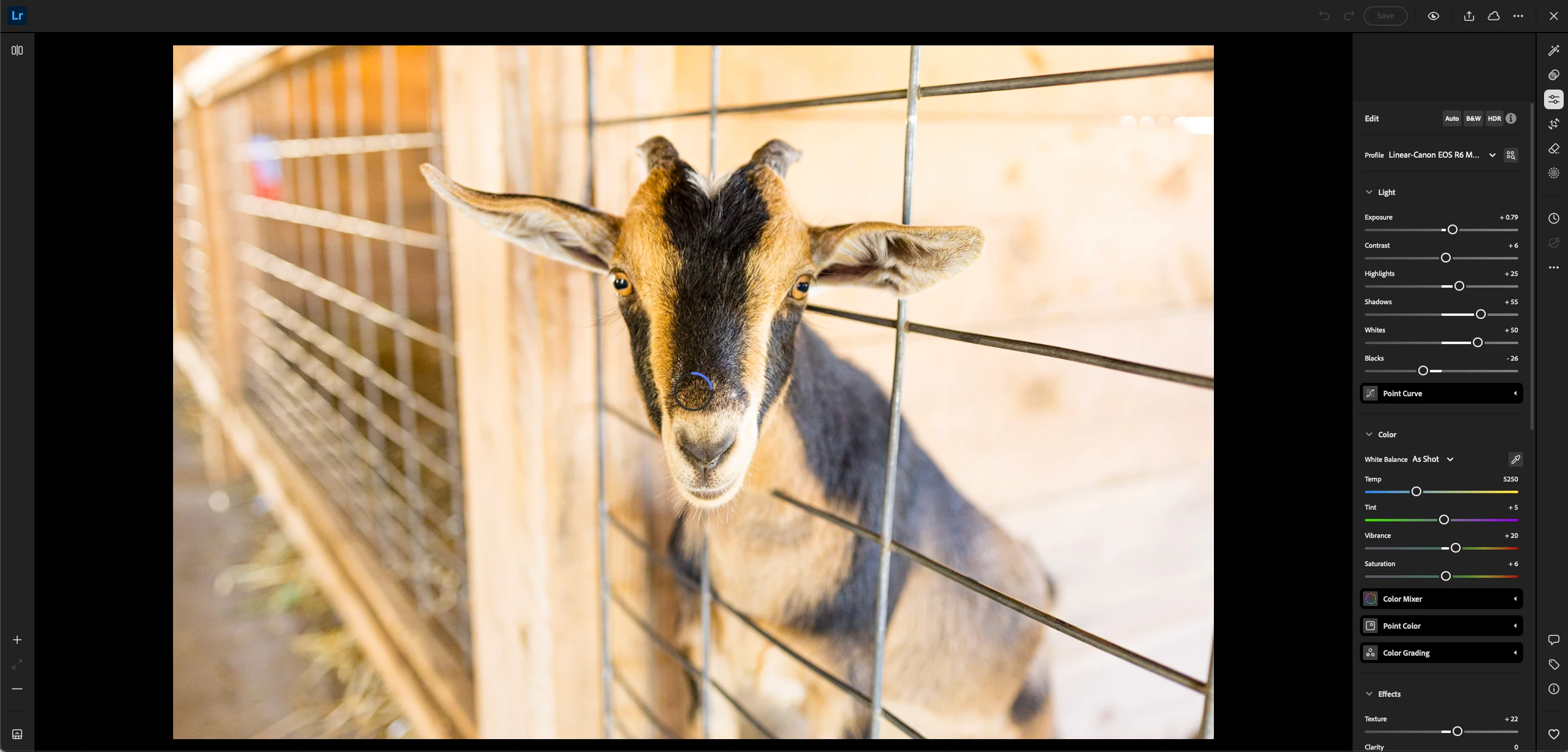
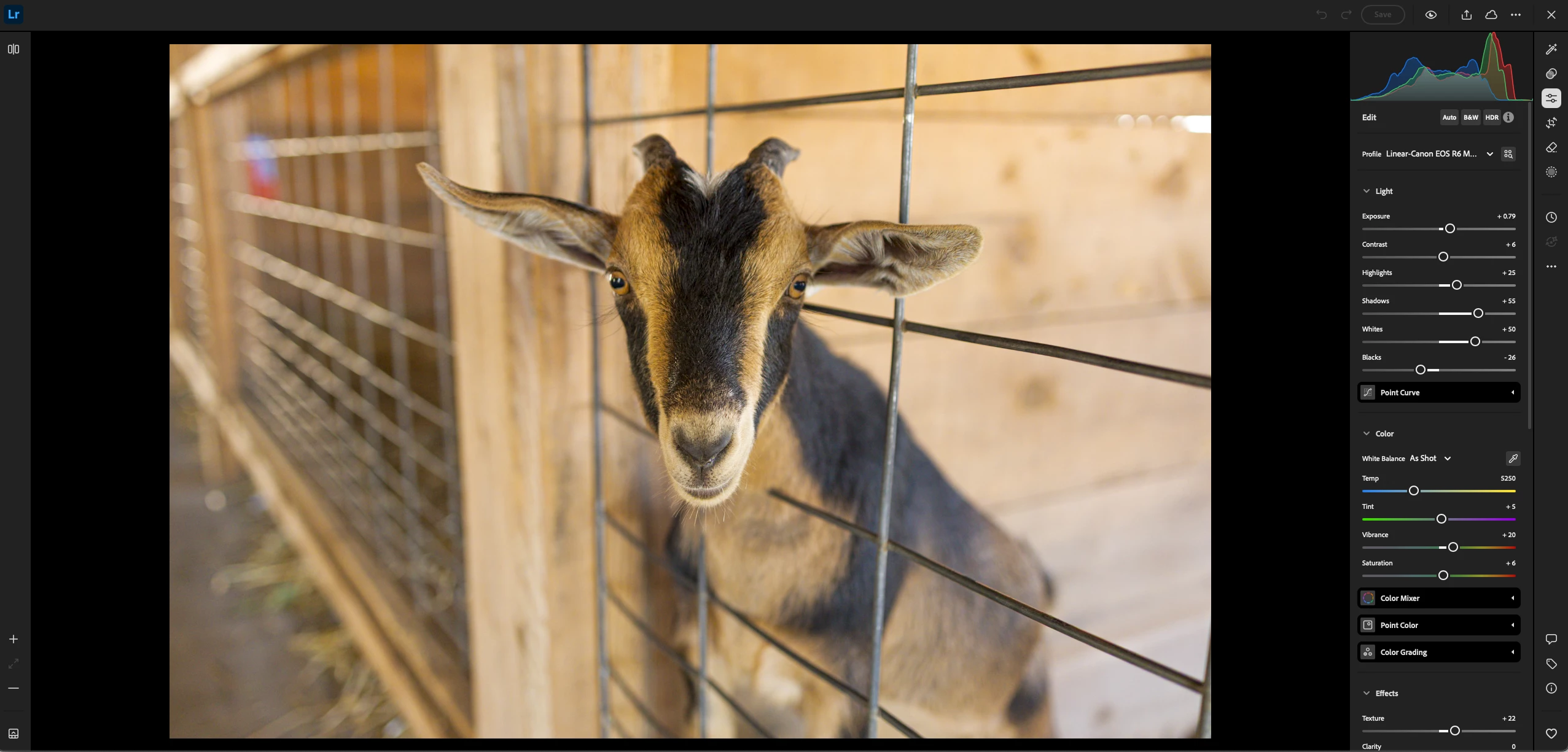
I've switched to using custom camera profiles in Lightroom Classic (linear profiles) and they work fantastic in the desktop app. However, they seem quite buggy in the web interface and especialy in shared galleries. This is with the custom profile loaded into the web UI and it does render properly after a period of time in the develop module in web.
I seem to have to go into the develop module and wait for it to render with the profile, then make some kind of adjustment (small exposure change usually works) and then sometimes it will start rendering properly in the a shared gallery. If I don't do that it will have a wonky edit (usually exposure too high and some other things) in all the views like my gallery view as well as all the views in the shared album other people see.
Any way to force it to render properly on it's own or will I have to do this song and dance for each photo and hope the proper edits start showing everywhere?
Example. First photo is what's seen everywhere (gallery thumbnails, full size, shared galleries, etc) before the camera profile loads. The second is after it has loaded. It's hit and miss whether I can force it to render properly everywhere.


 AdChoices