
Pedro1999
Participant
April 28, 2026
Question

Denoise Error: Requested adjustement is not applicable

  • April 28, 2026
  • 1 reply
  • 17 views

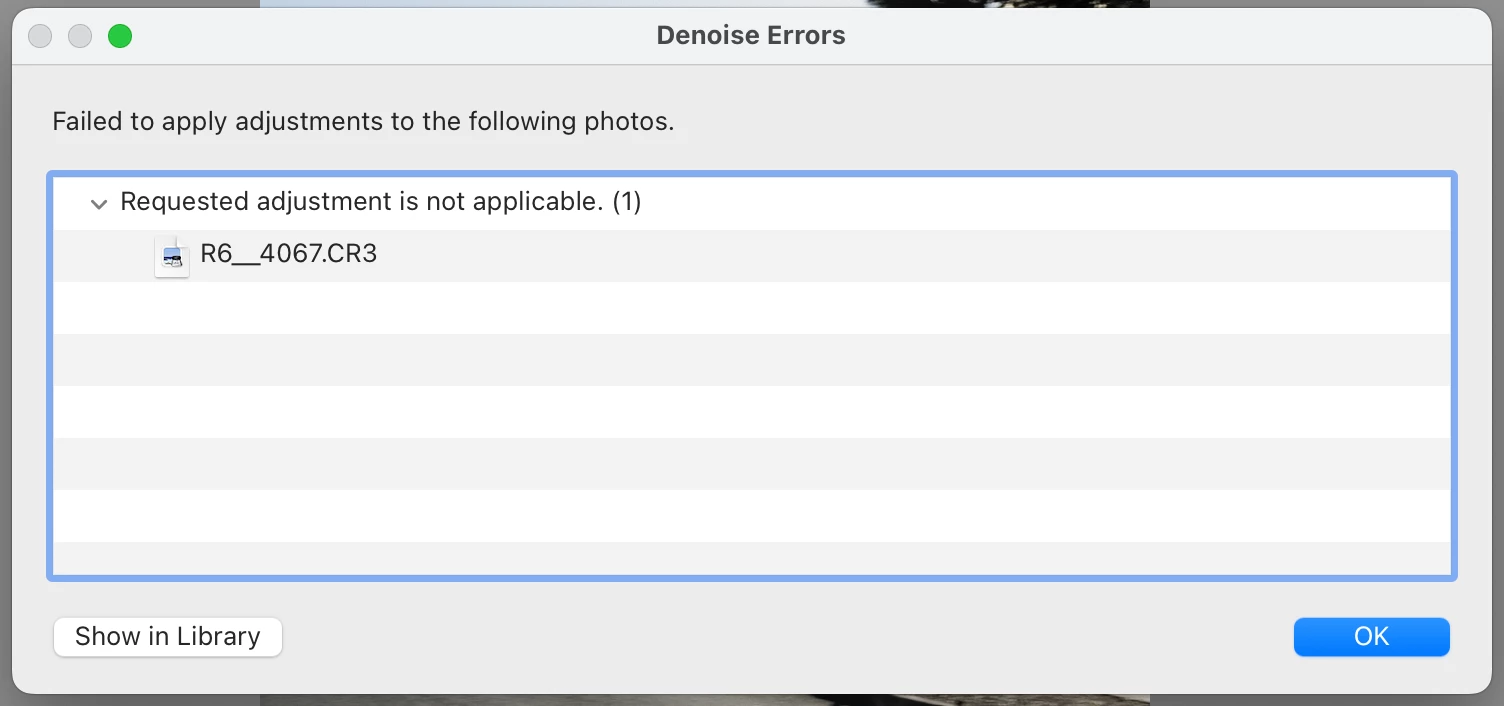
I’ve been trying to use AI Denoise on Lightroom for some days but it keeps showing me the same error “Failed to apply adjustements to the following photos: Requested adjustement in not applicable”.

It was working 3 weeks ago. I’m on the same computer (Macbook), and I’ve tried it on the same Canon RAW (CR3) files I used it on before. It doesn’t even let me remove the Denoise from the photos I had previously used it. 

I’ve tried everything, uninstalling the app, updating operating system, tried it on new photos, old photos but it keeps showing me the same error.

Please help!
 

1 reply

Sameer K
Community Manager
Community Manager
May 12, 2026

Hey, @Pedro1999. Welcome to the Lightroom Community. I'll help you figure this out.

If you haven't already, please update Lightroom Classic from the Creative Cloud desktop app and check how it goes.

Does this happen with a specific set of new CR3 files?


You can follow the steps that I've shared here and check if the issue exists: https://adobe.ly/49Kkjeq


Thanks!
Sameer K
(Type '@' and type my name to mention me when you reply)

Pedro1999
Pedro1999Author
Participant
May 12, 2026

Hey Sameer, thank you.

I have updated the software, but the problem persists. This is happening with all CR3 files, new and old. It’s even happening on CR3 files it had previously successfully run Denoise on.

I just tried erasing all CameraRAW and ModelZoo files as the article suggests but the issue still continues.

I’m on a Macbook Pro, 2019, Intel Core i9, Radeon Pro 560X 4GB, 16GB Memory