


Participant
Mar 26, 2025 4:27 AM UTC
Answered

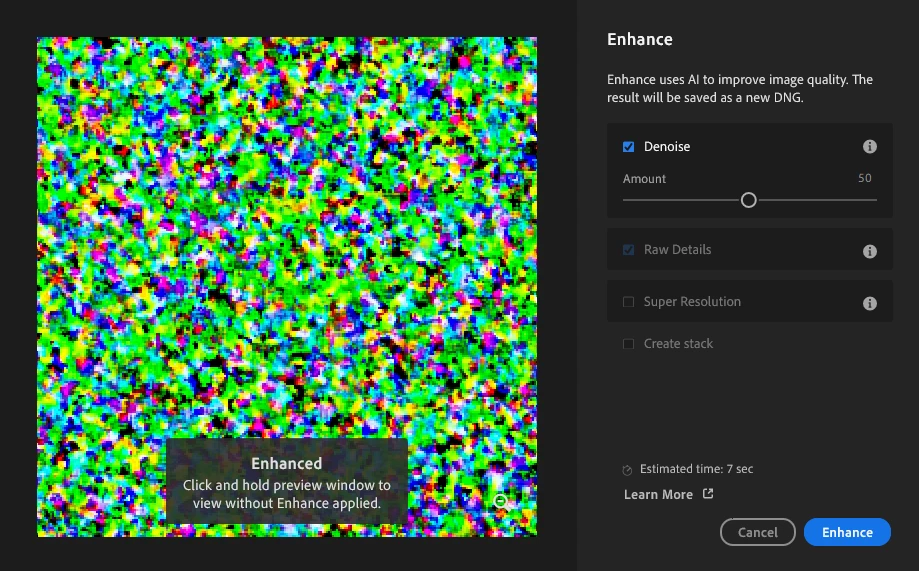
Denoise Not Working - Green Static

Hi,


I'm processing RAW photos from a Sony A7iv, and whenever I try to applying denoise in Lightroom I get this bad artifacting across the entire image (see image). The weird thing is, if I bring the same ARW file into Photoshop, Camera RAW has no problem opening it and applying the Enhance -> Denoise filter.


My machine is a Lenono P1 Gen 6, specs:

Intel Core i9-13900H

64GB RAM, 4TB SSD

NVDIA GeForce RTX 4090 Driver rev: 538.92

Windows 11 23H2


Lightroom and all of my system drivers are up to date. It looks like my NVIDIA driver might be behind. but I wanted to ask the question here since it IS working in Photoshop. Just wondering if there's something I'm missing.


Thanks in advance.
 

default9muz7anx5i1hCorrect answer
Participant
Mar 26, 2025 2:29 PM UTC

Thanks, Rikk. 


I updated the drivers this morning and it started working again. Posting this reply so others with the problem can see that this solution worked for me. 

5 replies

Rikk Flohr-Retired
Adobe Employee
Mar 26, 2025 1:20 PM UTC

This looks like a bad/out of date GPU Driver. 

I would recommend updating to nVidia's latest Studio (not Gaming) driver. 

Translate
Rikk Flohr: Adobe Photography Org
Ian Lyons
Community Expert
Community Expert
Mar 26, 2025 2:13 PM UTC

@Rikk Flohr: Photography 


The screenshot shown above is identical to to the one shown in the post that I've linked below. I suspect that it's the same user posting under different accounts.


https://community.adobe.com/t5/lightroom-ecosystem-cloud-based-discussions/probleme-in-lr-rauschreduzierung/m-p/15232588#M101383

Translate
Participant
Mar 26, 2025 2:28 PM UTC

Fun story. No, it's just a different person with the same buggy problem. But thanks for adding your expertise here.

Translate