
Participant
October 13, 2021
Answered

Different look of the program than in tutorials

  • October 13, 2021
  • 2 replies
  • 1495 views

Hi 

My first post. I don't understand why in all lightroom tutorials the program look like this:
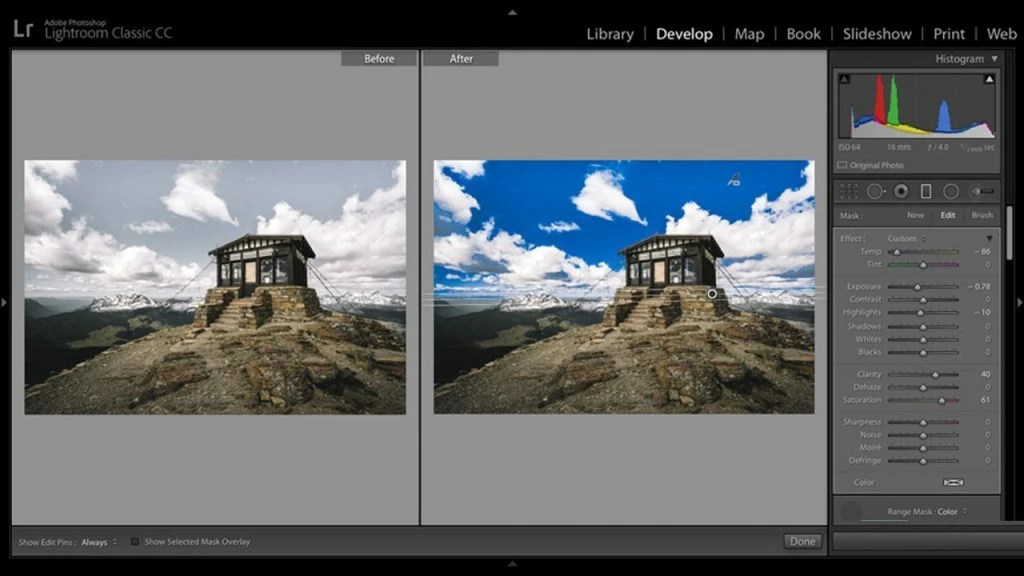
but my version look like that: 
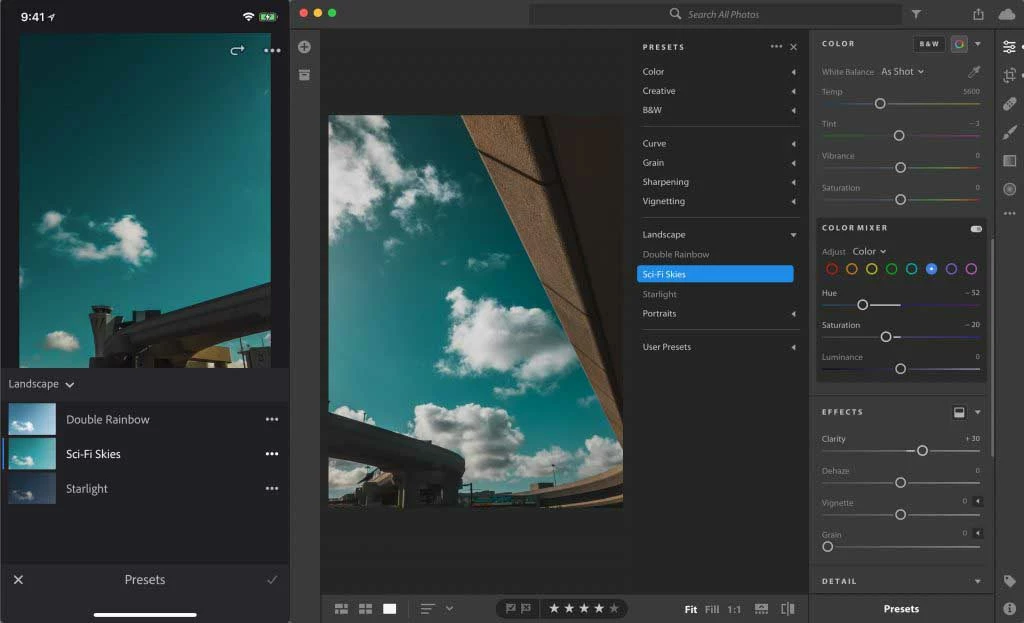
I bought full package with photoshop and other programs and paying monthly. How to make the same look of the program like on first picture?

This topic has been closed for replies.
Correct answer Jim Wilde

There are two different versions of Lightroom with the full Photography Plan. The one you have installed is the cloud-based version, called simply Lightroom. The other version, which is the more traditional app that looks like all the online tutorials is called Lightroom Classic, which manages images that are stored locally on your hard drives. It should be available to install in the the Creative Cloud Desktop app.

2 replies

Jim Wilde
Community Expert
Community Expert
October 13, 2021

And for a comparison between the two different versions of Lightroom, see this article: 

https://www.lightroomqueen.com/lightroom-cc-vs-classic-features/

Jim Wilde
Community Expert
Jim WildeCommunity ExpertCorrect answer
Community Expert
October 13, 2021

There are two different versions of Lightroom with the full Photography Plan. The one you have installed is the cloud-based version, called simply Lightroom. The other version, which is the more traditional app that looks like all the online tutorials is called Lightroom Classic, which manages images that are stored locally on your hard drives. It should be available to install in the the Creative Cloud Desktop app.