
Direct Image import to iPad taking up space on my iPad
Hi,
I'm trying to import photos directly from my camera's SD card to lightroom CC on my iPad using the new import function of Lightroom 13.1. I'm using a SD to lightening adaptor. It was my understanding that this new import method would skip your iPad's internal storage and upload directly to the cloud without storing any data on the iPad. I'm running into issues where this isn't correct. Everytime I import photos onto my Ipad using the new method it stores exactly the same amount of data on my Ipad. See the images below.
Before I import I have ~3b of space free and lightroom is taking up 15 gb of space.
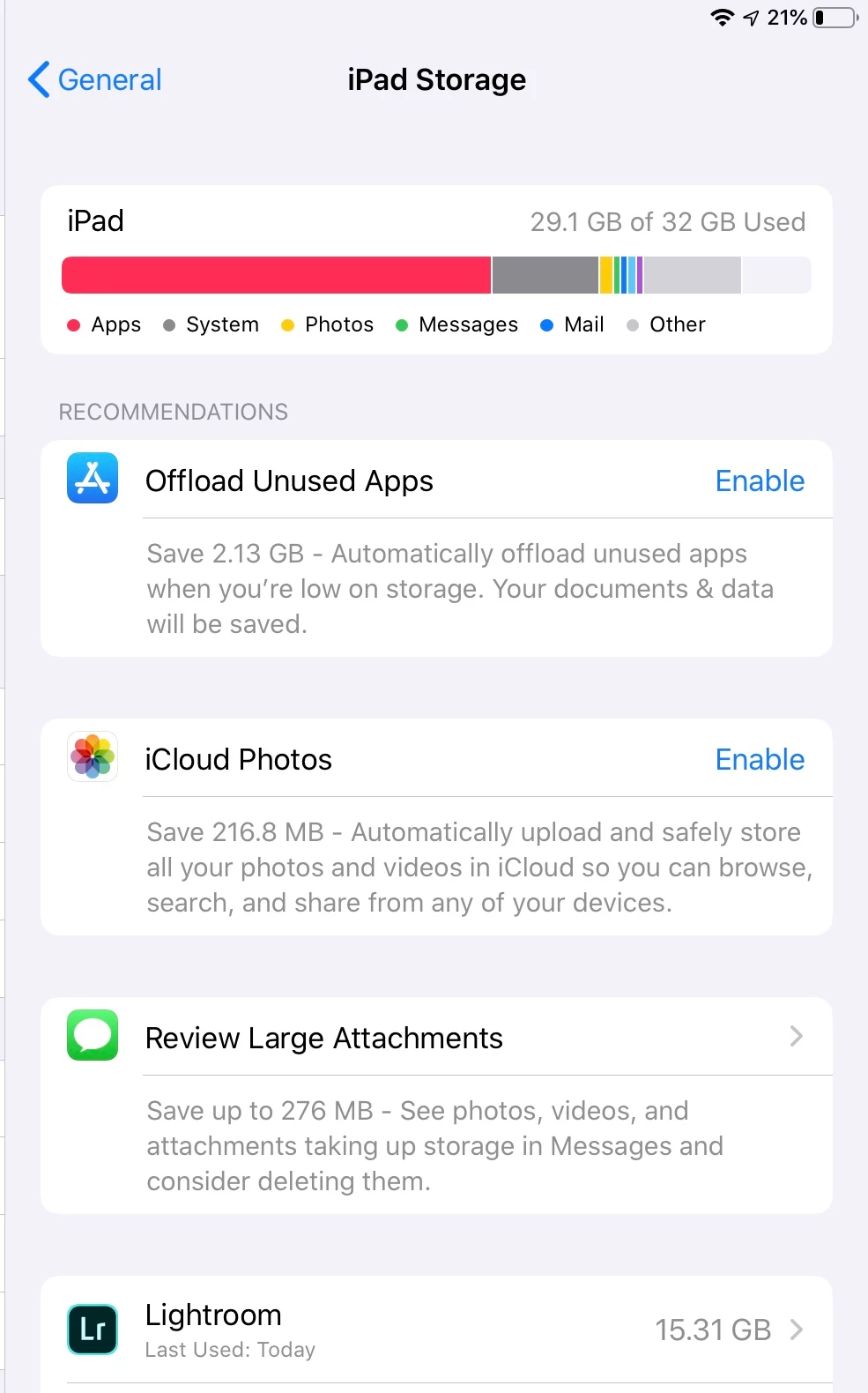
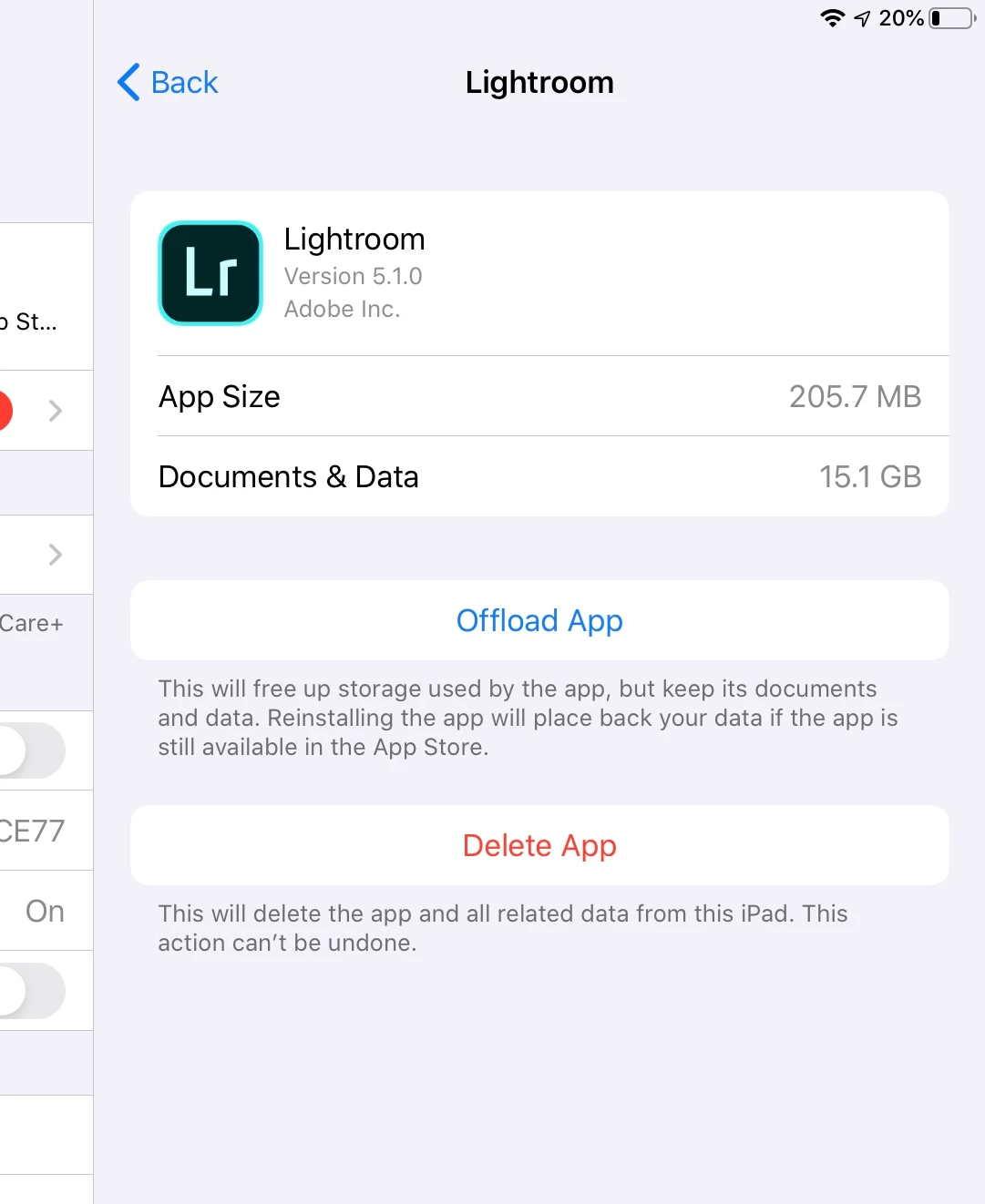
I try and import 13GB of RAW images directly into lightroom using my lightening to SD card reader. And get this message

I uninstall Lightroom from my ipad. Freeing up 15gb of space.
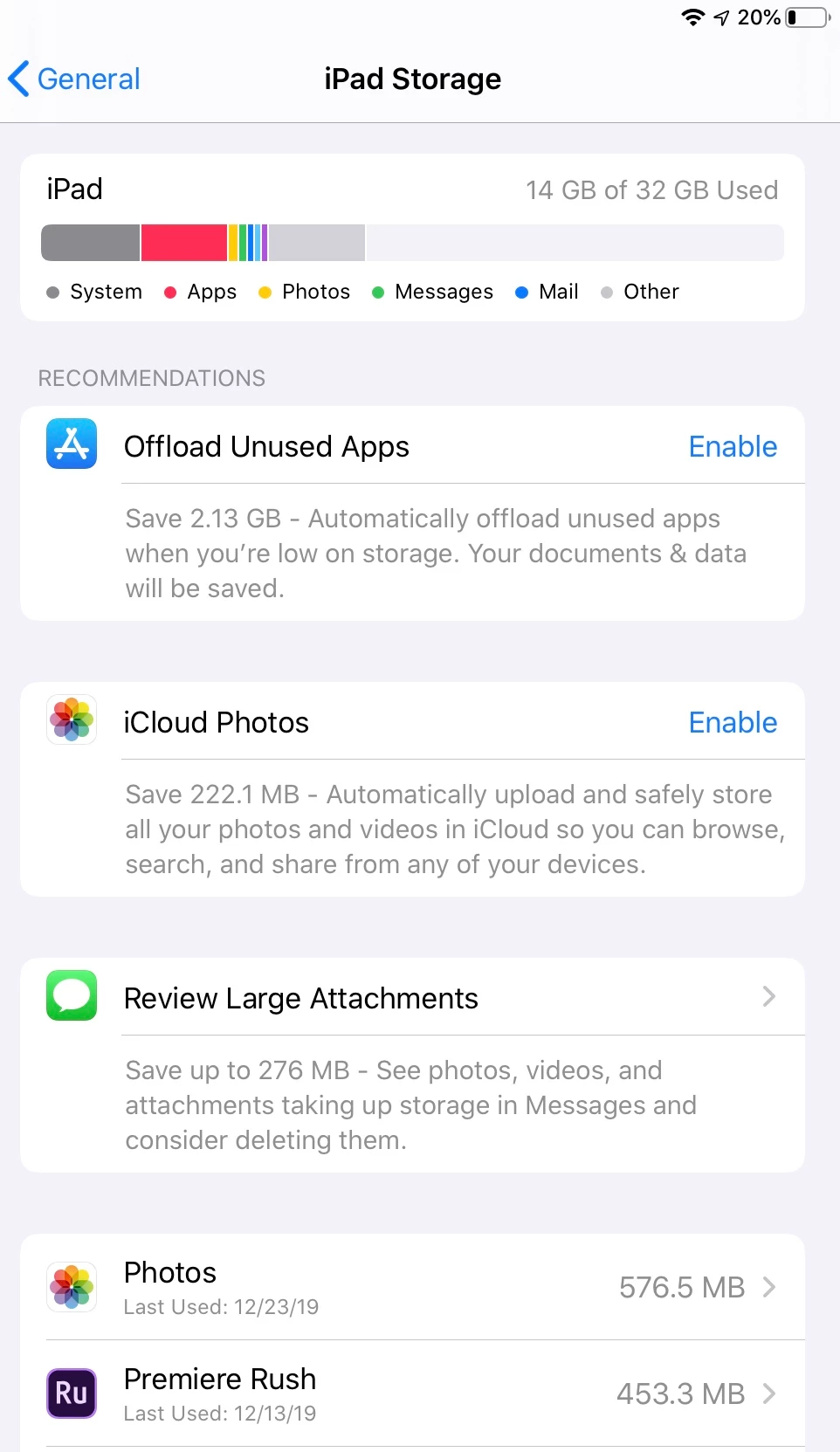
I then re-install lightroom and import my 13gb of photos and it works.
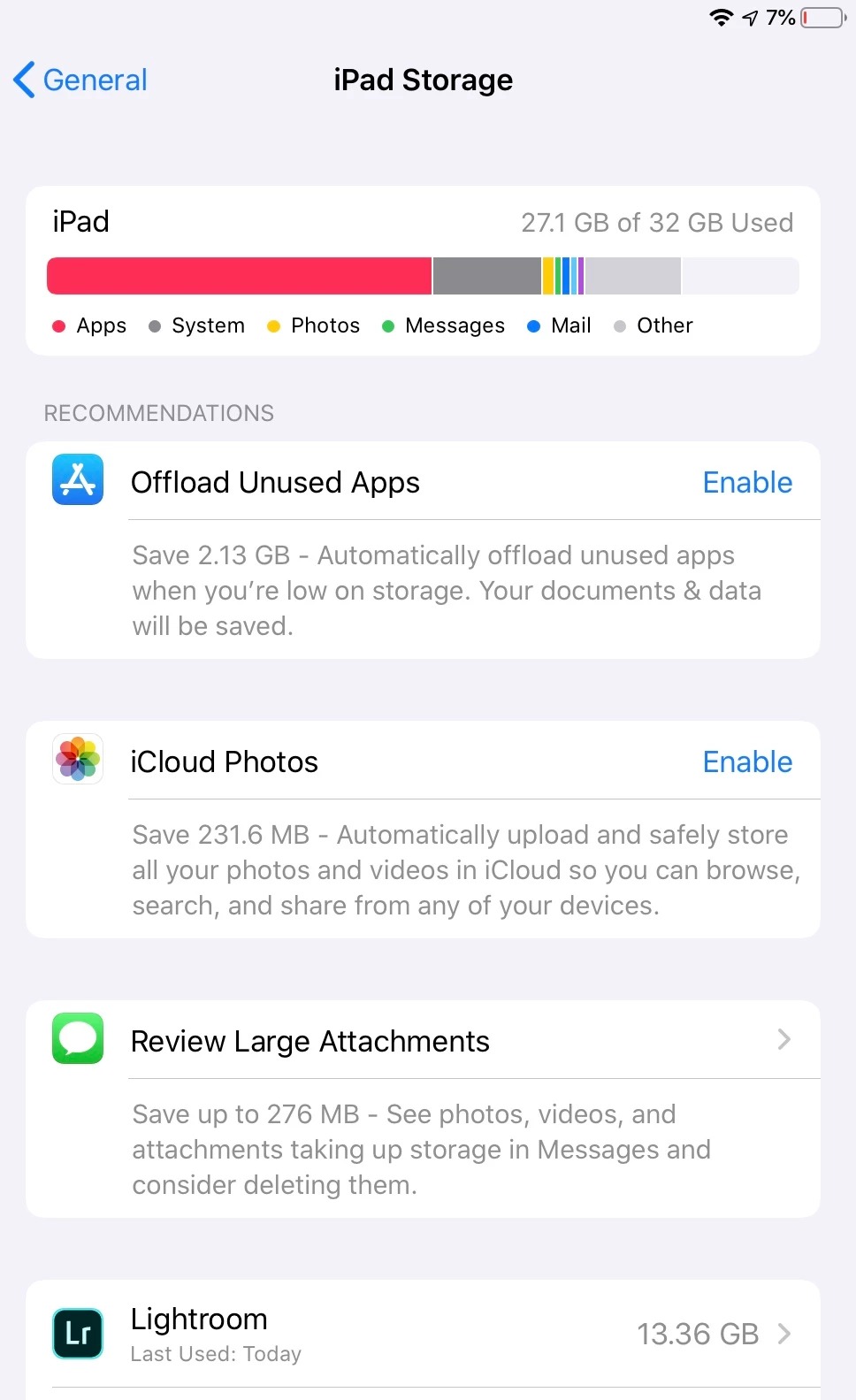
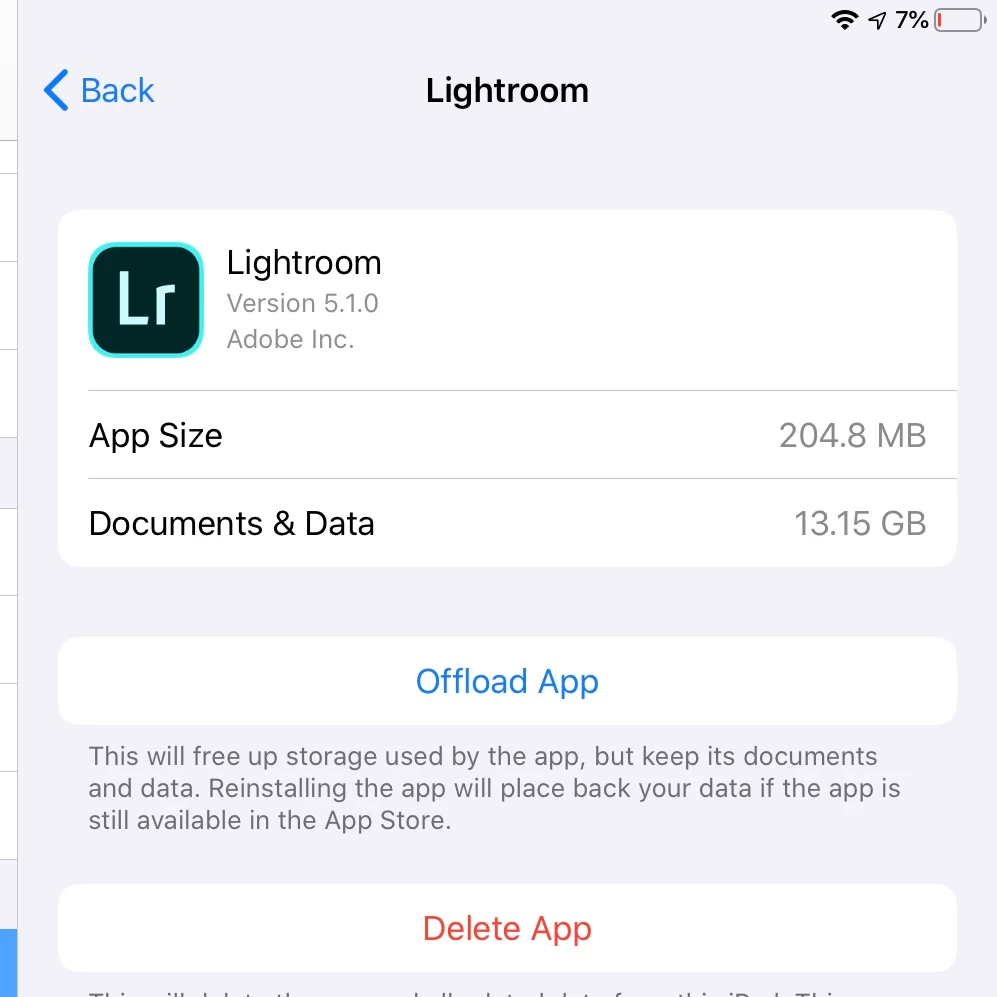
Am I doing something wrong where lightroom is taking up so much space even though the images are not stored on my iPad?
Please help! I bought an iPad with a low storage limit largely based on this new lightroom feature and having to continually uninstall lightroom is super unproductive.
Thanks
{Moved from Lightroom Cloud to Lightroom Mobile Forum by Moderator}
 AdChoices