January 11, 2026
Answered

Disabling “Sync with Lightroom” for a Collection in Lightroom Classic causes the album to be deleted

  • January 11, 2026
  • 1 reply
  • 77 views

Disabling “Sync with Lightroom” for a Collection in Lightroom Classic causes the album to be deleted from all devices and from Adobe Cloud.

This happens without warning, confirmation, or explicit user intent. The action was performed solely to disable synchronization and reduce resource usage, not to delete content.


This behavior causes loss of work, loss of time, and loss of trust in Adobe Cloud. A non-destructive action results in permanent deletion across all devices and the cloud, making the synchronization feature unsafe to use in any professional workflow. This behavior is unacceptable.

Correct answer Jim Wilde

That's not a bug, what you describe is as designed and expected. 


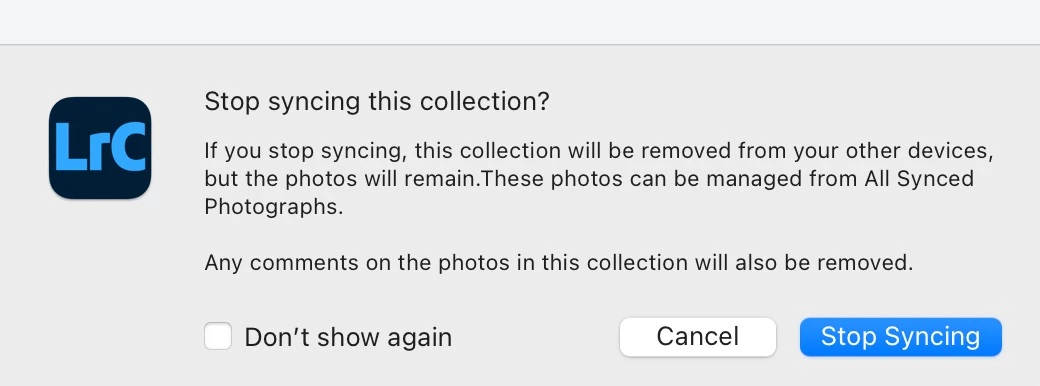
When you try to unsync a collection, you should see this warning:


Screenshot_11_01_2026__15_22.jpg


If you didn't see that warning message, perhaps you've previously ticked the "Don't show again" option.

1 reply

Jim Wilde
Community Expert
Jim WildeCommunity ExpertCorrect answer
Community Expert
January 11, 2026

That's not a bug, what you describe is as designed and expected. 


When you try to unsync a collection, you should see this warning:


Screenshot_11_01_2026__15_22.jpg


If you didn't see that warning message, perhaps you've previously ticked the "Don't show again" option.