Question
Download Sync Error
I have a weird problem which I cannot find a way to fix.
Symptom
- On the Home Screen, the little Sync Icon has a tick.
- In Preferences/Sync There is a file which sits in the download queue with an error. There are no files queued for uploading.
- The long hex string which is the filename is nothing I have ever seen. It is not the preserved file name of the original file.
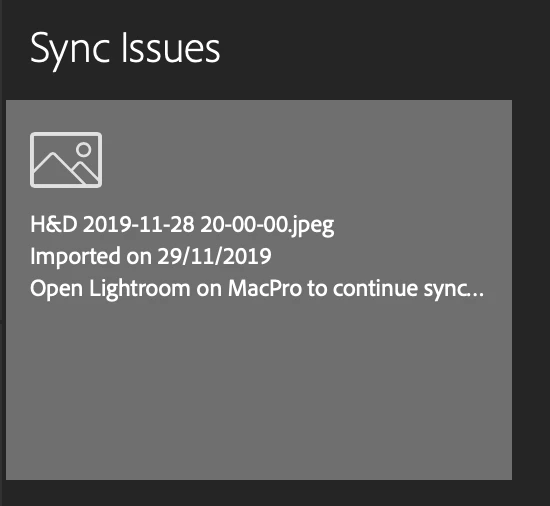
- When I click on the "Error" it takes me to lightroom online which gives the proper file name and says that the file cannot be downloaded because the upload in Nov 2019 has never completed, and to Start Lightroom to complete the sync.
- Needless to say this doesn't work. There are no files in the upload queue, and the original file is sitting quite happily in the library and on my hard file.
- I have tried...
- Deleting and re-adding the file to the library.
- Rebuilding the Sync Data.
I would happily try deleting all sync data, but that takes me back to the web with no instructions as to how to proceed. I assume I should try to delete all the images I can see, but obviously these do NOT include the one that is causing the problem, since ( I assume ) it never uploaded.
I assume that the "Cloud" has a queue somewhere that lists this file for download but I cannot see any way to delete it.
Added a couple of images to show the issue.
Any help would be greatly appreciated.
 AdChoices