November 13, 2022
Question

Duplicated photo stuck uploading (not syncing)

  • November 13, 2022
  • 2 replies
  • 539 views

I have one photo (CR3) that I edited in Lightroom on my mac which I then proceeded to "Duplicate 1 photo" to have a different edit. The original is edited and properly synced but the duplicate is stuck in persistent "uploading" state—despite leaving for a considerable amount of time.


On my mac, Lightroom CC:
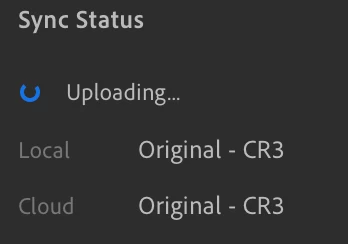
 

On my iPhone and iPad:
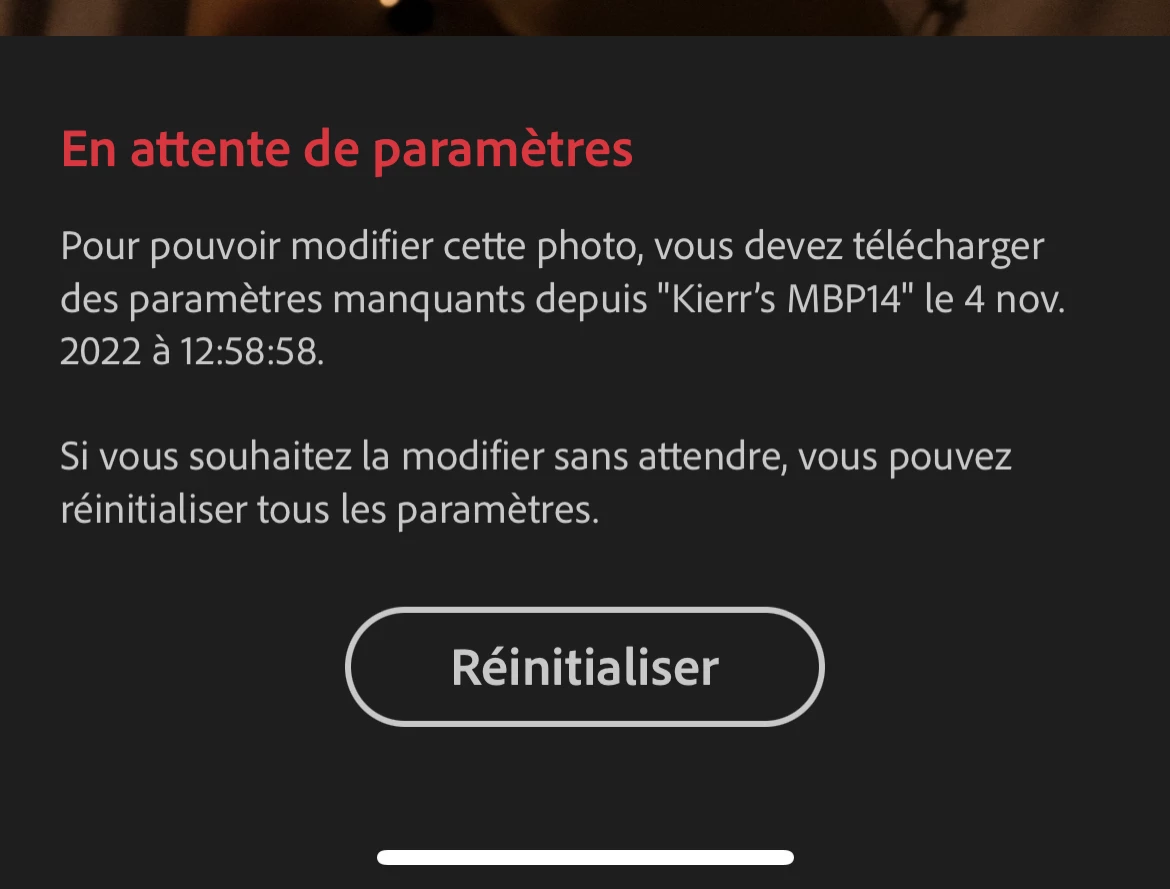
 

On iPhone and iPad album view:

 

All apps are updated to the latest versions as of time of posting.
macOS Ventura: Adobe Photoshop Lightroom version 6.0

iOS 16 & iPadOS 16: Lightroom version version 8.0.0 7FE042/60


This topic has been closed for replies.

2 replies

Rob_Cullen
Community Expert
Community Expert
November 15, 2022

IMO-  Trying to 'Duplicate' a photo from a file that exists in your computer is prone to problems.

Lightroom uses your original files that are stored in the Adobe Cloud. (FIles in your computer are only 'cache' copies.)

If you try to Add/Import a 'duplicate' to the catalog, Lightroom would refuse as it allows an original file to be uploaded only once.


The way to edit different versions of the one original photo is to use 'Versions' within the Lightroom Editing window-

1) Select the photo in Lr and Edit [E]

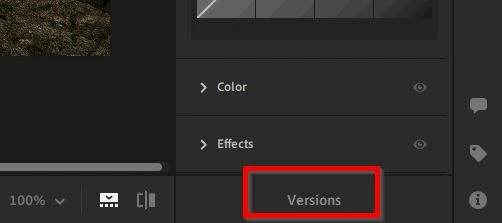
2) Choose [Versions] at the base of the editing panels-

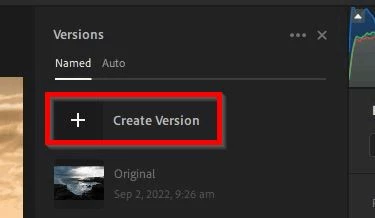
3) Click on the [+] to create a new version, give it a name-

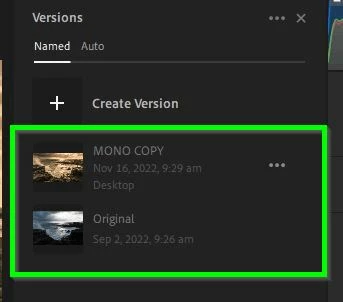
4) Now you have a 'duplicate' in your library that you can edit individually-


Regards. My System: Windows-11, Lightroom-Classic 15.0, Photoshop 27.0, ACR 18.0, Lightroom 9.0, Lr-iOS 10.4.0, Bridge 16.0 .
zuuqyn39
Participant
November 16, 2022

THANK YOU for explaining LR's not accepting duplicates, and what to do!

I had the same problem.

Jackie

Participant
November 15, 2022

Yes I have struggled with this too!! I will duplicate a photo, oftentimes if I want to make it black and white, and it does exactly that. The only way I have gotten around this was to delete the duplicate and then do that again... which is very frustrating. One time though it happened with the original photo and I started panicking. So frustrating.