Known Participant
July 13, 2024
Question

Duplicated User Presets Folder

  • July 13, 2024
  • 1 reply
  • 324 views

I'm using Lightroom 7.4.1 on macOS 14.5


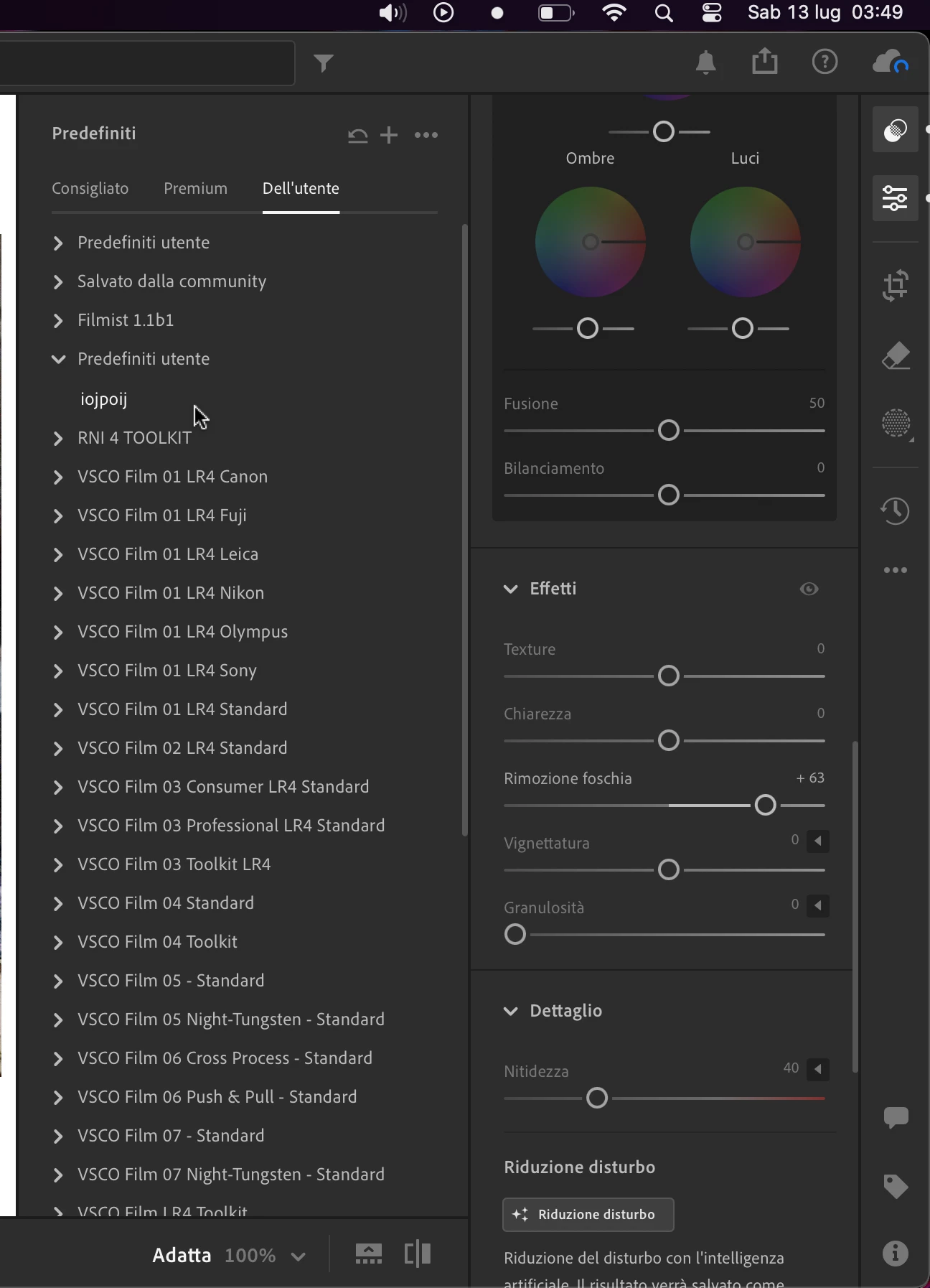
At the top of the presets panel there is the "User Presets" group, in which all the profiles I have created over time are contained.

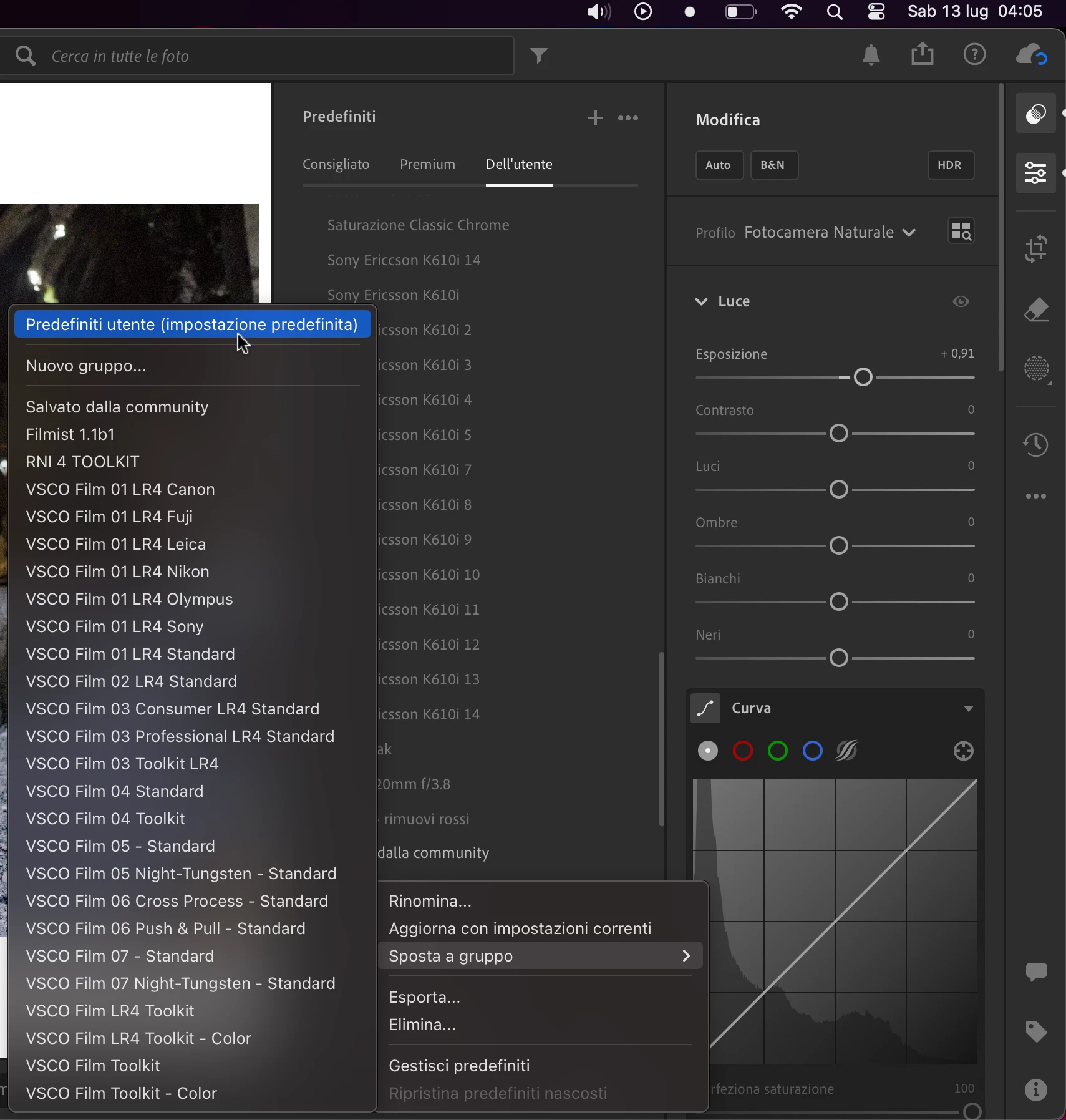
If I press on the "+" button to create a new preset and select the only "User Presets" entry in the group selection menu Lightroom creates a new group with the same name instead of saving the preset in the pre-existing default group. The presets saved there are kept therefore in a different group and can only be transferred into the default folder which stays at the top of the presets panel by right clicking "move to group" and selecting the only "User Presets" option in that submenu.


I attach a few screenshots.


[moved from bugs to discussions according to the community rules - Mod.]

This topic has been closed for replies.

1 reply

selondon
Community Expert
Community Expert
July 13, 2024

Can you also supply a screengrab of the window that appears after you click the + icon?

gio91berAuthor
Known Participant
September 15, 2024


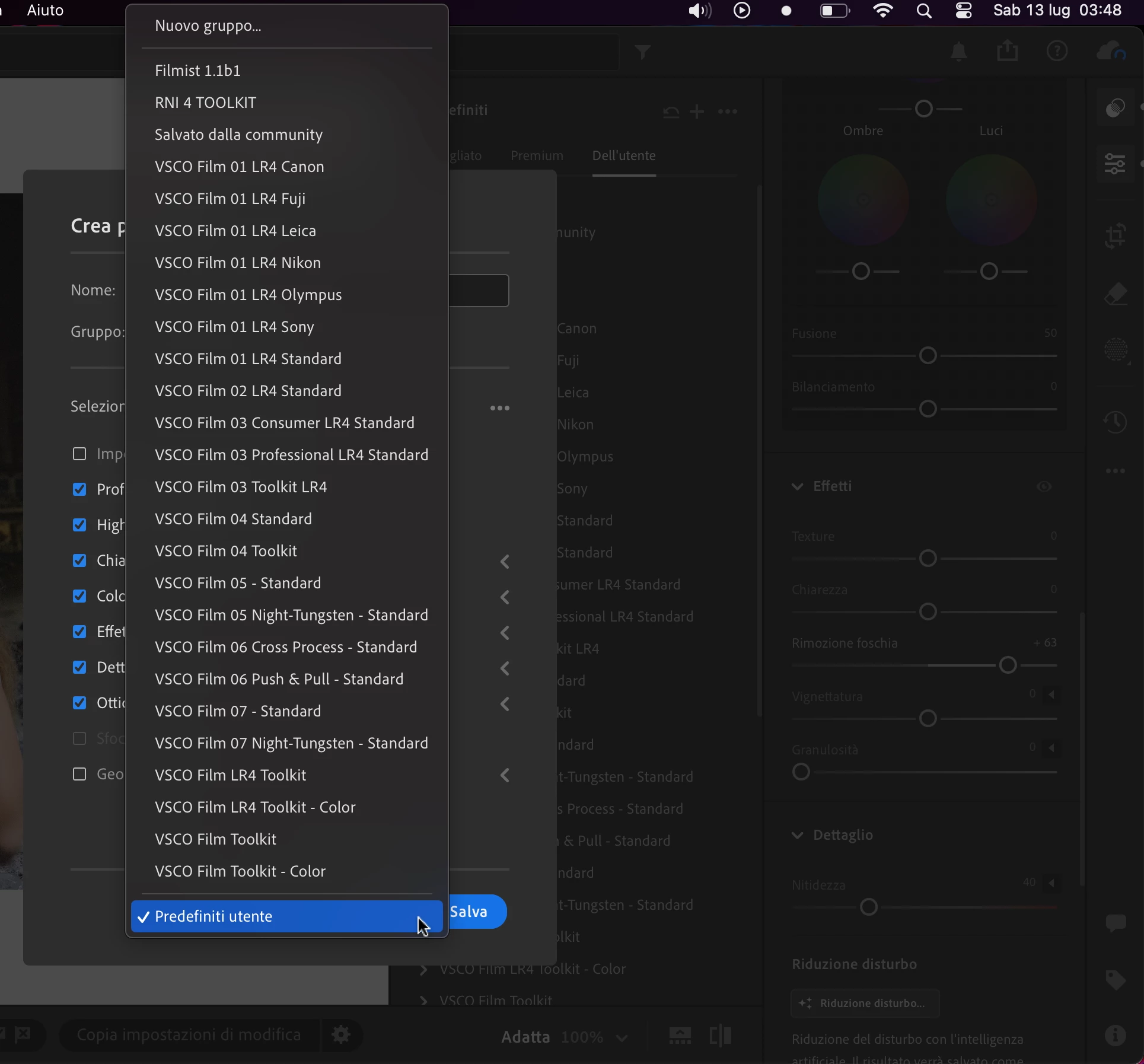
Here is the screenshot from the window appearing after I click on the + icon.

The already selected group User Presets (Predefiniti utente, in italian) is the only one selectable, but the profile created when I click on the save button is always the "new" separated folder.


Trying to explore the reason why this group duplication happens (which is also invisible in the group selection menu in the preset creation window) and looking at the exported presets xmp files I came across a good explanation of why this is happening and it is probably due to a problematic implementation in Lightroom.


Here is part of the xmp of a preset coming from the first User Presets group (the one imported profile which have no set group get sent to) is this. The group description is empty.

   <crs:Group>
    <rdf:Alt>
     <rdf:li xml:lang="x-default"/>
    </rdf:Alt>
   </crs:Group>


Here is part of the xmp of a preset coming from the second User Presets group (the one where profiles created clicking the + button get sent to) is this. The group description is "Predefiniti Utente".

   <crs:Group>
    <rdf:Alt>
     <rdf:li xml:lang="x-default">Predefiniti utente</rdf:li>
    </rdf:Alt>
   </crs:Group>


Also this wouldn't be such a problem if the selection and therefore the transfer of multiple presets would be allowed as it was in the old Lightroom Classic.