
Answered
Enhance Option in Lightroom
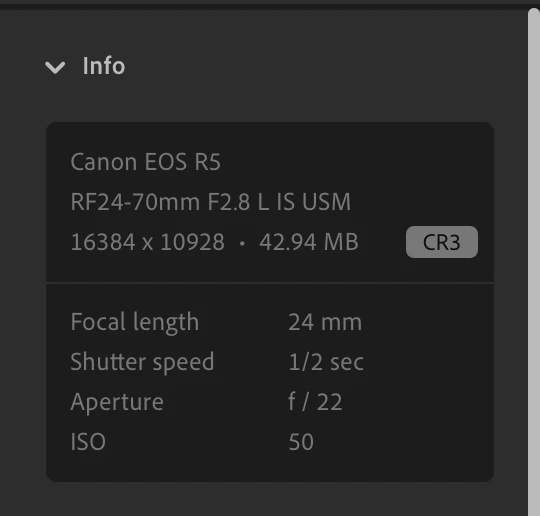
I have a MacBook Air (m3). I run Lightroom 8.4, fully up to date. In the old days, like a few weeks ago/maybe months I could load my photo, click on Photo, scroll to the bottom of that menu and there at the bottom was Enhance. It AI'd a new PNG to create a bigger file with detail filled in by AI. It's not there any more and I can't find anything that does the job instead. I click on Super Resolution, it appears to think about stuff for 20 secs and nothing discernably changes. The file size is still the same. Any guidance/ideas would be great. It was the best feature and it's gone!


 AdChoices