
paul@owenstaylor.com
Known Participant
December 3, 2020
Question

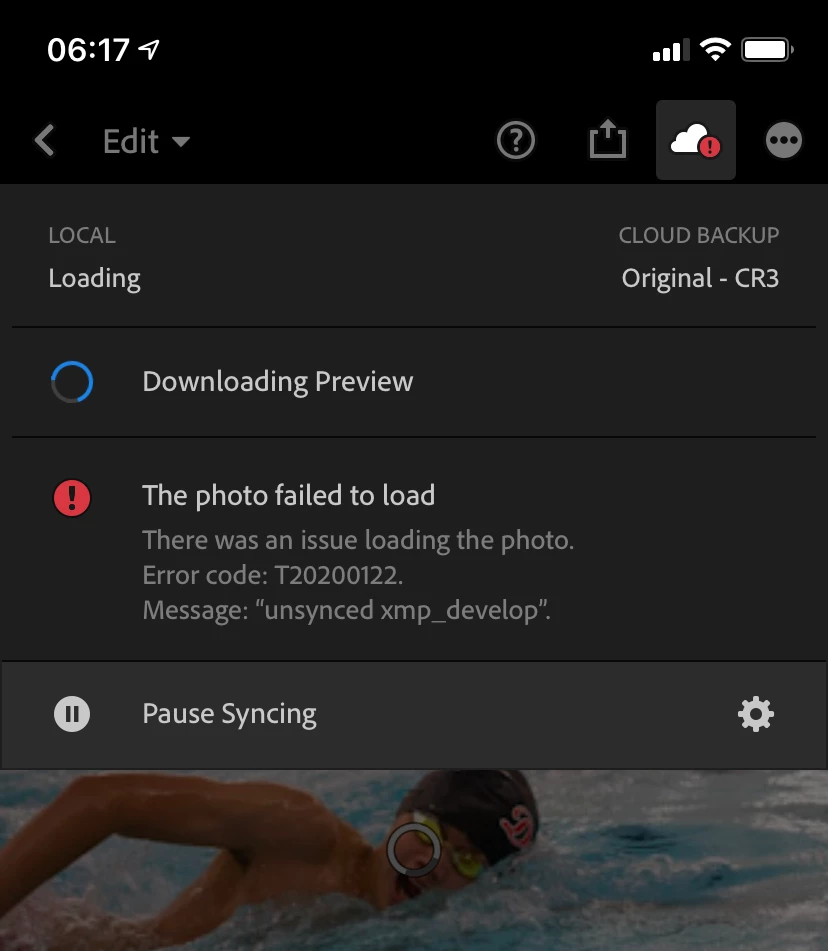
Error Code T202000122

  • December 3, 2020
  • 1 reply
  • 383 views

Hi

Anybody able to help me understand Error Code T20200122? Not sure wy it happened, has occurred on more than one photo and it essentially renders the photo to be lost, as I can no longer access it. Any help greatly appreciated. 
This topic has been closed for replies.

1 reply

greule
Inspiring
December 4, 2020

Could you try to open up this photo in Lr Web (https://lightroom.adobe.com/) and apply a tiny change just to see if that helps. - Guido/ Lr Mobile QE

paul@owenstaylor.com
Known Participant
December 13, 2020

Hi Guido,

This did not fix the error. It would seem that I could indeed edit the photo on through a browser, small changes to color/brightness, but the photo was not editable via the Lr desktop or my Lr app on iphone.


I have lost several phots this now and it seems like it only appreared when I switched to my new Canon EOS R5 (.CR3 raw files)? 


Thanks for your contnued support.


Paul