
kristinecsi
Participant
May 20, 2018
Answered

Error Deleting Presets

  • May 20, 2018
  • 3 replies
  • 515 views

Hello,

I imported some presets (multiple times, on accident) and I think there was an error in file type or something, and I CANNOT delete them from my preset folder. They work, but I don't need three copies of the same preset. I tried resetting Photoshop Preferences, I tried finding the file location on my computer, still get this error message:
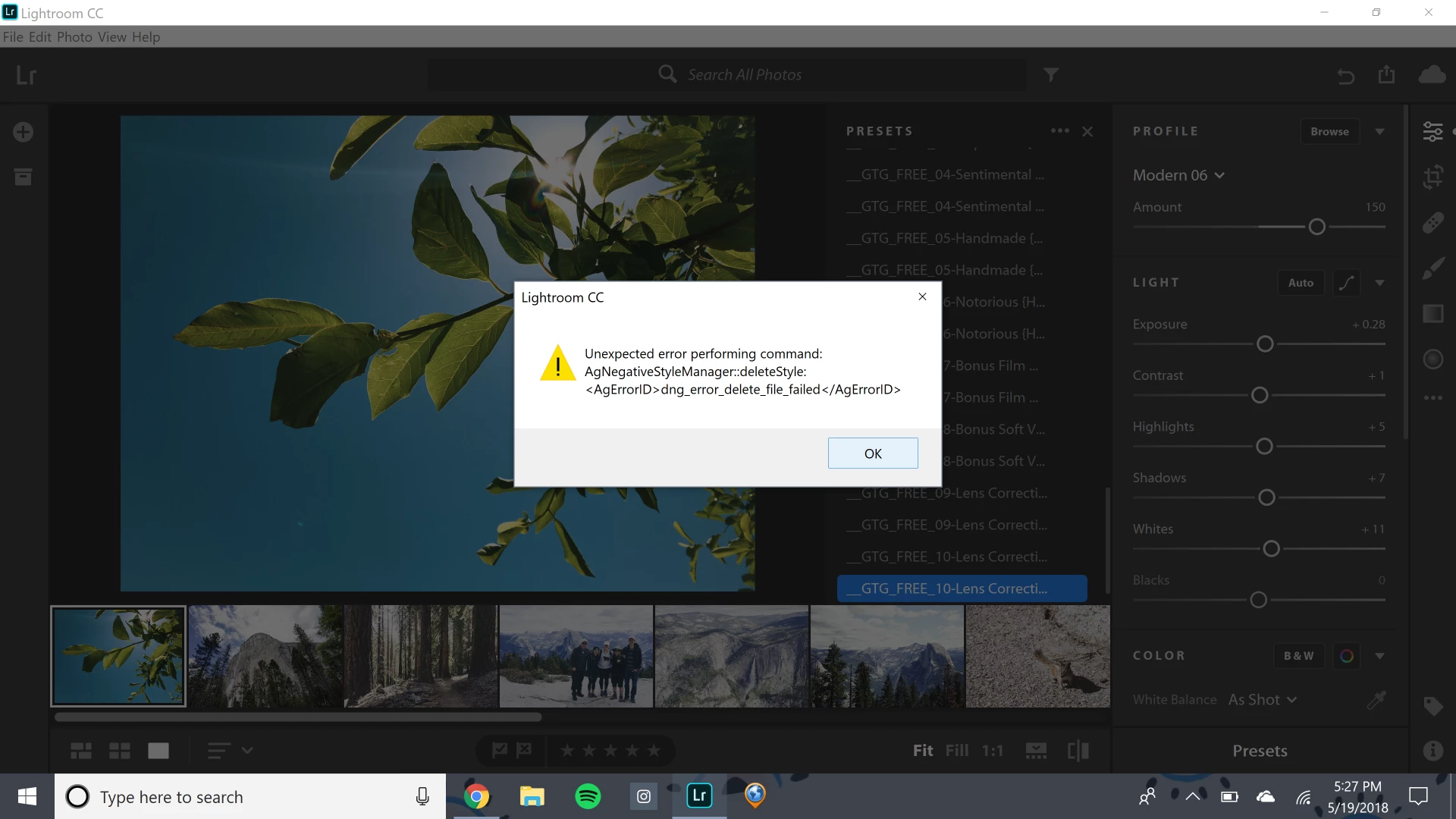
Anybody had this problem before? Or any ideas how to fix it? Please help, I am losing my mind. Thanks.

This topic has been closed for replies.
Correct answer Rob_Cullen

You are using Lightroom-CC (and you are in the Lightroom-CLASSIC forum)

But, You Right-Click on a Preset, select [Delete] and you get the error?

Can you find the Lr-CC presets in your computer?

Mine are in a folder that looks like this-

C:\Users\MyName\AppData\Local\Adobe\Lightroom CC\Data\dbb02def0ddd44aeae8ff4b4b65bcb12\cr_settings

and if I delete one here with File Explorer, and restart LR-CC, then the preset is gone.

3 replies

kristinecsi
Participant
June 3, 2018

Thank you!

F. McLion
Community Expert
Community Expert
May 20, 2018

Moved to the correct Forum.

--- Got your issue resolved? Please label the response as 'Correct Answer' to help your fellow community members find a solution to similar problems. ---
Rob_Cullen
Community Expert
Rob_CullenCommunity ExpertCorrect answer
Community Expert
May 20, 2018

You are using Lightroom-CC (and you are in the Lightroom-CLASSIC forum)

But, You Right-Click on a Preset, select [Delete] and you get the error?

Can you find the Lr-CC presets in your computer?

Mine are in a folder that looks like this-

C:\Users\MyName\AppData\Local\Adobe\Lightroom CC\Data\dbb02def0ddd44aeae8ff4b4b65bcb12\cr_settings

and if I delete one here with File Explorer, and restart LR-CC, then the preset is gone.

Regards. My System: Windows-11, Lightroom-Classic 15.1.1, Photoshop 27.3.1, ACR 18.1.1, Lightroom 9.0, Lr-iOS 10.4.0, Bridge 16.0.2 .