
Answered
Export
I edited a photo in Lightroom, then transferred it to Topaz Photo AI, and afterwards sent it back to Lightroom again. After that, I exported the image.
When I look at the exported photo on my computer, it does not appear exactly as sharp as it does inside Lightroom. What am I doing wrong?
Also, there is another issue recently: when I look at the exported JPEG file inside the folder where I exported it, it says “waiting for update” underneath the file. Maybe this could be related to the problem.
I should also mention that the original file was already a JPEG image before I edited it in Lightroom. Could this possibly be the reason for the quality difference?
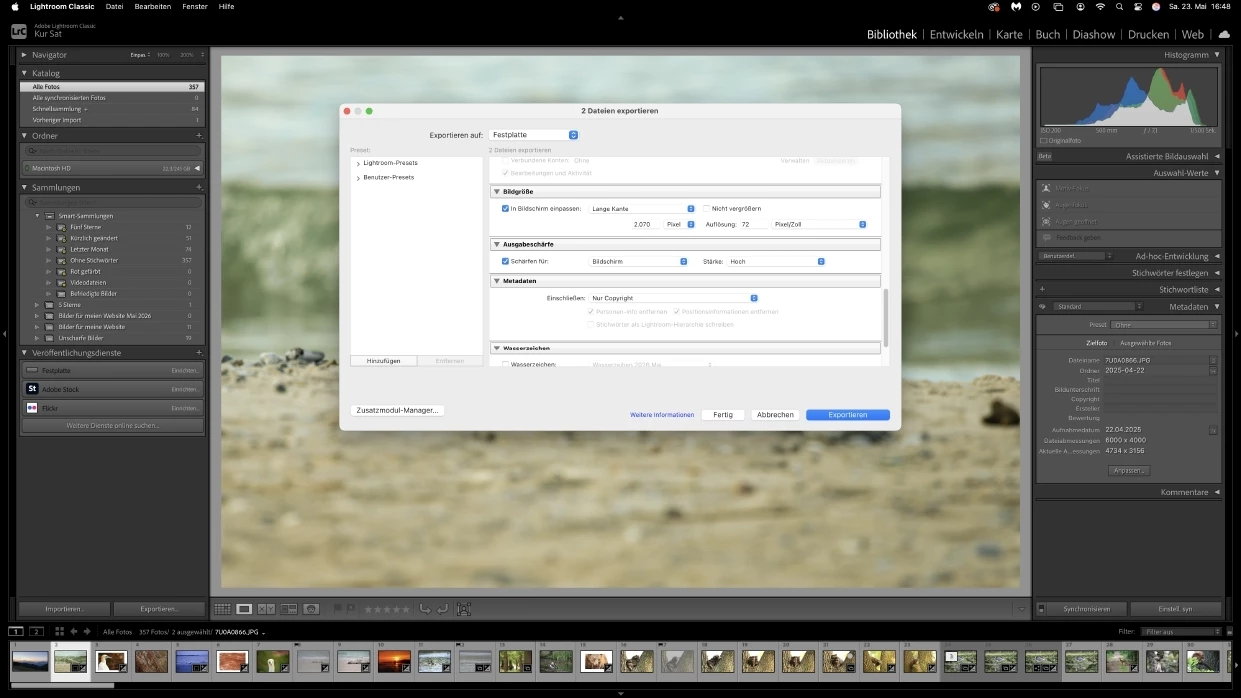
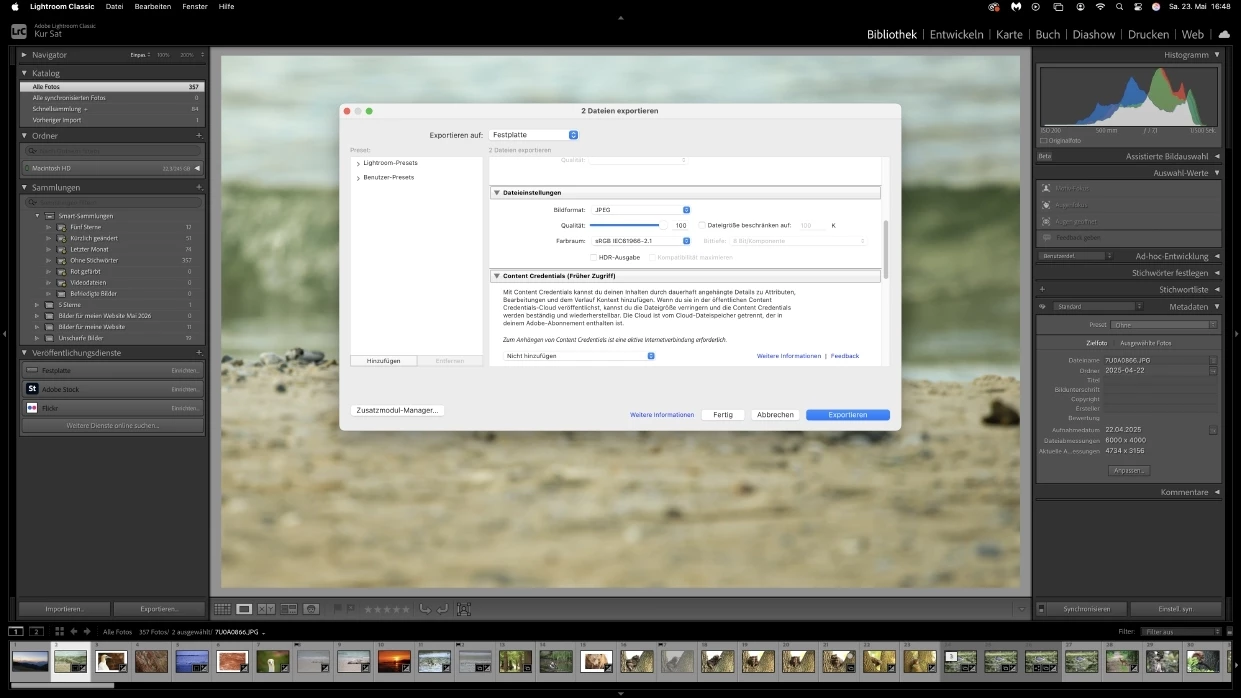
I will also send a screenshot of my export settings.




 AdChoices