
export and share function not working in lightroom cc
Export and sgare function not working. Share selection does nothing, export (shift E) does nothing and export with file size gives an error message.
Uninstall, reinstall, did nothing, restart did nothing.!
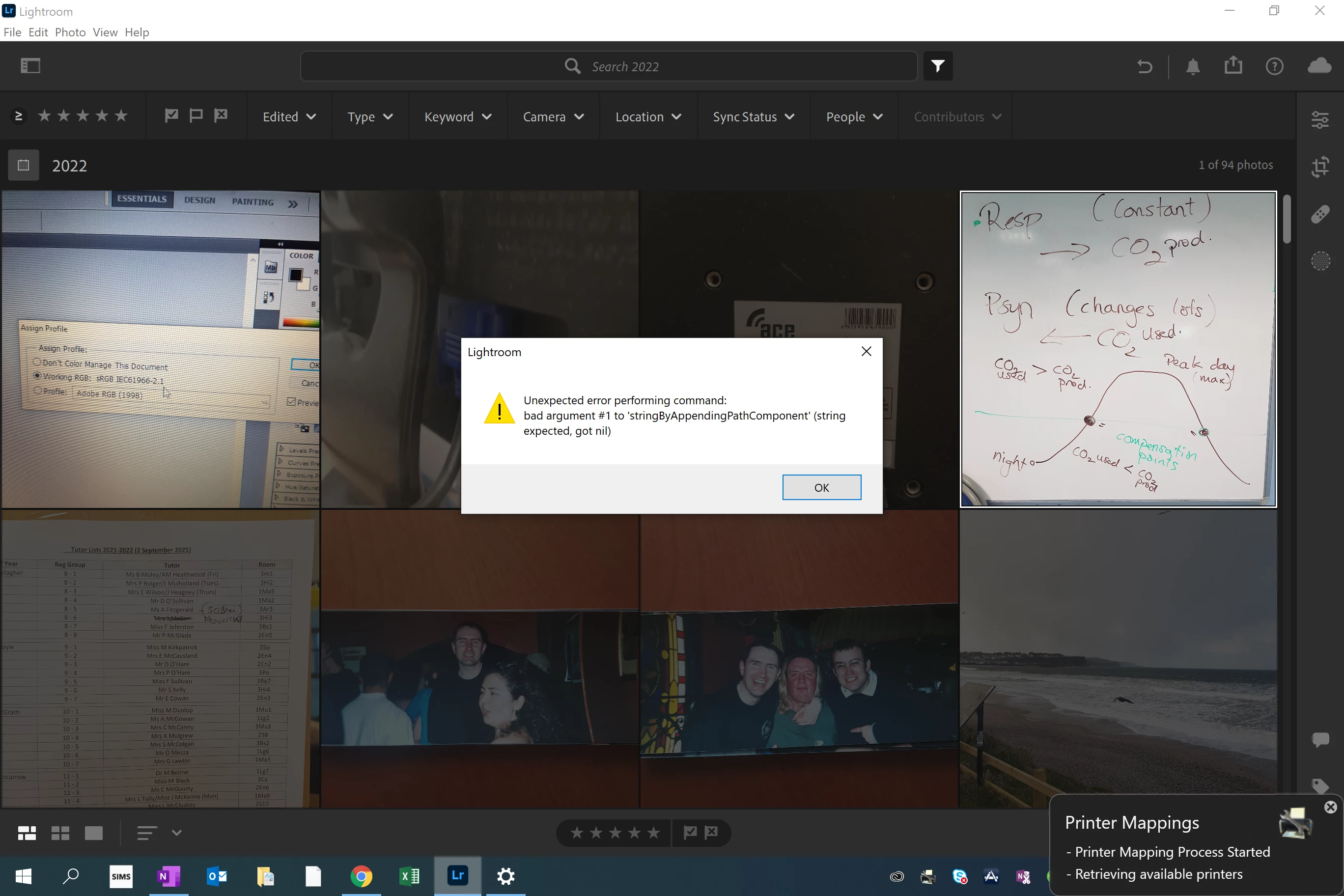
Lightroom version: 5.2 x64 [ 20220128-1049-86119e0 ] (Jan 28 2022)
NGL Version: 1.28.0.8
WF Version: 4.2 1412aed
VF Version: 0.1.36.2
HIL Version: 40405
Operating system: Windows 10
OS Version: Windows 10 Education (2009)
Application architecture: x64
System architecture: x64
Computer model: Microsoft Corporation Surface Pro 7+ / 11th Gen Intel(R) Core(TM) i5-1135G7 @ 2.40GHz
Logical processor count: 8
Processor speed: 2.4 GHz
Built-in memory: 8033.1 MB
Real memory available to Lightroom: 8033.1 MB
Real memory used by Lightroom: 2558.8 MB (31.8%)
Virtual memory used by Lightroom: 3502.8 MB
Memory cache size: 1728.0 MB
Internal Camera Raw version: 14.2 [ 1028 ]
Maximum thread count used by Camera Raw: 5
Camera Raw SIMD optimization: SSE2,AVX,AVX2
Camera Raw virtual memory: 33MB / 4016MB (0%)
Camera Raw real memory: 34MB / 8033MB (0%)
System DPI setting: 192 DPI (high DPI mode)
Desktop composition enabled: Yes
Displays: 1) 2736x1824
Input types: Multitouch: Yes, Integrated touch: Yes, Integrated pen: Yes, External touch: No, External pen: No, Keyboard: Yes
Graphics Processor Info: DirectX: Intel(R) Iris(R) Xe Graphics (27.20.100.9030)
Graphics Processor Detail: loaded: Yes, supported: Yes, compute: Yes, init: I3_GPU3, hard: success, soft: success, al: No, dl: No
OS Media Capability: true
Application Folder: C:\Program Files\Adobe\Adobe Lightroom CC
Settings Folder: n:\RPF\AppData10\Adobe\Lightroom CC
Library Folder: C:\Users\nboyle622\AppData\Local\Adobe\Lightroom CC\Data
 AdChoices