Participating Frequently
May 25, 2018
Answered

Film strip and grid views not populating

  • May 25, 2018
  • 1 reply
  • 709 views

My initial thread with support indicated I had to go here to supply screen shots. I've added them to my exchange:

Hi Akash,

Here's a screen shot showing the film strip issue. I can click on it and

random photos are displayed, but there's obviously no way to know which

one. I can advance through photos by using Edit|Next Photo as well. The

editing tools work normally at least.

Also note that selecting the photo grid view does not update the screen:
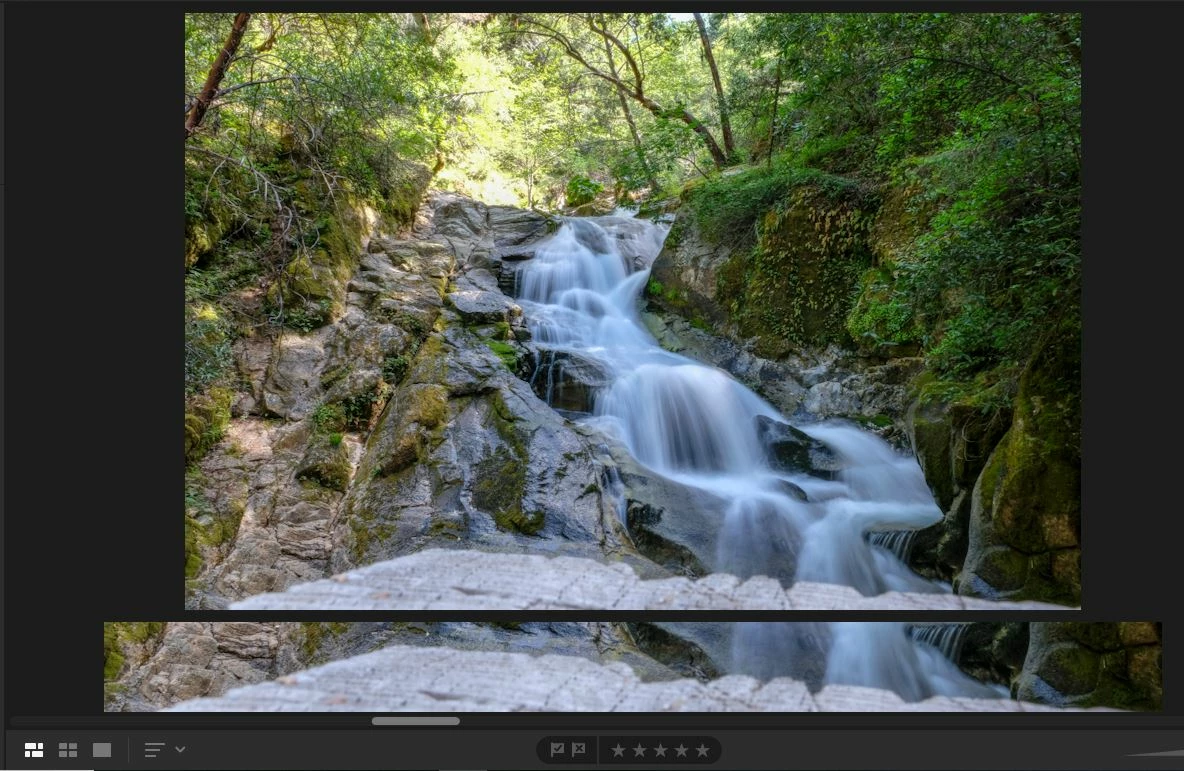
After signing out and back in, I get this:

If I click on a list item on the left, I can get a single picture in Detail

view, but the Grid and Square views still don't work, nor does the Film

Strip.

Best Regards,

David Terrie

    This topic has been closed for replies.
    Correct answer F. McLion

    Did you try it it helps to deactivate the GPU: Adobe Lightroom GPU Troubleshooting and FAQ

    1 reply

    F. McLion
    Community Expert
    F. McLionCommunity ExpertCorrect answer
    Community Expert
    May 26, 2018

    Did you try it it helps to deactivate the GPU: Adobe Lightroom GPU Troubleshooting and FAQ

    --- Got your issue resolved? Please label the response as 'Correct Answer' to help your fellow community members find a solution to similar problems. ---
    Participating Frequently
    May 27, 2018

    Tried it, and it worked. Some other apps look a bit funky now, but I think I can fix this. At any rate, not hard to toggle this setting if I have to. Better than buying a new laptop, which I may have to soon anyway. This one is a 2011 model, if high end at the time.

    Thankyou.

    F. McLion
    Community Expert
    Community Expert
    May 28, 2018

    How exactly did you change it?

    This setting is in LR and has not effect on any other application, only on LR.

    I suspect you did change the wrong setting.

    Simply uncheck 'Use Graphics Processor':

    If this is not what you did, revert all changes and try this.

    --- Got your issue resolved? Please label the response as 'Correct Answer' to help your fellow community members find a solution to similar problems. ---