
Question
Fit Button Doesn't Center Image
I am encountering an issue where the "fit" button does not return an image to the frame.
Steps to Reproduce:
- Select an image and open the edit panel
- Switch to the Masking section
- Make any mask
- Zoom into 100 percent on the image and move it around to look at a different part of the image other than the center.
- Click the Fit button in the lower right.
Expected Behavior: The image would return to the center of the window and zoom out so the entire frame isvisible.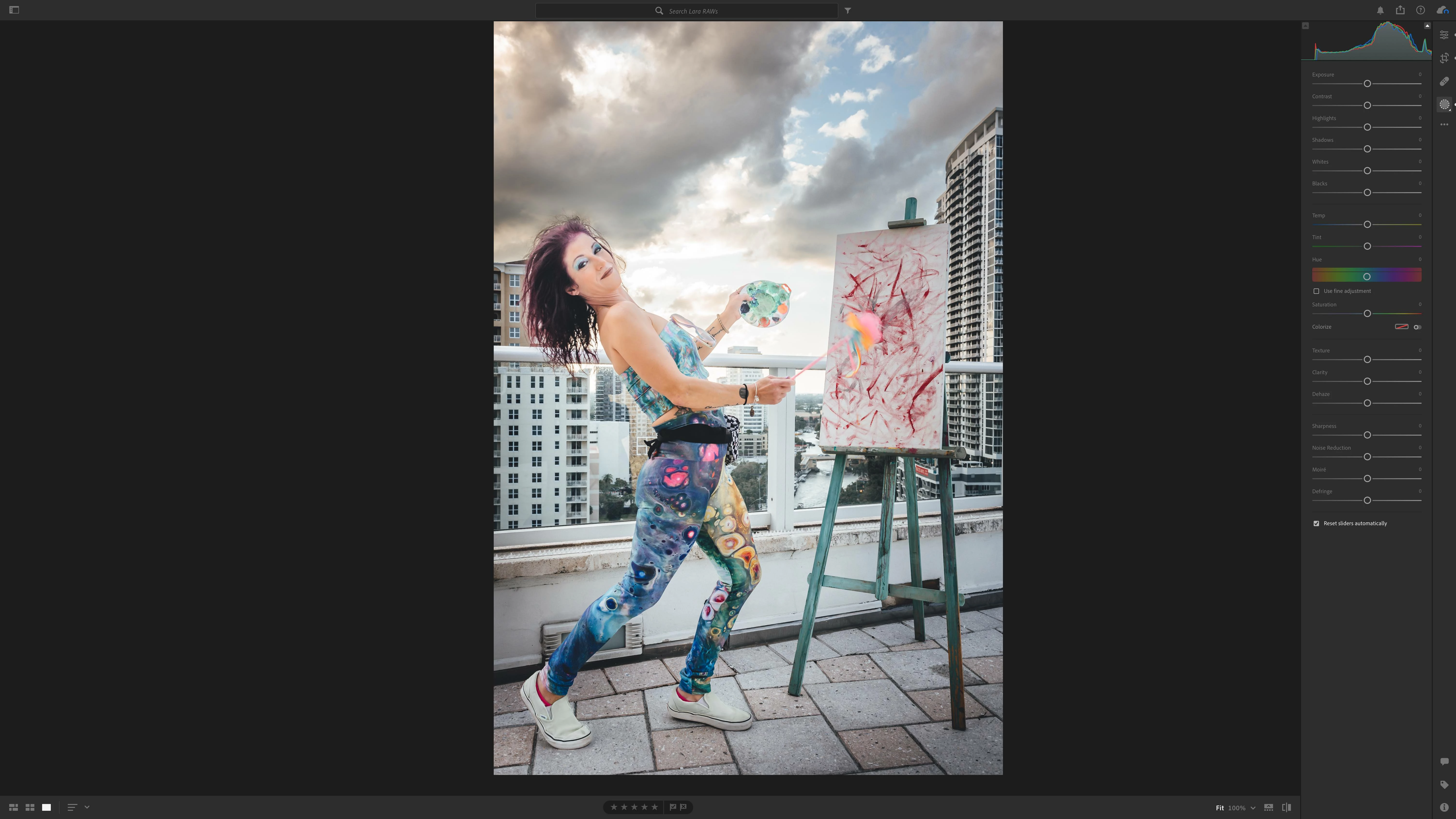
Actual Behavior: The image zooms back out to its original size, but it doesn't shift to fit the entire image in the frame.
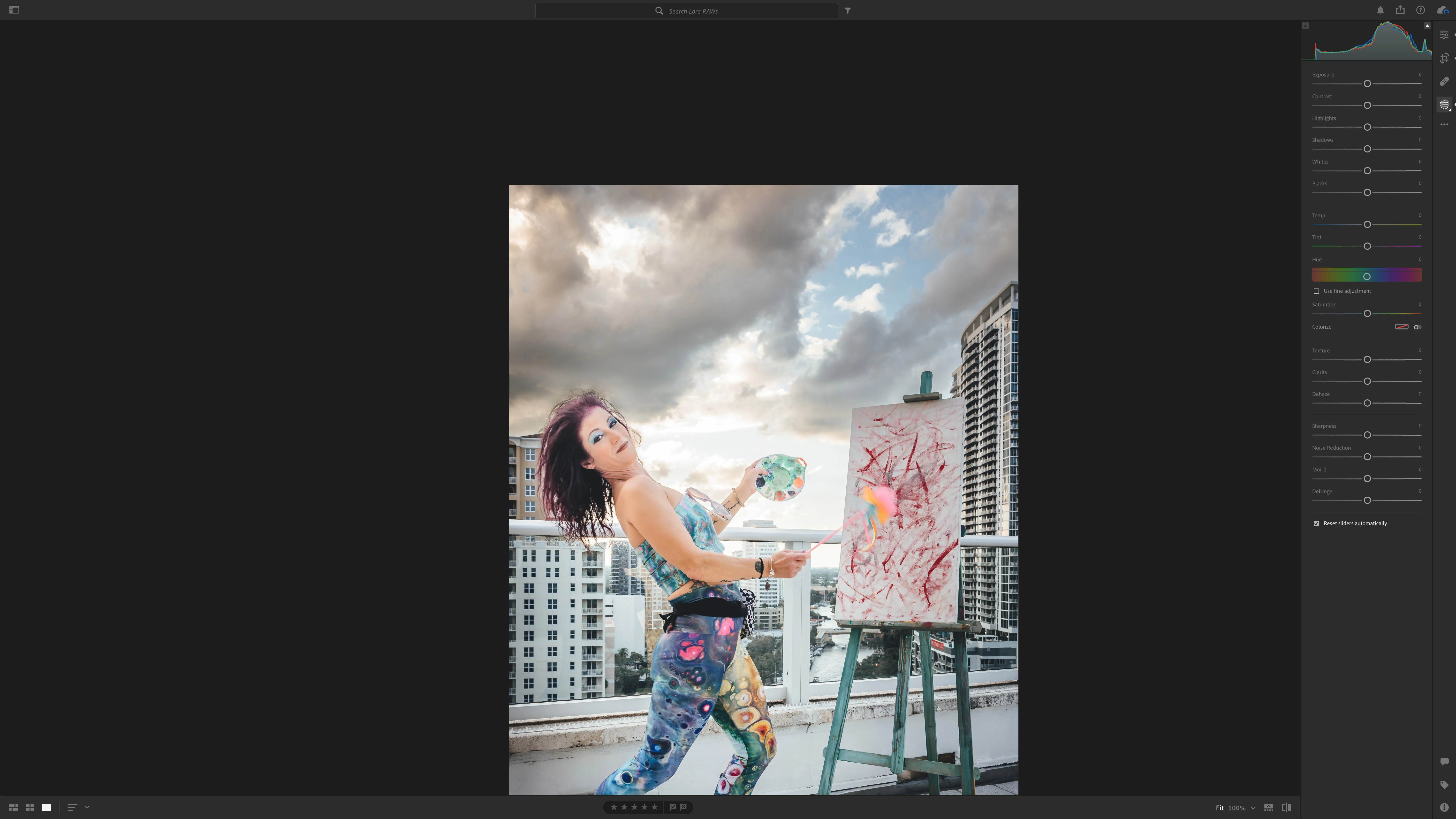
When this happens, I am unable to move the image to fit in the frame when in Fit mode. I have to zoom back into 100% and then guesstimate where to postion the image and zoom back out.
This happens consistently with any type of file format and regardless of whether I am using my MacBook Pro connected to an external display.
I'm using a 2021 MacBook Pro 14" M1 Pro Max with 32 GB of RAM.


 AdChoices