
Participant
November 19, 2023
Question

Folder Permissions Denied - Cant access External Hard Drive or SD card through Lightroom

  • November 19, 2023
  • 2 replies
  • 651 views

I am just now getting around to using LR with the new MacOS install, assuming that is what is causing the issue? However, I have followed guides on line to supposedly allow it to work, however it is still erroring out. Below is the error, and below that is the access I gave to LR and still does not correct the problem.
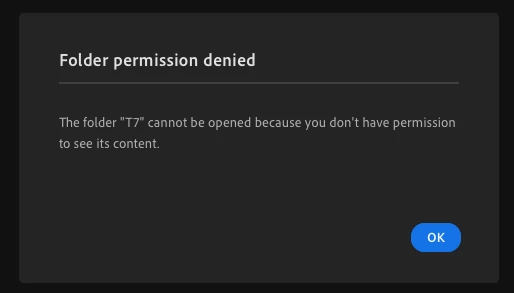
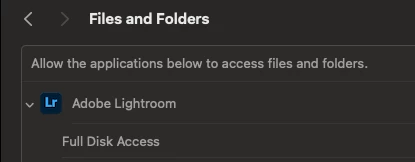


Not sure what else to do at the moment ... Not seeing anything else online, unless I missed it about this.

This topic has been closed for replies.

2 replies

Participant
September 28, 2024

Is there any solution? I have the same problem.

JohanElzenga
Community Expert
Community Expert
September 28, 2024

Denied folder permissions are a MacOS thing, not something Lightroom does. You try to access a folder that Lightroom does not have the right to access. Contrary to popular belief, 'Full Disk Access' does not mean Lightroom has access to every folder on your disk. There are still folders, such as most system folders, Time Machine disk folders, and folders belonging to another user account, that will not be accessible. Without detailed information about the folder you try to access with Lightroom, nobody can tell you how to fix it (or if you should not try to fix it but choose another folder).


-- Johan W. Elzenga
JohanElzenga
Community Expert
Community Expert
November 19, 2023

Deleted


-- Johan W. Elzenga