
Participant
October 26, 2020
Question

Folders disappearing - not in sync

  • October 26, 2020
  • 1 reply
  • 345 views

Hello all,


I have a total of 6 albums in Lightroom (Cloud Version) and when I open up the desktop app it sometimes shows this (which is the incorrect album structure):
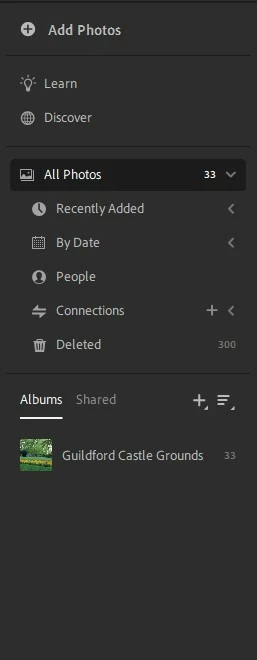


and sometimes this (which is the correct structure):

 

Please help - it seems completely random!!

This topic has been closed for replies.

1 reply

selondon
Community Expert
Community Expert
October 26, 2020

Things like this normally occur when you are logging in with two different IDs, but guess that isn't the case here?


What do you see at http://lightroom.adobe.com/ and where are the photos coming from? (Synced from Classic? Imported direct into Lr Desktop? Imported via Mobile?)

Paris C.Author
Participant
October 26, 2020

Hi there selondon,


No I am not logging in with two user IDs,


Upon entering the above URL I get the correct folder structure:


but when I hit refresh I get the incorrect structure!!:


When I keep on refreshing I sometimes get the first image and sometimes the second....


On lightroom mobile I get the correct view everytime


Please help?