


Inspiring
Jun 4, 2020 5:16 PM UTC
Answered

Forever syncing 2 photos - no end in sight


Can anybody help be resolve an ongoing sync issue?


I have 2 photos that never sync.  See below.
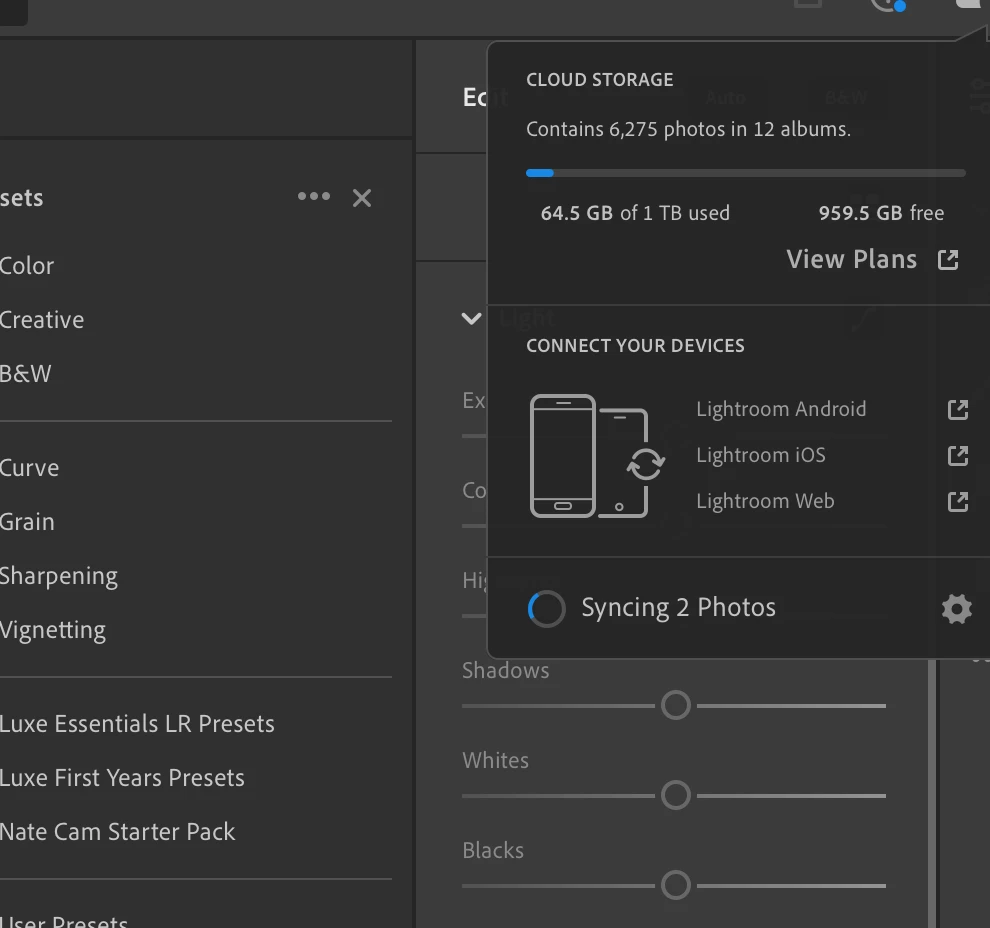


    I have the latest version of lightroom installed.
    I've also tried uninstalling and reinstalling.
    I've tried installing a previous verion.
    I've tried following the recommended steps below to identify and filter syncying photos but there are no photos syncing when I apply the filter.  See below.



I'm at a loss how to stop or end the sync process or see what it's attempting to sync.


Thanks

Paul


The below did not work or show any syncing photos.


In the My Photos area in the left pane, select the All Photos album. Switch to the Square Grid view, which displays photos as equal-sized thumbnails along with their flag status, sync status, and rating. Click the filter 


     icon next to the Search bar to bring up the filter options. From the filter bar options, choose Sync Status > Syncing.
    Lightroom now displays only those photos that it is trying to sync.
    Press Ctrl+A (Win) or Command+A (Mac) to select all the photos displaying in the grid and then do any of the following:
      Apply a flag or a star rating to selected photos.

The syncing issue should now be resolved. To check the sync status, click the cloud icon at the upper-right corner. 

This topic is closed to new replies. Start a new post to keep the conversation going.
paulw53444641Correct answer
Inspiring
Jun 5, 2020 8:04 PM UTC

OK - I found the solution in another thread.  Renaming the library file and restarting worked for me.


https://community.adobe.com/t5/lightroom/lightroom-cc-desktop-syncing-x-photos-forever/td-p/11103440?page=1

8 replies

tPet
Known Participant
Jul 29, 2020 3:22 PM UTC

Bless you. This was driving me nuts for about a week!

Translate
mfixix
Participant
Jun 5, 2020 4:10 PM UTC

Same for me! 2 photos that never sync since weeks!! And also using filter showing unsynced photos does not show anything!

At this time Lightroom on MAC is unusable...


Translate
paulw53444641AuthorCorrect answer
Inspiring
Jun 5, 2020 8:04 PM UTC

OK - I found the solution in another thread.  Renaming the library file and restarting worked for me.


https://community.adobe.com/t5/lightroom/lightroom-cc-desktop-syncing-x-photos-forever/td-p/11103440?page=1

Translate
mfixix
Participant
Jun 20, 2020 5:44 AM UTC

Thanks for the link, worked for me as well!

Translate
selondon
Community Expert
Community Expert
Jun 4, 2020 10:53 PM UTC

If you visit http://lightroom.adobe.com/ sometimes they show there under a sync issues section over to the top left.

Translate
Inspiring
Jun 5, 2020 7:57 PM UTC

I don't see any sync isues section.  Just All Photots

Translate
Participating Frequently
Jun 4, 2020 5:30 PM UTC

For me, it was 5 photos in my trash that couldn't sync and they don't show in a search.

Translate
Inspiring
Jun 4, 2020 5:54 PM UTC

Yes, I have read about this solution too. Unfortunately I have no photos in the trash. 😞

Translate