Participant
May 25, 2023
Question

Full screen error
  • May 25, 2023
  • 1 reply
  • 201 views

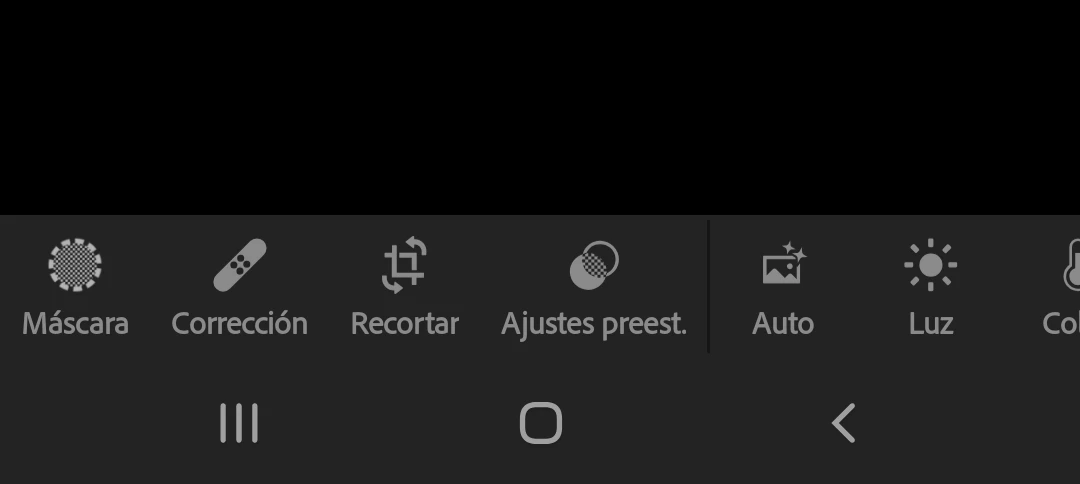
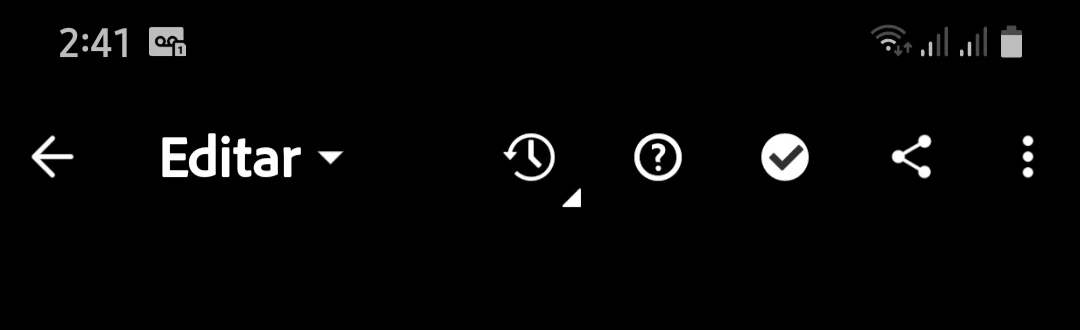
Hi. I want to report an error, it happens that in the most recent version of Lightroom 8.3.3 the full screen does not work when I am editing and it is annoying, what I mean is that the status and navigation bar are visible when I'm editing, the only version of Lightroom that if you had the full screen is version 8.1.2 from there the versions that came out did not work the full screen, I would like you to please fix that.

My android version is 9
CPU: arm64

This topic has been closed for replies.

1 reply

Sameer K
Community Manager
Community Manager
May 25, 2023

Hey @Alexander28929166kpeo. Welcome to the Lightroom Community. I'll help you figure this out.


In Lightroom Android, the navigation toolbar & the status bar at the top are visible in the Edit workspace by design. You can tap on the image to go into the viewing mode to zoom in & get a full-screen preview of the image, which will hide the status bar & navigation tools.


Check this for reference: 


This should help clarify this. Let me know if it does.

Thanks!

Sameer K


Participant
May 30, 2023

Hi @Sameer K 

I very much appreciate your response. Indeed I already knew that, however it is not the problem, the problem is that just when I am editing ( and I mean when I am putting the settings to my photo and others ) I can see both that are status bar and navigation bar which did not happen in the previous version already mentioned, in my case it distracts me to see the time in the status bar when I am editing. I just think the Lightroom 8.1.2 version that works perfect on the full screen when editing was excellent. I hope you take it into account. Thank you