


Question
Generative AI remove results don't blend textures anymore
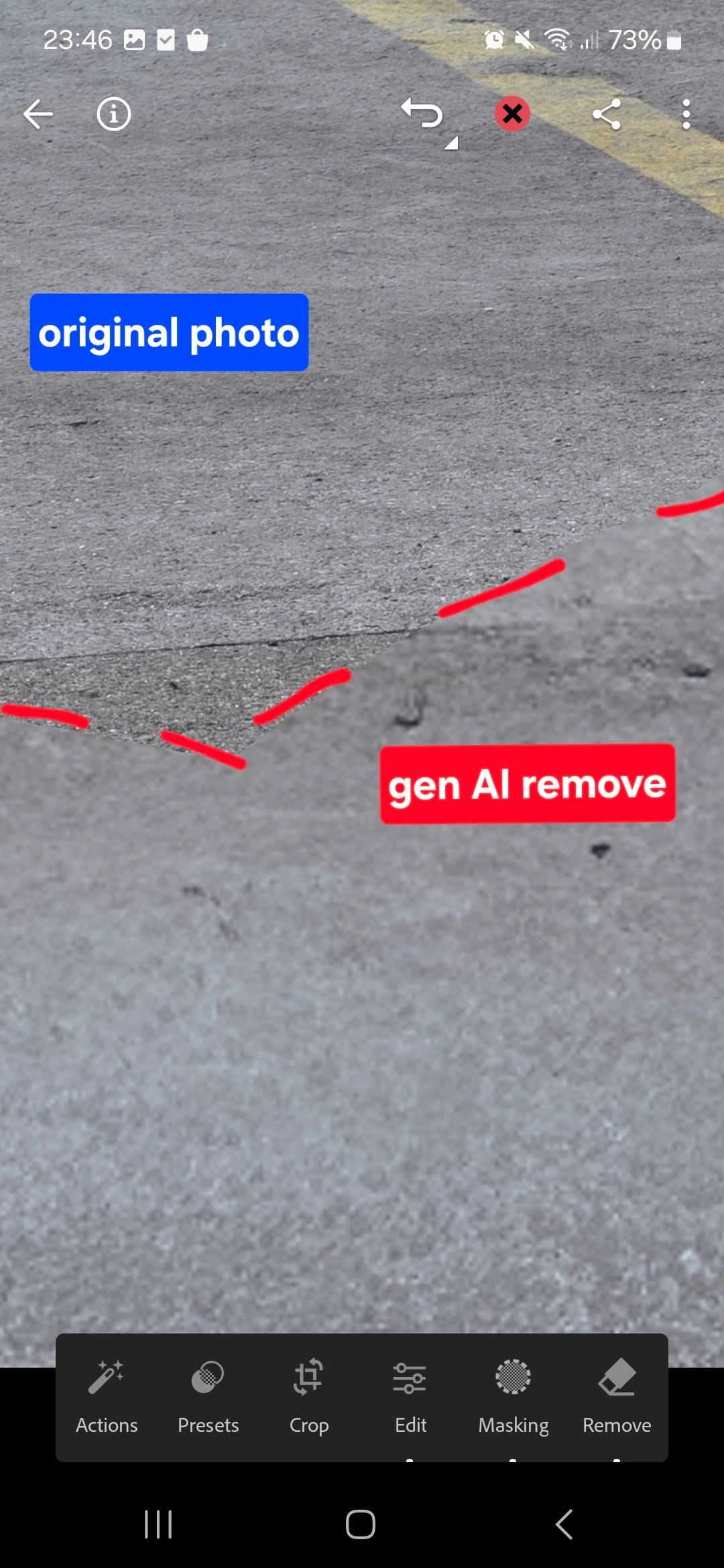
Generative AI remove function doesn’t reproduce any of the original textures anymore and leaves a nasty, obvious result where the removed spot stands out from the rest of the picture. This leaves the AI generated remove function unusable and very unreliable compared to just regular remove function.
Fix this - the AI remove function was good for removing complex objects and did an okay job before. Now I have to fix the gen AI remove’s job just so it blends in with the rest of the picture, or just not use it at all. Thanks.
 AdChoices