Participant
June 26, 2021
Question

Getting these bars in Lightroom & then the software crashes after editing a while on Windows 10

  • June 26, 2021
  • 1 reply
  • 365 views


Not sure if these errors might be caused by the graphics card but it only occurs in lightroom and has been happing for past one month it worked perfectly before.
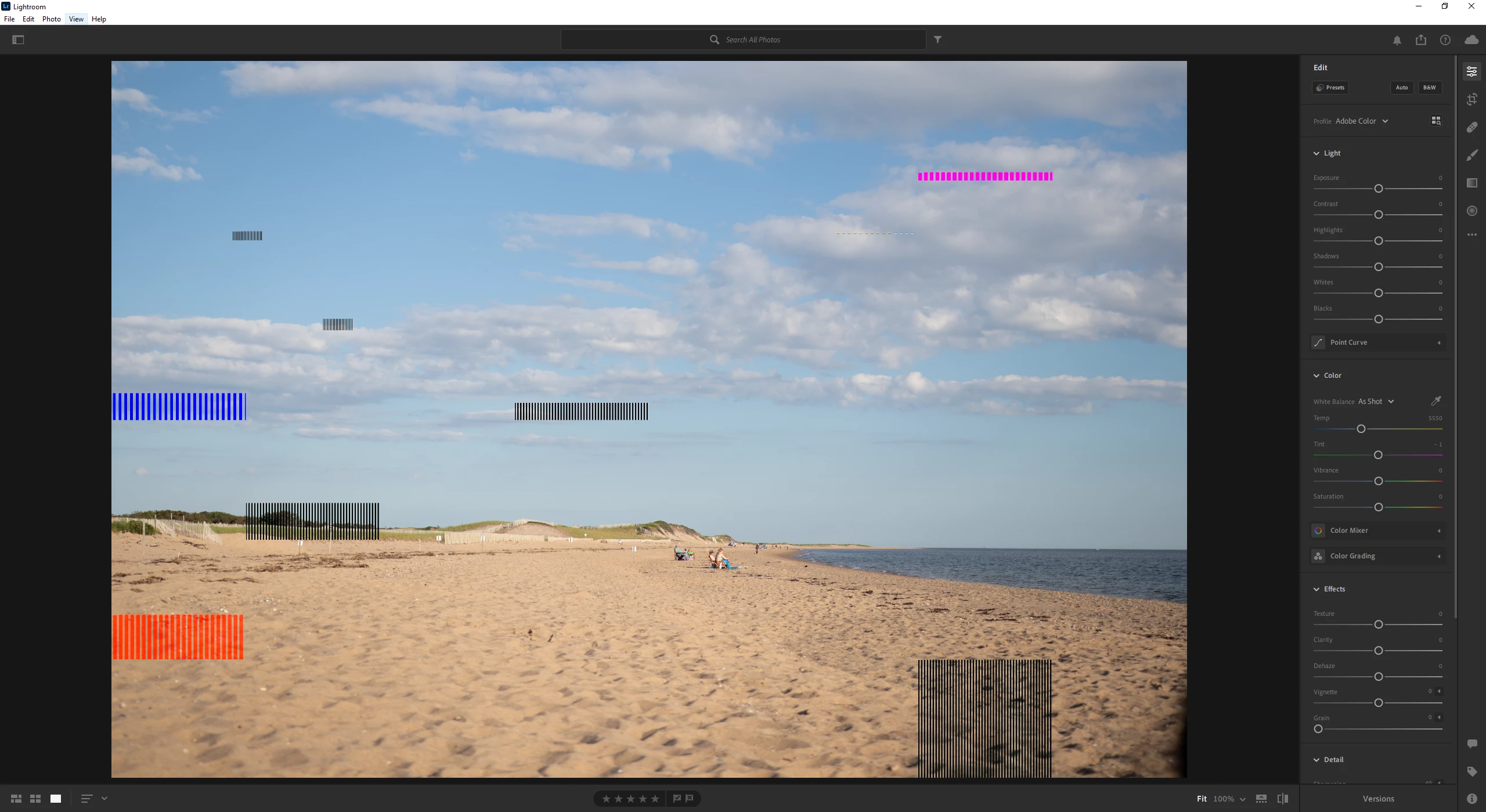


{Thread title edited by moderator}

This topic has been closed for replies.

1 reply

nikunj.m
Legend
July 1, 2021

Hi,


We're sorry about the trouble with Lightroom. Would you mind telling us which version of Lightroom are you using? Have you tried disabling the option to Use Graphics Processor from Lightroom to check if that helps? If not, please disable the option by going to Preferences, then Performance. Once done, quit & relaunch Lightroom before testing. If it helps, you can check out solution 4 mentioned in the article: https://helpx.adobe.com/lightroom-classic/kb/troubleshoot-gpu.html


If the issue persists, try resetting the Preferences of Lightroom by launching the app while pressing & holding the Shift + Alt keys.


Let us know how it goes!

Regards,

Nikunj

SwangyaAuthor
Participant
July 2, 2021

Hi,


Thanks for the reply, currently I am using version 4.3 from the Microsoft store but I have used the latest build from the adobe creative cloud. I have tried those steps but it did not help. I also tried deleting the preference file also tried to uninstall and reinstall and that did not help either.


Thank You.

nikunj.m
Legend
July 2, 2021

We're sorry that suggested steps didn't help! Would you mind telling us if you get the bars with all the files or some specific files?