
Participant
February 18, 2022
Answered

Giant Lightroom library.lrlibrary file

  • February 18, 2022
  • 1 reply
  • 1065 views

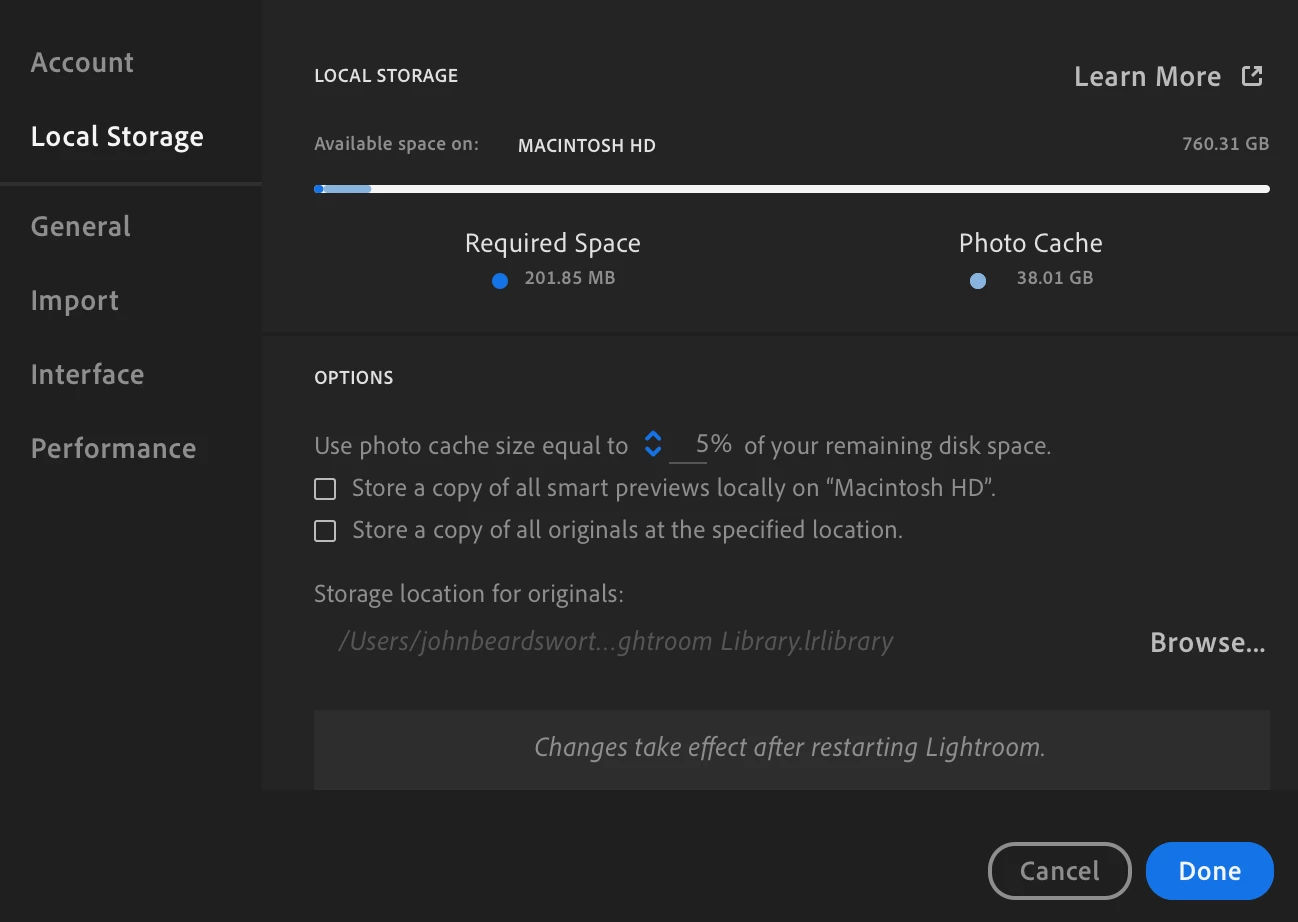
After installing OS Monterey, I get the error message that I have run out of application memory. One of the things I discovered is that my library.lrlibrary file is almost 300GB. I use LR CC, so I believe my photos are all in the cloud and my LR settings are set NOT to store local copies, so I don't understand why that file exists. I am backing it up to an external drive, just in case. Once I do that, is it fine to delete that file from my computer? Thanks for any help you can give me!
This topic has been closed for replies.
Correct answer john beardsworth

In Preferences, reduce the percentage for local storage. This is a cache - your real photos are in Adobe's cloud.

If that doesn't help, go to All Photos and filter on Sync Status. See if anything is "Syncing" ie hasn't yet gone to the cloud. Assuming there's nothing in that category, you could just delete the lrlibrary file - Lightroom will rebuild it as it needs.


1 reply

john beardsworth
Community Expert
john beardsworthCommunity ExpertCorrect answer
Community Expert
February 18, 2022

In Preferences, reduce the percentage for local storage. This is a cache - your real photos are in Adobe's cloud.

If that doesn't help, go to All Photos and filter on Sync Status. See if anything is "Syncing" ie hasn't yet gone to the cloud. Assuming there's nothing in that category, you could just delete the lrlibrary file - Lightroom will rebuild it as it needs.