



carter.c
Participant
May 6, 2026
Question

Grid pattern appearing in grain when exporting in jpg

  • May 6, 2026
  • 1 reply
  • 32 views

Exporting film scans in jpg (large) creates a strange grid pattern within the grain structure of the film. Exporting with jpg (small) and original + settings both work as they should. Any ideas? Same issue happens on both mobile and desktop. Film is pushed hp5+ so the grain is very pronounced. I have seen suggestions of using noise reduction to combat this but I would rather not do that. Also, the possibility of lens corrections being the culprit can be ruled out here as there are no lens corrections active. The image has not received any editing besides a straighten.
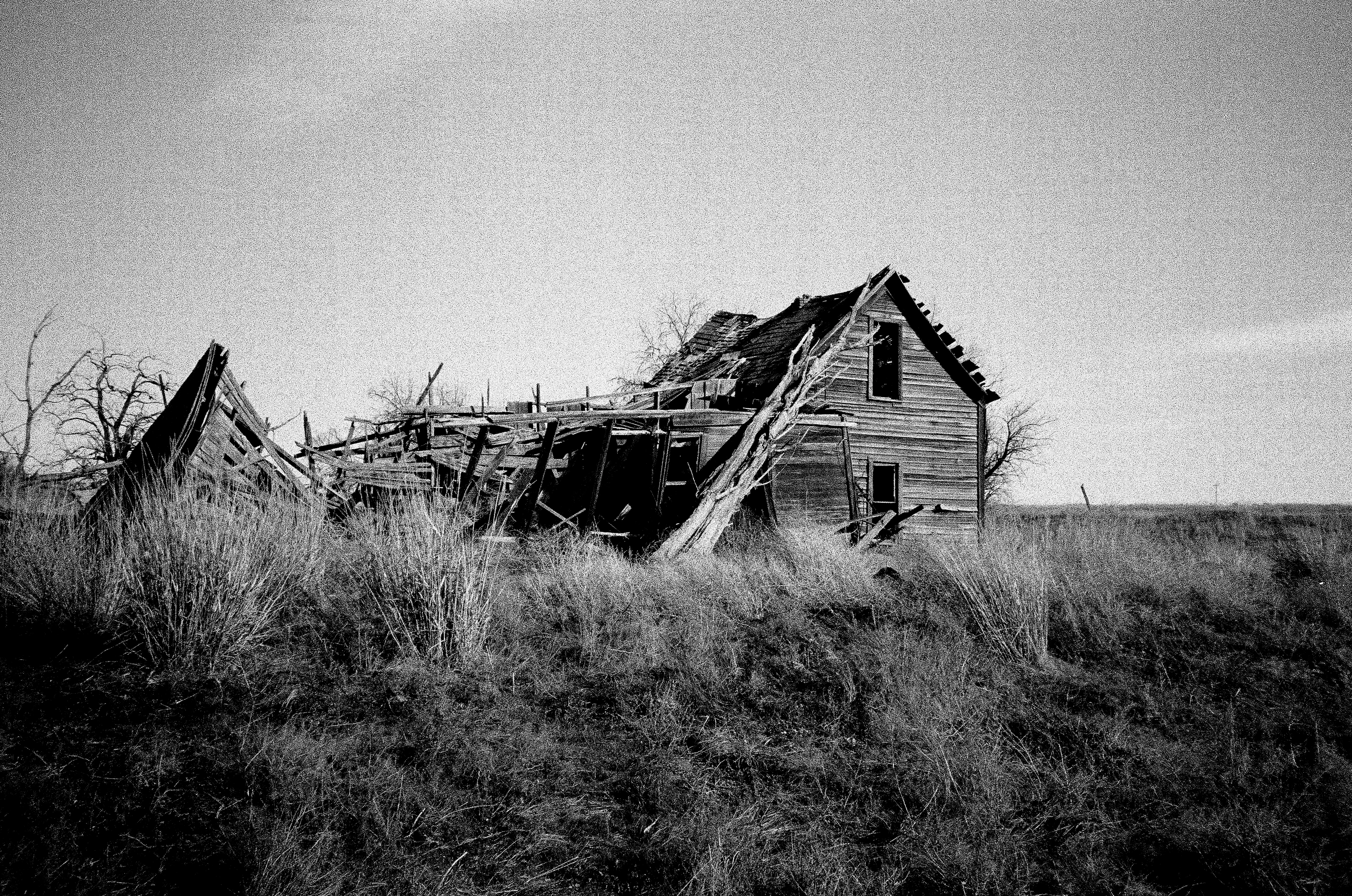
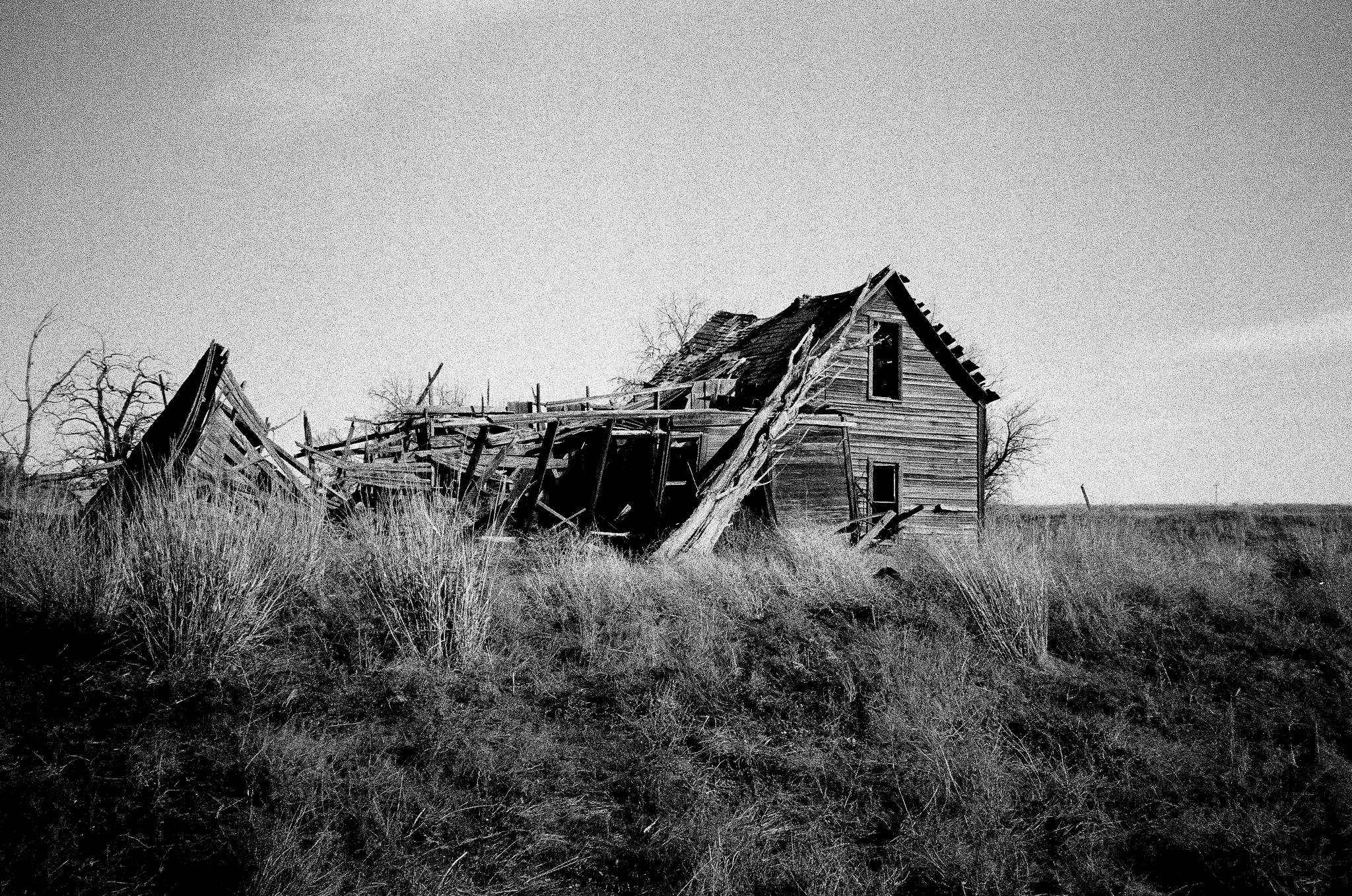
exported as jpg (large)


exported as jpg (small)

    1 reply

    Anshul_Saini
    Community Manager
    Community Manager
    May 13, 2026

    Hi @carter.c,


    Thanks for sharing the comparison images. The grid artifact in the grain is visible in the JPG Large export. This points more toward the JPEG export/rendering pipeline itself rather than the source scan or lens corrections. This might be expected JPEG compression behavior rather than a defect.

    What you’re seeing is part of a known class of issues where JPEG compression artifacts interact with very high-frequency detail, such as strong pushed-film grain.

    Under certain combinations of grain structure, output size, and compression quality, this can make JPEG block boundaries become visible as a faint grid pattern within the grain itself.

    A few likely contributors here:

    • JPEG compression works internally in 8×8 pixel blocks

    * With pronounced, uniform grain, those block boundaries can become visible

    • The resizing/downsampling applied by the “Large” preset can sometimes align poorly with the grain frequency and exaggerate the pattern further

    A few things you can try without applying noise reduction:

    • Export JPG at Quality 70-90. Ensure "Output Sharpening" is OFF.

    • Try exporting as TIFF or PNG. To verify that the artifact disappears completely without JPEG compression.

    • Export at full resolution and resize externally afterward. For example via Photoshop using Bicubic Sharper/Bicubic Automatic.


    Let us know how it goes.

    Best,

    Anshul Saini