
December 30, 2025
Question

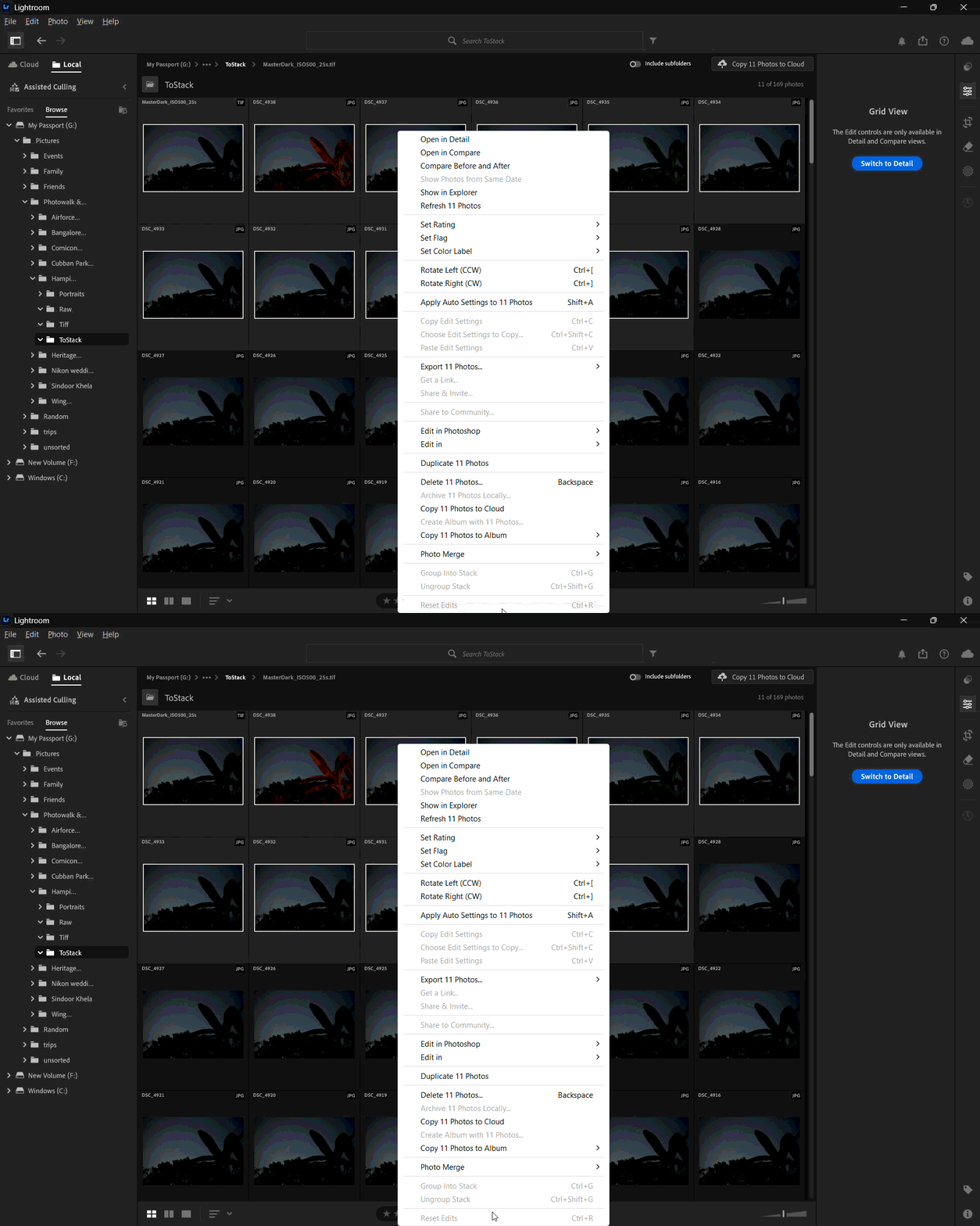
Group into stack is disabled

  • December 30, 2025
  • 2 replies
  • 87 views

Hi all,

I'm new to Lightroom and was trying to stack few pictures but the option is grayed out. If I'm doing something incorrect, can you guys correct/ help me?

All files are in single folder and I tested them on following options:

  • All JPGs/ TIFFs/ NEF
  • All in local drive
  • All in Cloud folder

Setup Details:

  • OS: Windows 11
  • Software: Lightroom desktop (version 9.1)

I'm also attaching a screenshot for reference
2 replies

Claire H.
Community Manager
Community Manager
January 21, 2026

Hi @Rajesh_Dixit3843, I'm just checking in to see if the suggestion helped or if you are still running into this issue? Let us know how things are going. Happy to keep troubleshooting with you if needed. Thanks! ^CH

Sameer K
Community Manager
Community Manager
December 30, 2025

Hey, @Rajesh_Dixit3843. Welcome to the Lightroom Community. I'll help you figure this out. 


The Local tab is a direct view of your local files on the external drive. You can group images into a stack in the Lightroom Cloud tab in All Photos and within Albums. 


Let me know how it goes. Thanks!
Sameer K
(Type '@' and type my name to mention me when you reply)