



HDR editing unavailable on Galaxy Z Fold7 (officially supported device) — same issue on both Play Store and Galaxy Store builds
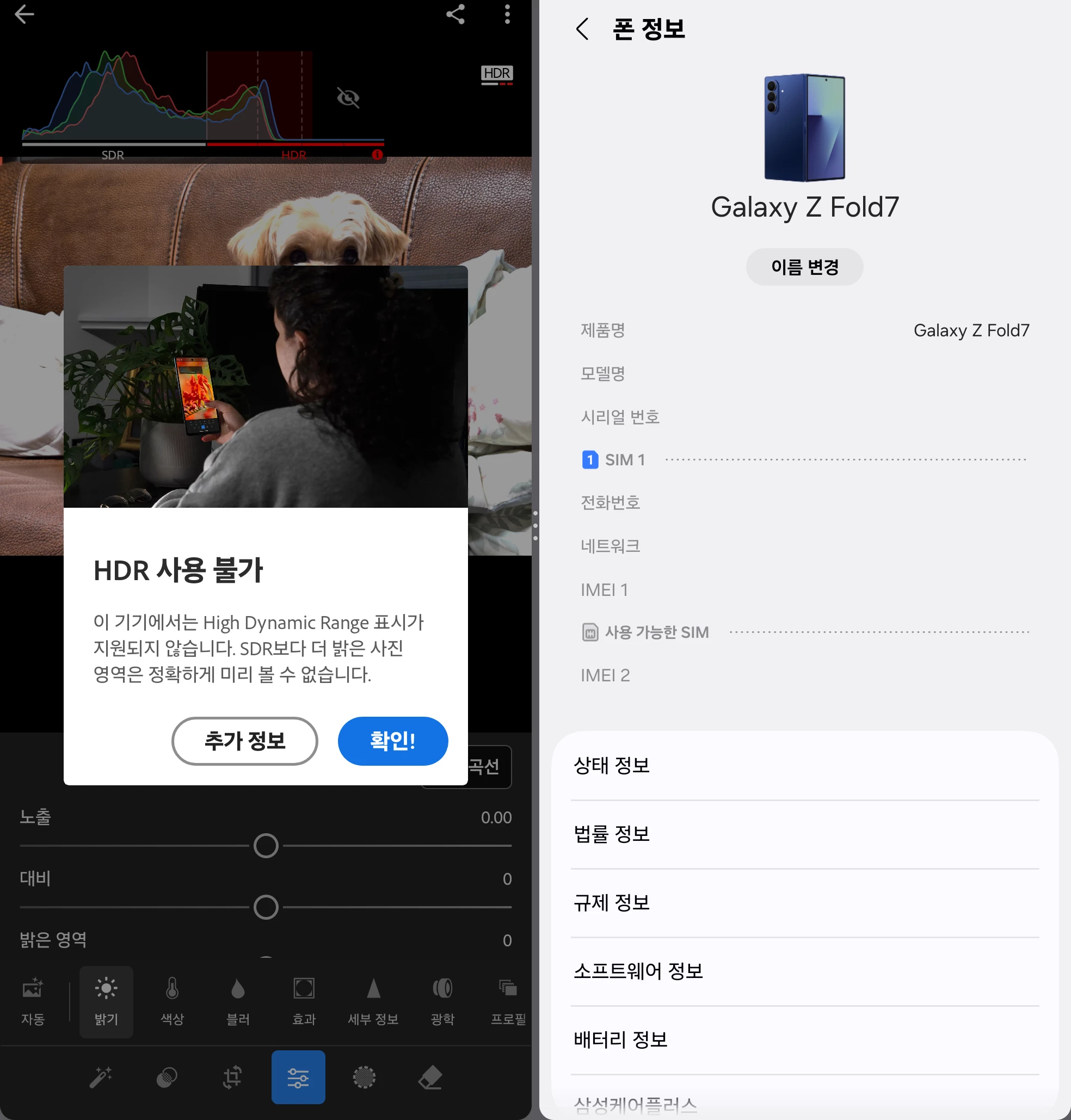
The Samsung Galaxy Z Fold7 is listed as an HDR-compatible device (Android 16 or later) on Adobe's official support page (https://helpx.adobe.com/lightroom-cc/using/hdr-android.html). However, when I toggle on "Edit in HDR Mode" in the Light panel, an error appears saying HDR is unavailable / not supported on this device, and the HDR section of the histogram is unusable.
Lightroom Mobile Version Number: v11.4.5
Installed From: Tried BOTH the Google Play Store build and the Galaxy Store build — identical issue on both
OS Version Number: Android 16 / One UI 8.5
Device Model: Samsung Galaxy Z Fold7 (SM-F966N)
Step-by-step Reproduction Instructions:
1. Open Adobe Lightroom on the Galaxy Z Fold7 (unfolded main display, full screen).
2. Open a photo in the Edit module.
3. Select Light panel, scroll down, and toggle on "Edit in HDR Mode".
4. The "HDR Unavailable" error appears.
Expected Result: HDR editing mode should activate, since the Z Fold7 is on the official supported-device list.
Actual Result: An error popup states that the High Dynamic Range display is not supported on this device, and HDR editing cannot be used.
Troubleshooting already performed:
- Power saving mode: OFF
- Battery: fully charged
- Adaptive brightness: OFF / Extra brightness: OFF
- Manual screen brightness set below 50%
- Full device restart after changing display settings
- Latest One UI software update installed
- Tested on the unfolded main display in full screen (not multi-window or pop-up view)
- Uninstalled and reinstalled the app; tried both the Play Store and Galaxy Store versions
- Verified that system-level HDR works correctly in other apps: YouTube HDR videos and Samsung Gallery Super HDR photos display properly. The device's HDR pipeline is functioning — the issue is specific to Lightroom.
 AdChoices