Answered
hdr histogram
What does the eye icon area in the right of the histogram here mean?
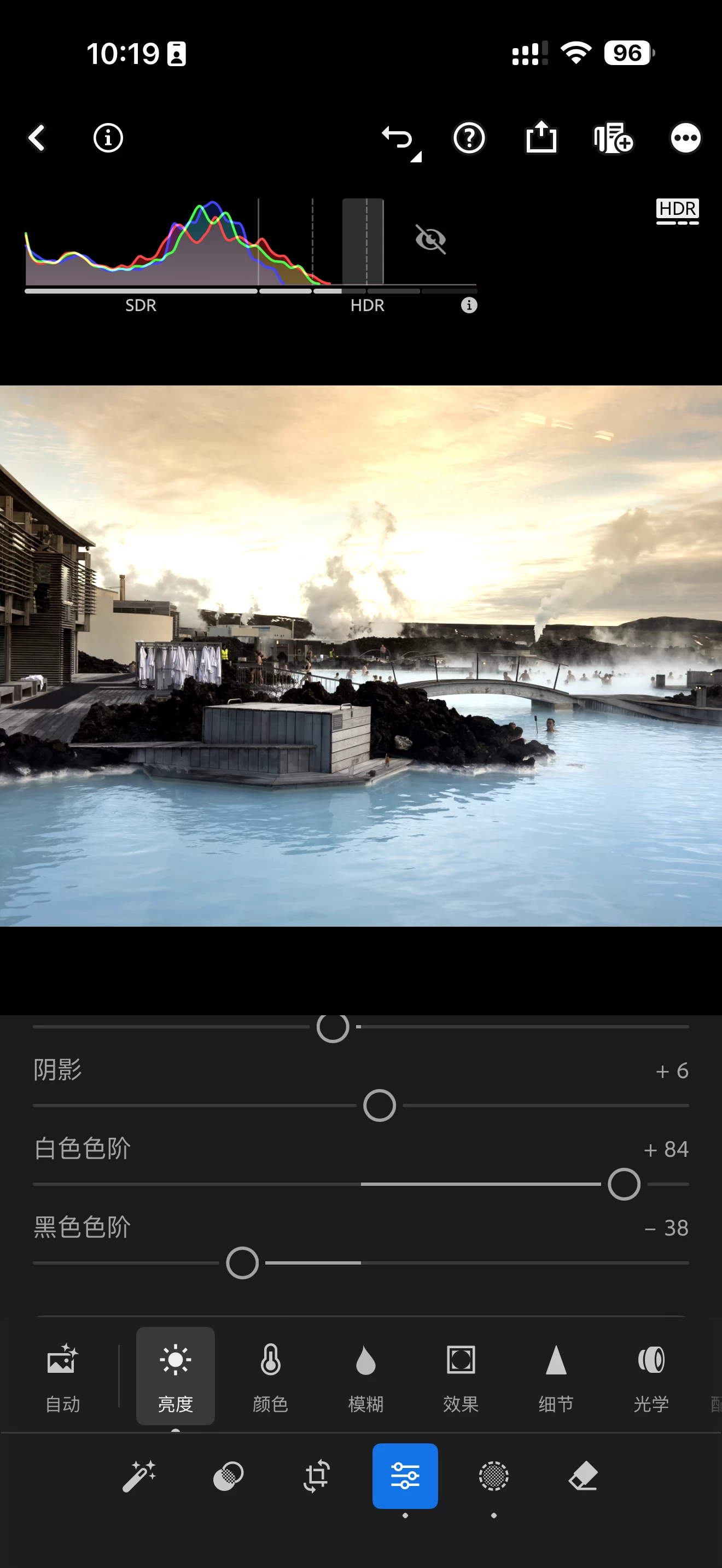
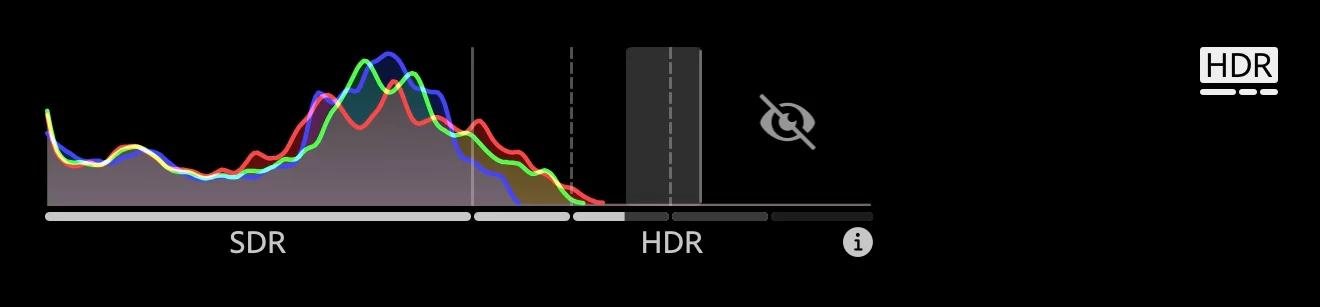

What does the eye icon area in the right of the histogram here mean?
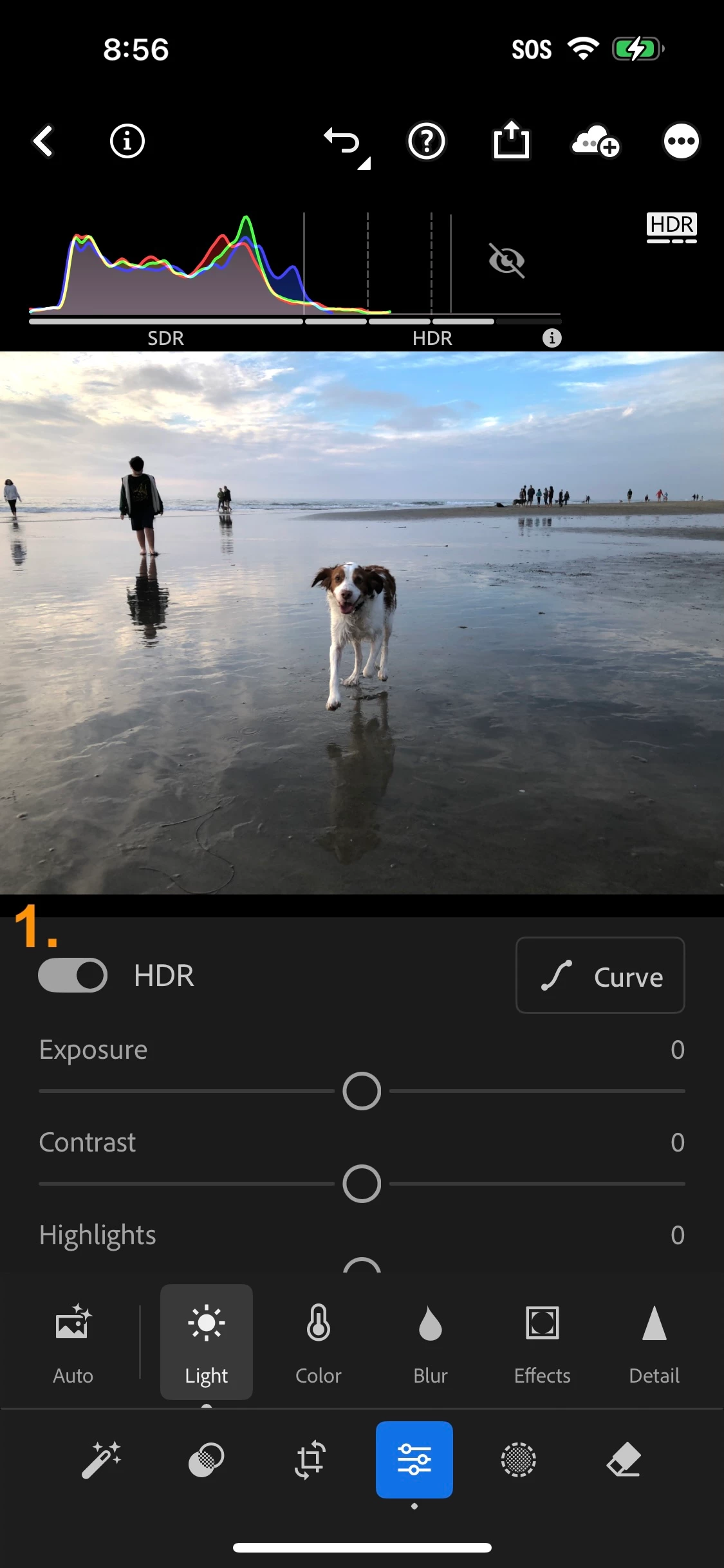
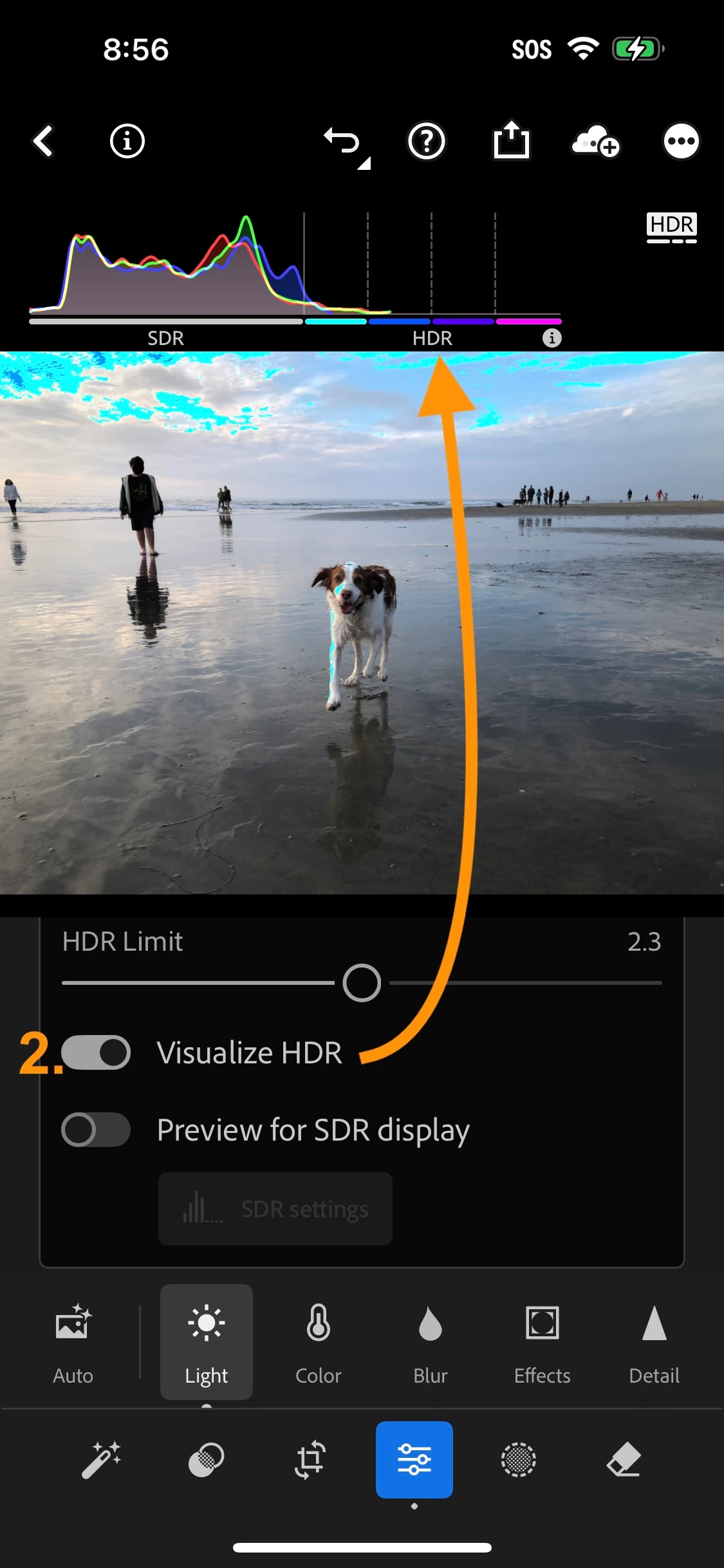
That eye icon is a simple visual indicator informing you that you do not have "Visualize HDR" enabled. You can find "Visualize HDR" near the Light panels HDR controls, after enabling HDR for an image.
Enabling Visualize HDR uses artifical colors to indicate the full HDR range in relevant areas of the image.
Already have an account? Login
Enter your E-mail address. We'll send you an e-mail with instructions to reset your password.


 AdChoices