


January 6, 2026
Question

HDR Merge gets stuck on "Gathering Data... 100%"

  • January 6, 2026
  • 1 reply
  • 166 views

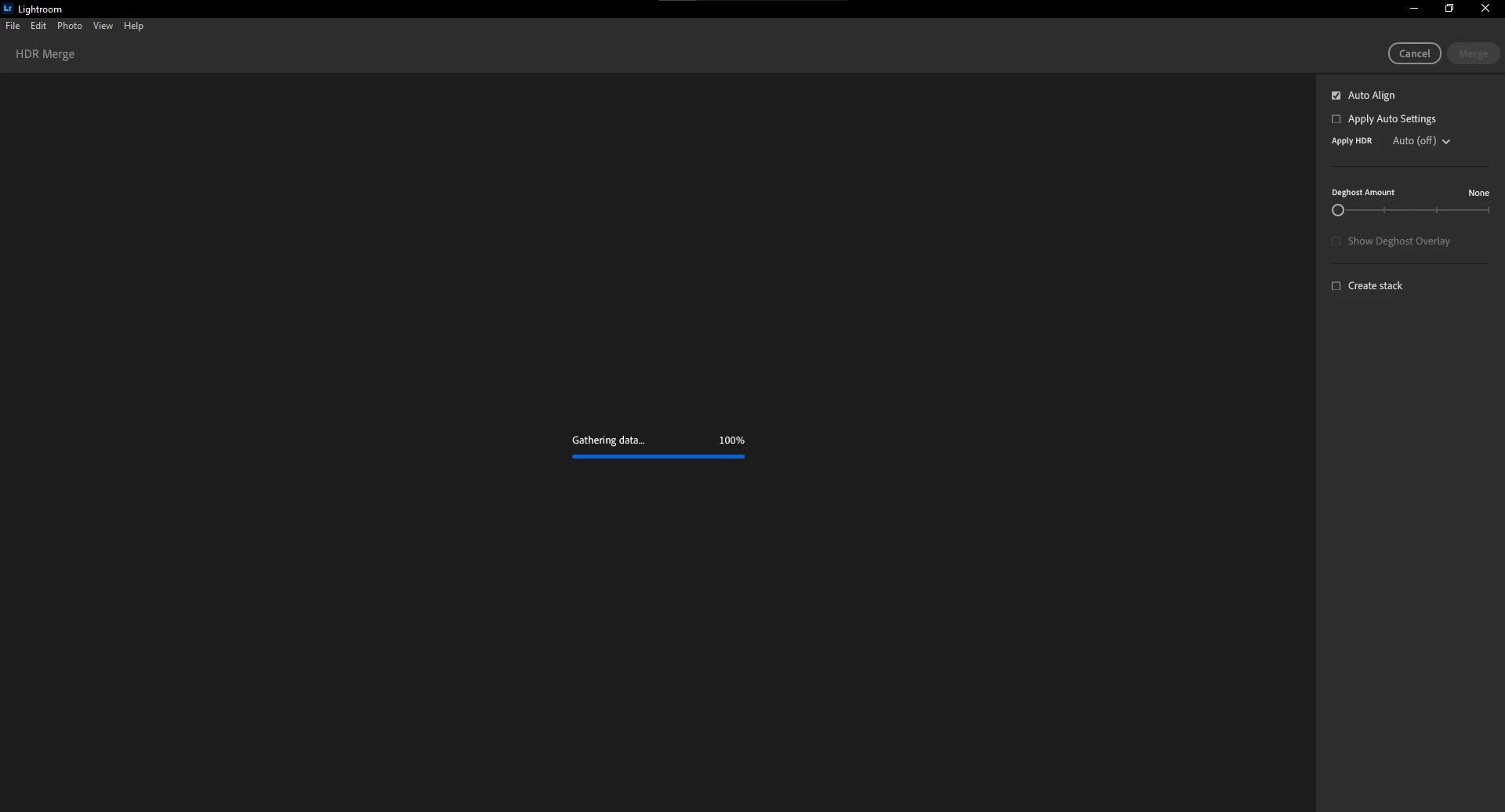
I have three RAW-files (RAF) that I try to "HDR Merge". In LrC this works fine. In Lightroom, the process appears to get stuck at "Gathering data... 100%".


The "Auto Align" option is checked automatically. The other options are not enabled.


The expected result is a DNG-file, just like what LrC is capable of making for me.

As a work-around, I currently generate the HDR Merge DNG-file in LrC and then import the DNG-file to Lightroom, but I would rather be able to do everything in Lightroom without needing LrC. Adobe is essentially requiring me to install two copies of similar software, while I could do everything with just one piece of software from a competitor.


Please fix this issue. I have seen similar posts on this forum without real resolutions.

Thank you in advance.
 

Lightroom version: 9.1 x64 [ 20251204-1659-82a72fd ] (Dec 4 2025)
NGL Version: 1.42.0.5
WF Version: 8.1 c099553
VF Version: 1.0.164
HIL Version: 40501
CAI Version: c2pa-c/0.6.0 c2pa-rs/0.46.0
PH Version: 5.2.3
Adobe GSDK Version: 1.4.0.171
CR Version: 29.0.0.202506270808_710830c


Operating system: Windows 10
OS Version: Windows 10 Home (2009)
Application architecture: x64
System architecture: x64
Computer model: System manufacturer System Product Name / Intel(R) Core(TM) i5-6600K CPU @ 3.50GHz
Logical processor count: 4
Processor speed: 3.5 GHz
Real memory available to Lightroom: 16309.8 MB
Real memory used by Lightroom: 758.8 MB (4.6%)
Virtual memory used by Lightroom: 831.8 MB
Memory cache size: 0.0 MB


Internal Camera Raw version: 18.1 [ 2420 ]
Maximum thread count used by Camera Raw: 3
Camera Raw SIMD optimization: SSE2,AVX,AVX2
Camera Raw virtual memory: 0MB / 6106MB (0%)


1 reply

Anshul_Saini
Community Manager
Community Manager
January 7, 2026

Hi @jsnapsphotos,


Thank you for the detailed report and for sharing your system information and screenshot. I understand the concern, especially since HDR Merge completes successfully in Lightroom Classic.


Before we collect diagnostics, here are a few concrete checks based on the supported HDR Merge workflow and guidance from the Lightroom team:


• Try toggling these options one at a time

– Disable Auto Align

– Set Deghost Amount to Low

– Turn Auto Settings on


• Restart Lightroom and attempt the HDR Merge as the first action after launch


If the merge still stalls at “Gathering data… 100%,” the next step is to capture diagnostics so we can involve engineering.


Your workaround using Lightroom Classic is valid for now, and we have taken note of your feedback regarding workflow duplication. Once we have the above results, I can move this forward internally with the product team.


Thanks for your patience and for laying this out clearly.


Best regards,

Anshul Saini

January 7, 2026

Hello again.


Thank you for the swift reply. I appreciate your help in this matter.


As you have instructed, I tried toggling the different options, one at a time, and I also tried restarting Lightroom and attempting a HDR Merge right after launching the software. None of these had any effect on the situation.


I have already gone ahead and made a diagnostic report using Lieghtroom's built-in tool. This diagnostic report was made right after launching Lightroom and using the HDR Merge option on the exact same images (after first filtering for them in the list of images using the star-rating filter). I let Lightroom wait for a bit more than 15 minutes at the "Gathering data... 100%" step of the process before canceling it. Without canceling, I'm unable to open the Edit>Preferences menu to create the diagnostic report. I didn't use any other functions.


This Adobe Community site does not allow me to attach HTML-files to this reply, even though Lightroom generates the report in a HTML-format. Is there a dedicated Adobe-tool that allows me to send the diagnostic file to you?


Thank you in advance.

Kind regards.

Anshul_Saini
Community Manager
Community Manager
January 8, 2026

Thank you for the detailed follow-up, @jsnapsphotos, and for taking the time to generate the diagnostic report. That’s very helpful.


Regarding the diagnostic file, please upload the generated HTML diagnostic report to a file-sharing service such as Google Drive, Dropbox, or OneDrive and share the public download link here so we can access it and pass it on to the engineering team.


Once we have the diagnostic report link, I’ll attach it to an internal investigation so the product team can review the HDR Merge behavior in Lightroom desktop.


Thanks again for your patience and for clearly documenting the workflow and results.


Best regards,
Anshul Saini