elianoimperato
Known Participant
March 5, 2024
Answered

Healing tool

  • March 5, 2024
  • 1 reply
  • 879 views

Hello everyone,

I noticed a difference using the Healing tool in the latest updat of Lightroom Classic I didn't find in Lightroom (CC).

The new healing tool in Lightroom Classic is very useful because it's working like in Photoshop. After you apply the "remove", "heal" or "clone" function the "mask" disappear and you can pass again on the same place. Instead in Lightroom (CC) it's still working like in the old versions, so after you passed on an area you can't pass again on because the mask remains "active". I hope I've been clear to explain this point and I'm curious to know why there is this difference.


Best,

Eliano

This topic has been closed for replies.
Correct answer JohanElzenga

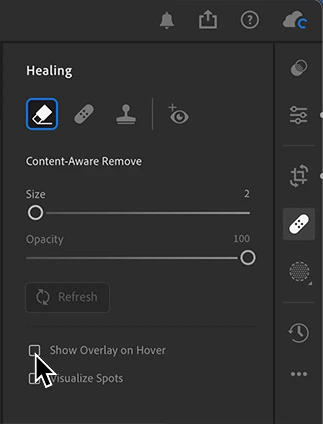
You can turn this on or off by changing the visibility of the tool overlay. If you set the visibility to 'Never' (as you apparently did in Lightroom Classic), then the tool behaves like in Photoshop. This has been so for a long time. You can do this too in Lightroom.


1 reply

JohanElzenga
Community Expert
JohanElzengaCommunity ExpertCorrect answer
Community Expert
March 5, 2024

You can turn this on or off by changing the visibility of the tool overlay. If you set the visibility to 'Never' (as you apparently did in Lightroom Classic), then the tool behaves like in Photoshop. This has been so for a long time. You can do this too in Lightroom.


-- Johan W. Elzenga
elianoimperato
Known Participant
March 5, 2024

Thank you very much, Johan! Probably I did in Lightroom Classic without intection, because I didn't know about this very useful option!