
Participant
February 18, 2020
Question

Help editing photo in Lightroom

  • February 18, 2020
  • 1 reply
  • 239 views

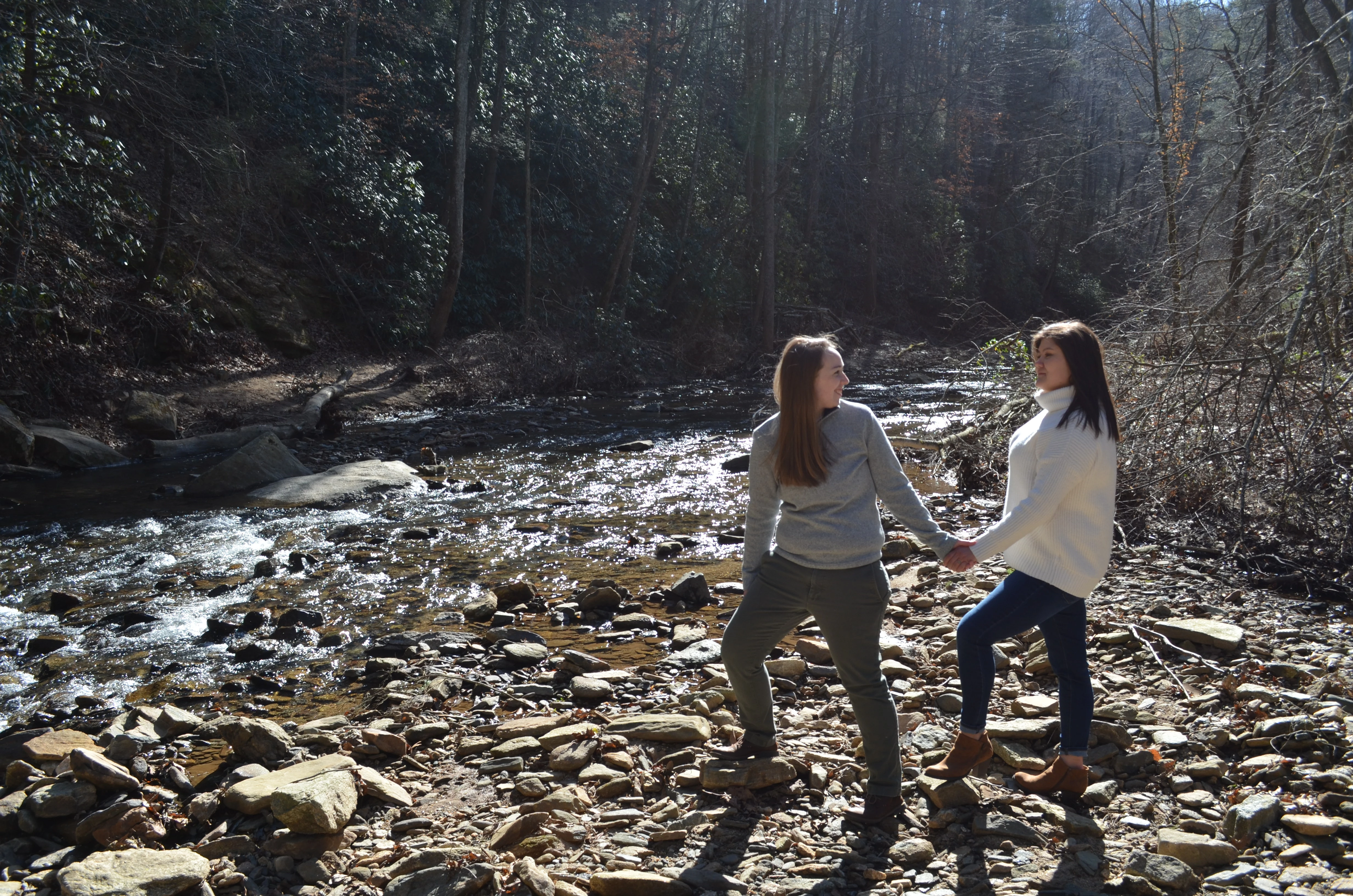
My fiance and I recently had engagement pictures taken. Trying to be a good person, my fiance allowed her cousin to take the pictures to build up her portfolio. Well when it came time to edit pictures she gave up because it was "too hard" so now the responsibility has fallen on me. I'm a graphic designer but I don't have much experience in Lightroom. I've downloaded some presets but I'm hoping someone can give me some tips on this particular photo. There's just a lot going on in the background for my liking. Can this picture be saved?? Thanks!
This topic has been closed for replies.

1 reply

Rob_Cullen
Community Expert
Community Expert
February 18, 2020

Personally I like the photo as it is, with the environment visible.

But two simple Lightroom adjustments may achieve what you want-

1) A Radial Filter, to circle the people, that will darken (or vignette) all surrounding areas.

2) A small Brush to lighten the faces and clothing.

An extreme example--

Regards. My System: Windows-11, Lightroom-Classic 15.1.1, Photoshop 27.3.1, ACR 18.1.1, Lightroom 9.0, Lr-iOS 10.4.0, Bridge 16.0.2 .