


Participant
August 14, 2023
Answered

Help for beginner can not find Navigator Pane
  • August 14, 2023
  • 3 replies
  • 670 views


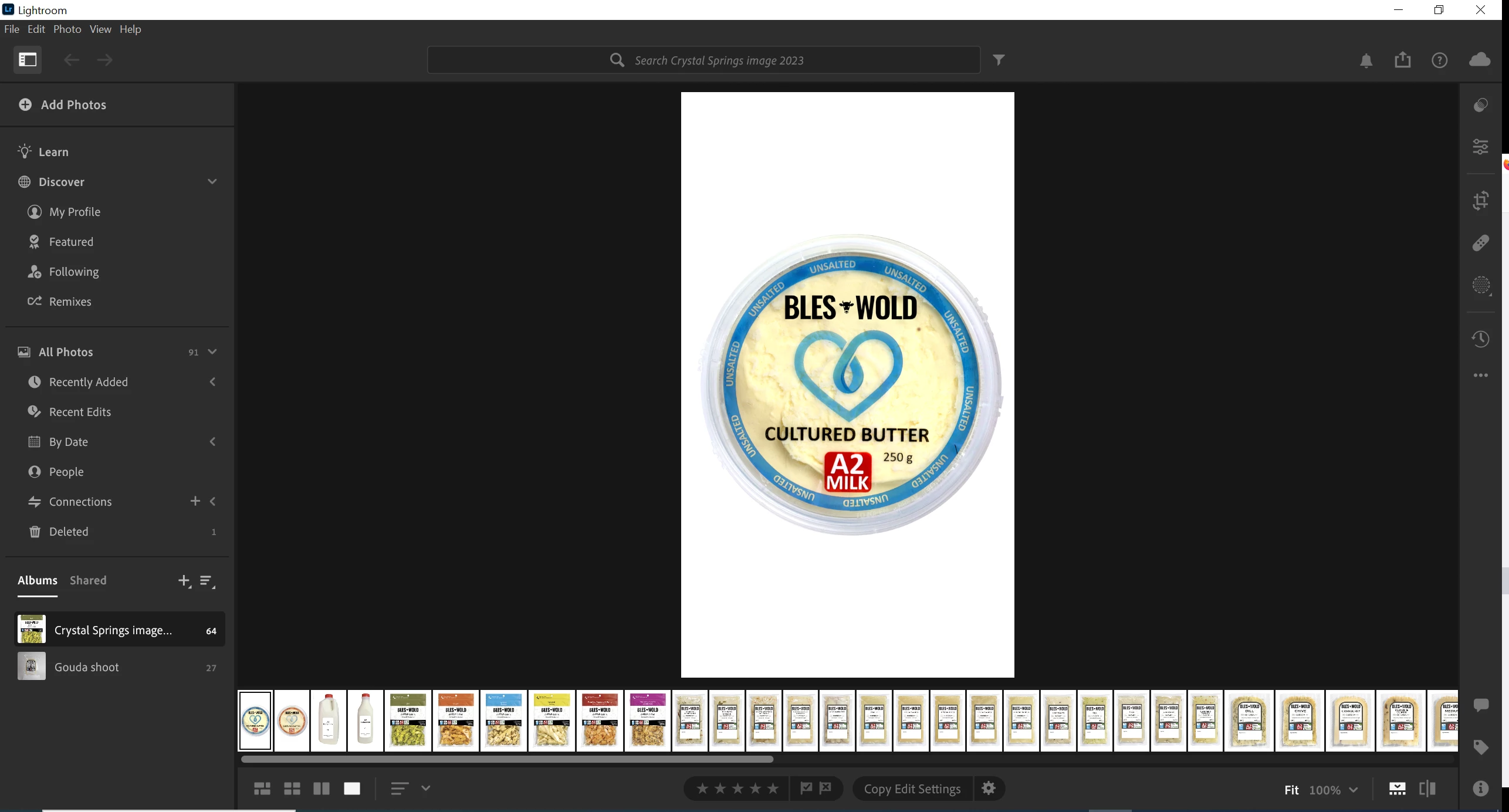
I haven't used light room before and I 'm trying to make a contact sheet of photos that I have put into an ablum. I'm on Win10 and using ver 6.4

I am unable to find the navigator pane or the top row of options such as print etc. How do I get it back or rest it?

This topic has been closed for replies.
Correct answer John Waller
quote

I am unable to find the navigator pane or the top row of options such as print etc.

By @blairp27678887


What has prompted you to look for a Navigator panel?


Are you following a tutorial? If so, the tutorial is likely to be for Lightroom Classic, as mentioned by @Rob_Cullen , not Lightroom.


3 replies

John Waller
Community Expert
John WallerCommunity ExpertCorrect answer
Community Expert
August 15, 2023
quote

I am unable to find the navigator pane or the top row of options such as print etc.

By @blairp27678887


What has prompted you to look for a Navigator panel?


Are you following a tutorial? If so, the tutorial is likely to be for Lightroom Classic, as mentioned by @Rob_Cullen , not Lightroom.


Participant
August 15, 2023

I just realized that all the tutorial videos were for lightroom Classic. I had confused the two 😞

Rob_Cullen
Community Expert
Community Expert
August 14, 2023

Lightroom v6.4 (the new 'Cloud' version) does not have a Navigator panel. Neither does it have a Print module to create a Contact sheet.

For these options you need Lightroom-CLASSIC v12.4 (the latest version of the 'old' Perpetual Lightroom.)

COMPARE LIGHTROOM & LIGHTROOM-CLASSIC FEATURES


Regards. My System: Windows-11, Lightroom-Classic 15.4.1, Photoshop 27.8, ACR 18.4, Lightroom 9.4, Lr-iOS 10.4.0, Bridge 16.0.3 .