


Help on exporting in Lightroom
Afternoon all, I just after some help with exporting in Lightroom.
Process as follows:
- Edit all photos as desired
- Add Photoshop adjustments (this then creates a new file in Lightroom once saved on Photoshop
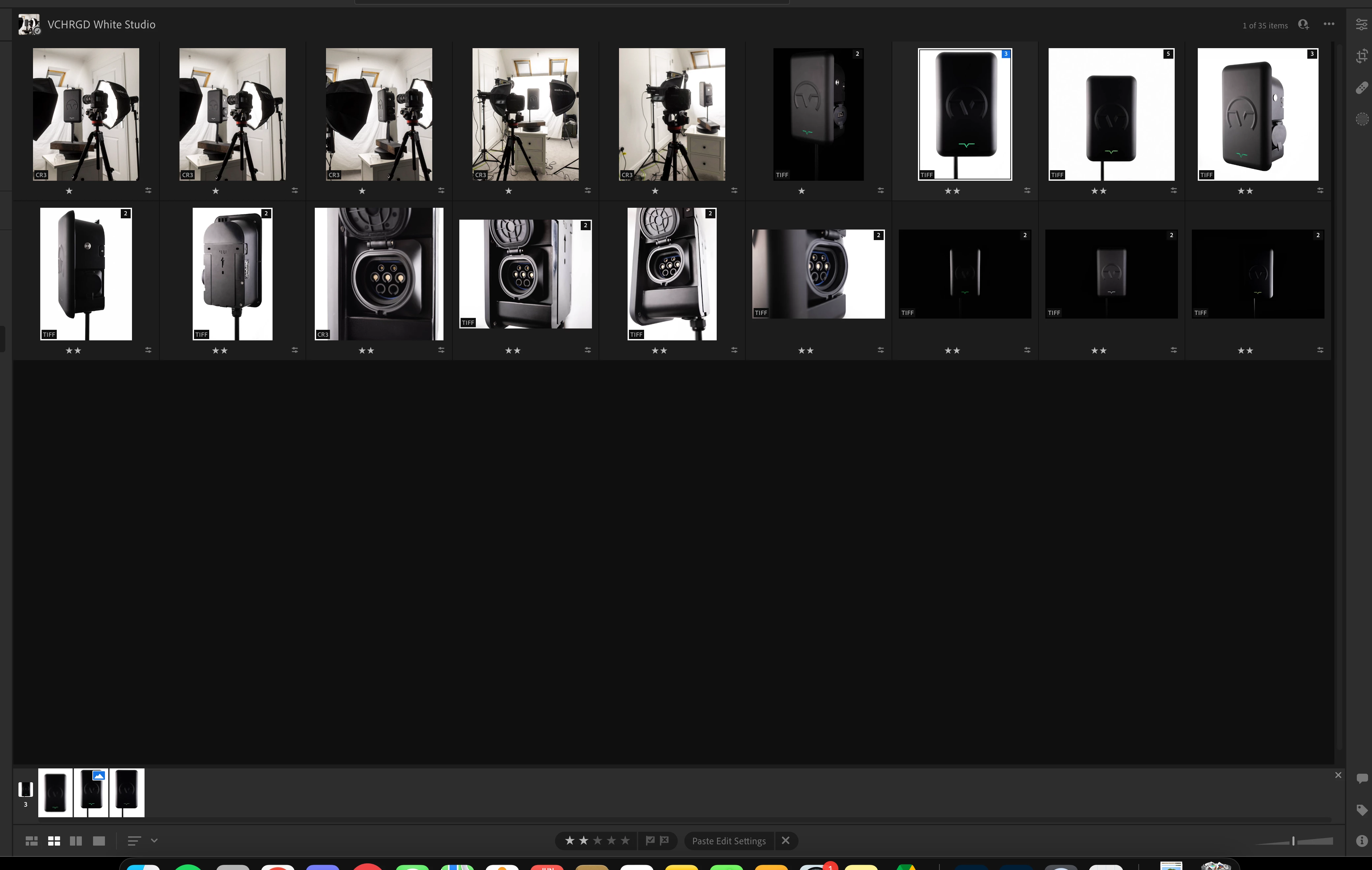
- I have two photoshop edits for a few photos there for there is 3 versions of the file. 1: Orignal Lightroom edit 2: Photoshop edit one 3: Photoshop edit 2
- I Can see in lightroom that one of the images has a small rectangle with a blue backgorund and white mountain
- I've gathered that this will be the choosen image that will export when doing a batch export by highlighting all the files in the album.
So I have tow questions.
1: How do you switch the image that is the 'master' the one with the blue box
2: Is the a way to export both verisons of the photoshop final edit?
Cheers.
 AdChoices