Known Participant
October 28, 2025
Answered

Hi.I,am using Lightroom Ipad version question is why I don’t have the import presets option?

  • October 28, 2025
  • 2 replies
  • 107 views

I,don't,see the import presets in lightroom.Ipad version 
 

    Correct answer selondon

    @{The_Collector_} 


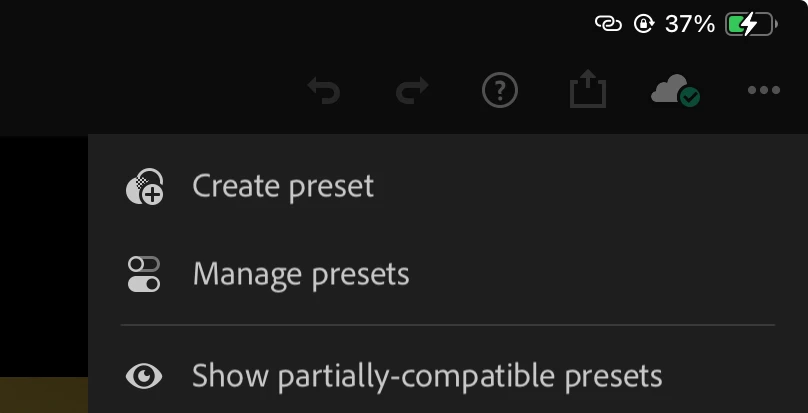
    When the Presets Tab appears, tap Yours (so Recommended and Premium are greyed out).


    Then tap the ellipsis (three dot icon) and Import Presets should appear.

    2 replies

    selondon
    Community Expert
    selondonCommunity ExpertCorrect answer
    Community Expert
    October 28, 2025

    @{The_Collector_} 


    When the Presets Tab appears, tap Yours (so Recommended and Premium are greyed out).


    Then tap the ellipsis (three dot icon) and Import Presets should appear.

    Known Participant
    October 29, 2025

    I see it now.thank you for your answer

    Inspiring
    October 28, 2025

    Because iPad users are considered as second class citizens at best.

    Many features even basic are not available on it, and there are extremely few updates.

    Your only option is to import on the desktop version, and the preset should sync on the iPad

    iPad Pro M4 - Lightroom iPad
