Participant
Nov 13, 2026 1:23 PM UTC
Answered

Hi, in the new update, you're missing the "open a secondary window" button. I can't find it, and when I search for this, it just points me to the sorting button instead of the open a secondary window option.

I used to be able to open a secondary window on the bottom left of the screen and drag it to my secondary display but now it’s not there anymore.
    Jim Wilde
    Jim WildeCorrect answer
    Community Expert
    Nov 13, 2026 1:50 PM UTC

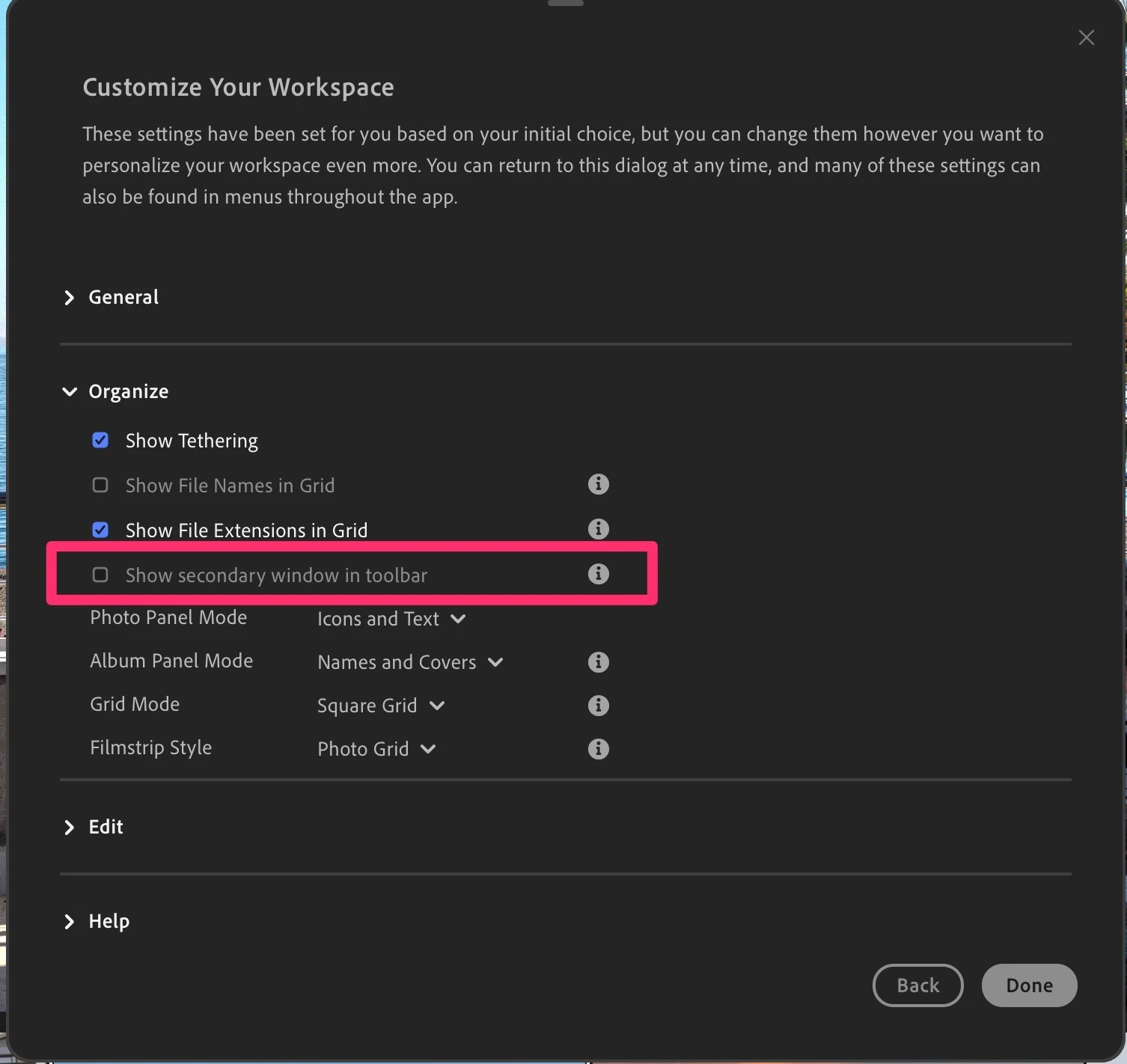
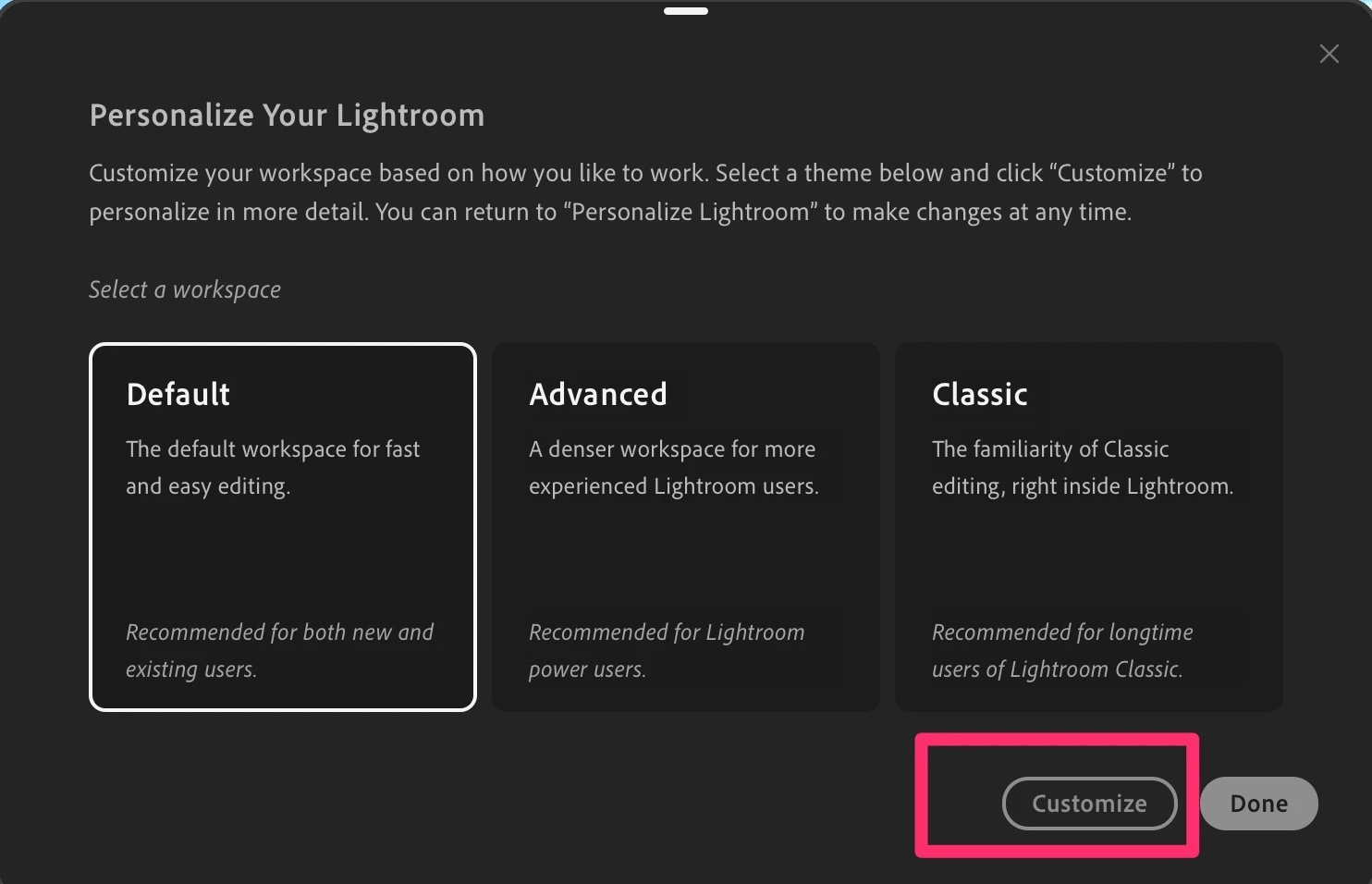
    Using the new “Personalize Lightroom” option, select your theme then click on the “Customize” button. Then use the “Organize” tab and you’ll see the option to “Show secondary window in toolbar”. Enable that option and the icon will appear on the toolbar as before.


    1 reply

    Jim Wilde
    Community Expert
    Jim WildeCommunity ExpertCorrect answer
    Community Expert
    Nov 13, 2026 1:50 PM UTC

    Using the new “Personalize Lightroom” option, select your theme then click on the “Customize” button. Then use the “Organize” tab and you’ll see the option to “Show secondary window in toolbar”. Enable that option and the icon will appear on the toolbar as before.


    Translate