

just eirik
Known Participant
April 16, 2026
Question

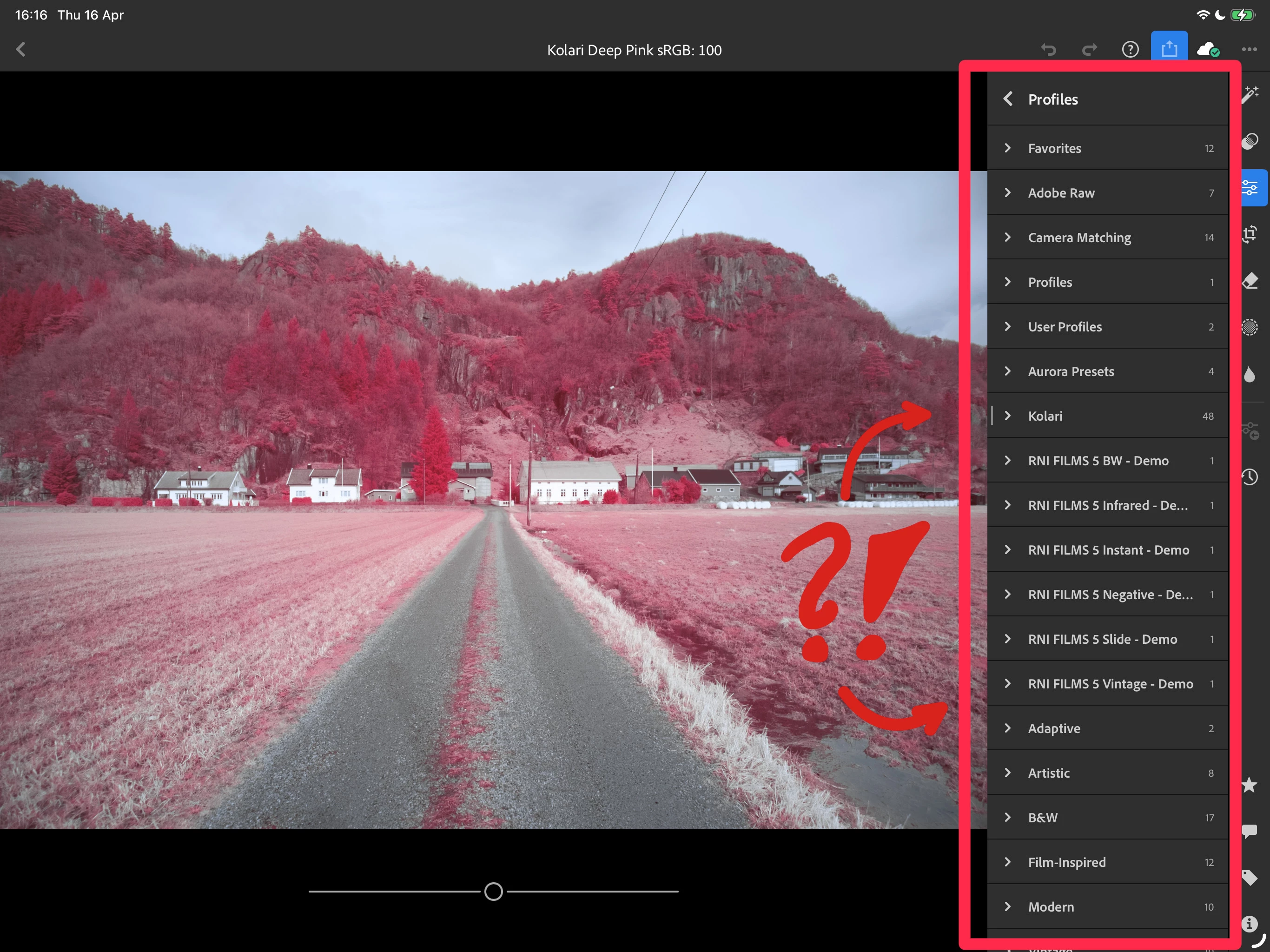
How do I delete camera profiles on iPad?

  • April 16, 2026
  • 2 replies
  • 22 views

How do I delete profiles on iPad?

I can do it on the PC version, but not iPad?

How come this isn’t a feature? I’m legitimately asking and hoping for an answer. If anyone on the team is reading this, can you explain why this is not a feature that has been implemented on the iPad version? It already exists on PC after all. (Not talking about Classic either.)
 

2 replies

Rikk Flohr_Photography
Community Manager
April 16, 2026

@just eirik I see you have commented on the official feature request as well, which is the correct thing to do. Did you vote?

The reason I ask is that this 7-year-old feature request only has 4 votes. 

Rikk Flohr: Adobe Photography Org
just eirik
Known Participant
April 16, 2026

I’ll check if I voted or not. It is a feature I want, so I assume I did. If it doesn’t go up within 15 minutes, then I already voted.

Here’s the thing though, not everything should be vote based. Some features should just be added because they make the app usable, right?

Imagine anyone who don’t use PC at all, but they add profiles. Their list of profiles can become incredibly long and hard to navigate. But even with a PC I’ve had no luck removing profiles. It doesn’t sync over to iPad. Even tried to delete and reinstall the app on my iPad.

Surely having the ability to remove profiles is basic enough to just be added without votes needed?

Or am I really that out of touch?


JohanElzenga
Community Expert
Community Expert
April 16, 2026

Not all things you can do in Lightroom on the PC are available on the iPad as well. This is one of those features. I believe you can remove the profile in Lightroom (not Classic) on the PC however (can’t check it because I type this on an iPad), and that should sync to the iPad so that should remove the profile from the iPad as well.

-- Johan W. Elzenga
just eirik
Known Participant
April 16, 2026

I’ve tried removing profiles on the PC version but I can’t get it to sync. Might be because you’re not really removing them, you’re hiding them. Maybe I am doing it wrong.


Heres the thing, it’s incredible to me that we don’t have controls to manage our profiles in the app itself. It’s incredible that we don’t have controls to manage our resources like this.

Don’t you think so?

Look, I’ve been an Adobe customer since before the subscriptions began and a subscriber since they began. I’m so frustrated with how Adobe not only keeps ignoring our wants for the apps we use, but also doesn’t add functions that seem incredibly basic but useful.

I’m sorry for venting. I think you’re just a user of this forum, not someone who works for Adobe?  There are many many years and a lot of money behind this frustration.


JohanElzenga
Community Expert
Community Expert
April 16, 2026

Yes, I’m just a user like you. I do not work for Adobe, so I’ll simply ignore your venting. Do note that you cannot remove default Adobe profiles, only user profiles you no longer want.

-- Johan W. Elzenga