
kellyc43250847
Participant
May 17, 2026
Question

How do I delete the copyright information from the metadata? I no longer have my business and Lightroom has changed so much since I created it and I can't figure out how to remove it.

  • May 17, 2026
  • 1 reply
  • 18 views

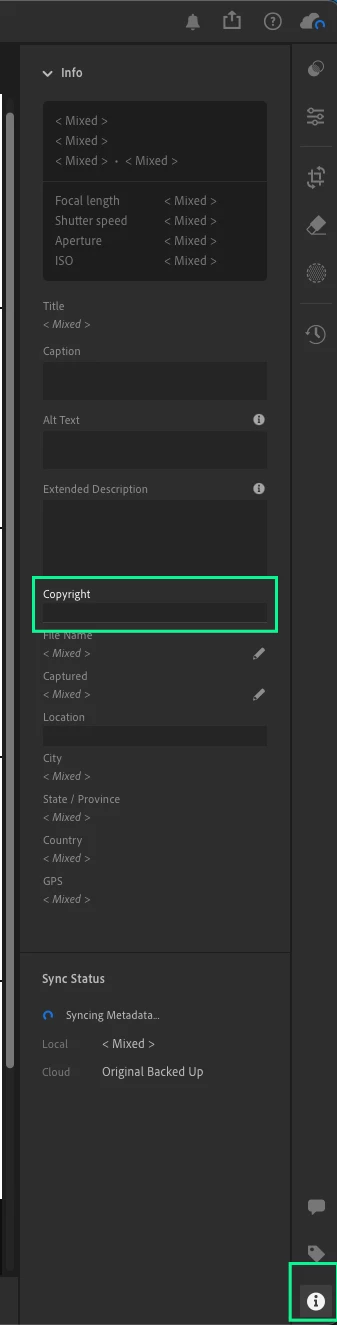
How do I delete the copyright information from the metadata? I no longer have my business. Lightroom has changed so much since I added the information a decade ago and now I can't figure out how to remove it. I just took my nephews college graduation photos and my brother can’t print the images without a release from my business. I can give him one for these photos, but I don’t want to have to deal with this in the future. I see the copyright in the image information, but it isn’t removable.
    1 reply

    Anshul_Saini
    Community Manager
    Community Manager
    June 3, 2026

    Hi ​@kellyc43250847,


    Thanks for reaching out. I understand you'd like to remove the copyright information from your metadata since you no longer have your business. Here's how to do it in Lr Desktop (Cloud version):

    1. Select the photo(s) you want to edit.
    2. Open the Info panel (click the  icon or press I).
    3. Scroll down to find the Copyright field and clear it.


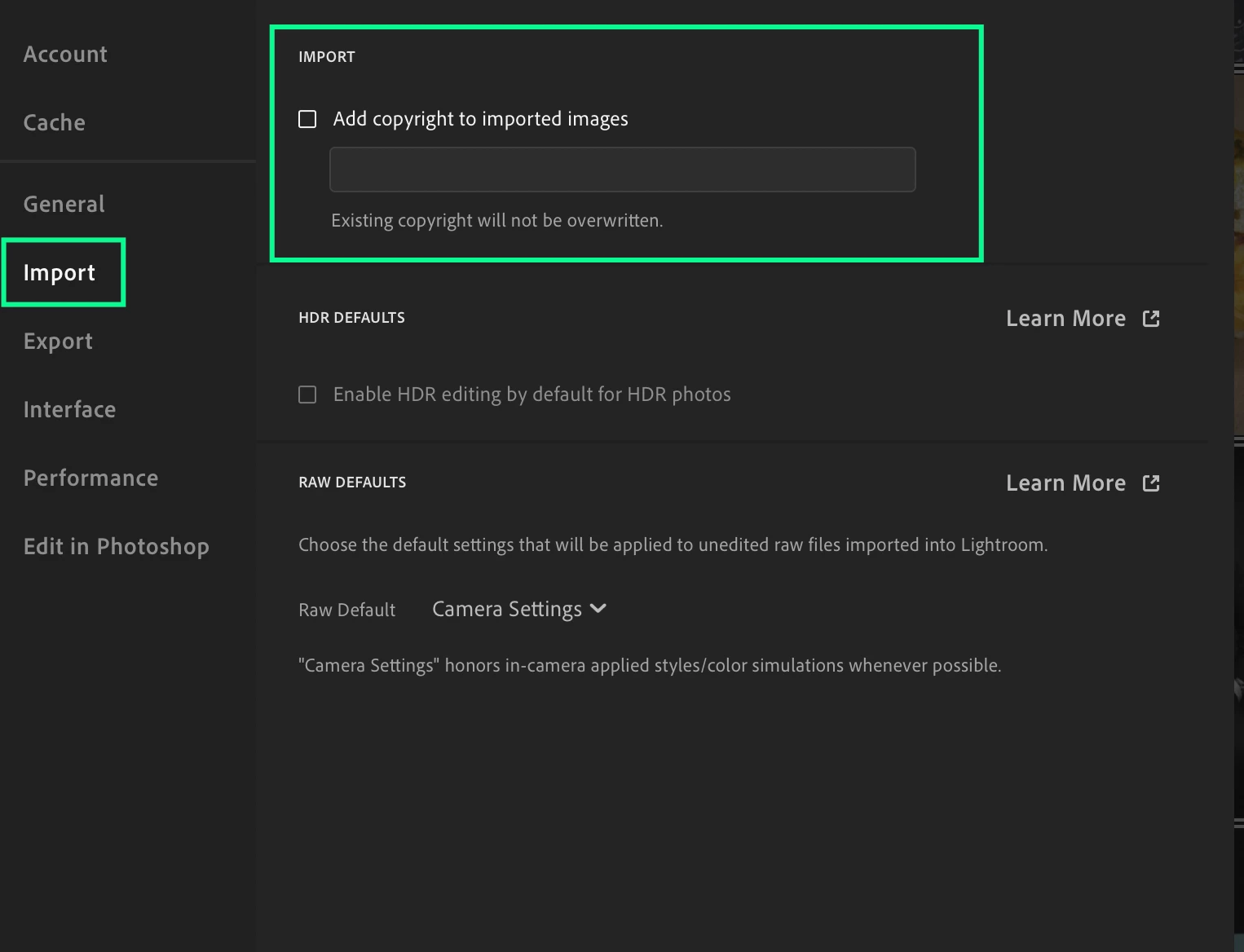
    4. To stop applying copyright on import, go to Lr > Preferences > Import and remove any default copyright metadata.

    I hope this helps! Please don't hesitate to let me know if you need any more help.

    Best,
    Anshul Saini