

Answered
How do I fix the photo colour difference between the Develop view and Navigator panel?
How do I fix the photo colour is different between the Develop view and Navigator panel?
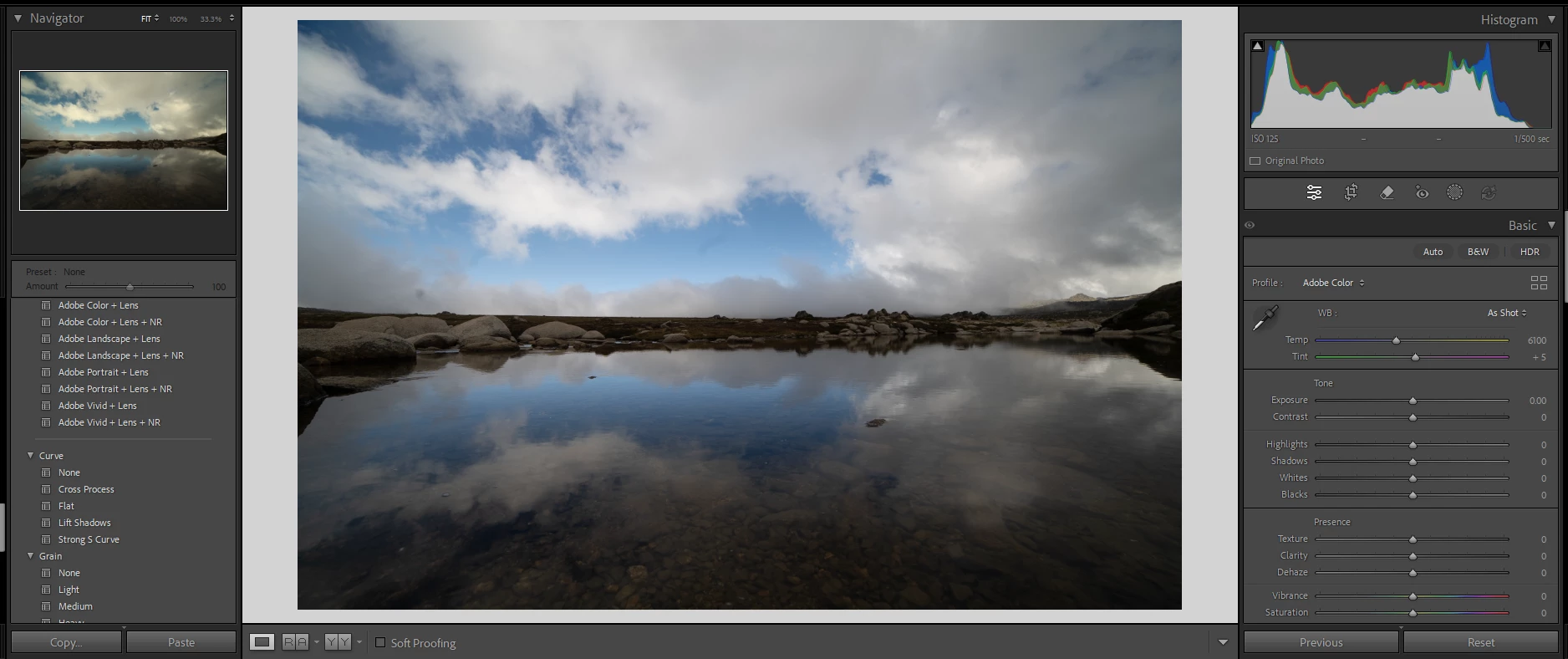
This is relatively new issue for me and I’m not sure when exactly it started but as a mostly self-taught photo editor, I don’t even know what the problem is yet alone how to search for a way to fix it!
So as you can see the colours of the photo are different and its driving me mad because it wont export like I expect it to from the Develop view, but rather as it appears in the Navigator panel (which is also how it appears in the Library view). What is going on and what do I need to do to fix this? Any help would be greatly appreciated. Thanks.


 AdChoices