Answered
How do I install Lightroom presets?
How do I install lightroom pemplate presets?

How do I install lightroom pemplate presets?
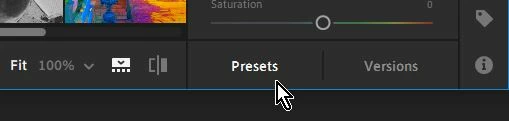
1) Edit an image in Lightroom
2) Click on [Presets]
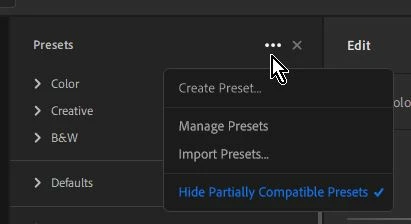
3) Click on the three dots ...
4) Import Presets...
5) Choose the Preset file to Import.
Already have an account? Login
No account yet? Create an account
Enter your E-mail address. We'll send you an e-mail with instructions to reset your password.


 AdChoices