Participant
August 29, 2018
Answered

How to adjust by dragging in Lightroom CC
  • August 29, 2018
  • 2 replies
  • 750 views

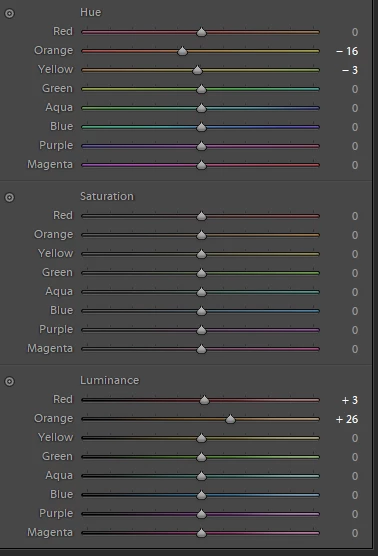
Hi, I'm trying to use CC on a tablet device. I was wondering if the function of adjusting HSL by dragging on the photo is available in the windows 10 version of CC. I have it on the android version, but I can't find it on my windows version.  I don't know if I used the right term, but I'm talking about the little cirle on the left of each of the HSL sections that adjusts based on where you drag on the photo. Thanks!
This topic has been closed for replies.
Correct answer 99jon

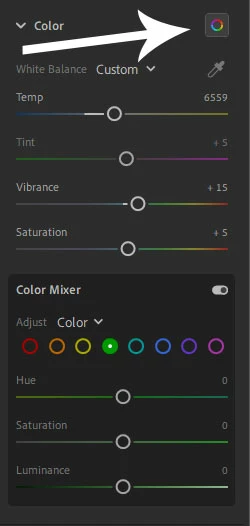
In LRCC on the desktop you have the color mixer. There is no target adjustment tool for dragging inside the photo but you can select individual color channels and adjust hue, saturation and luminance separately for each. See image below.

2 replies

Bojan Živković11378569
Community Expert
Community Expert
August 29, 2018

Click on the doubled circle on the left of Hue, Saturation or Luminance to activate targeted adjustment tool then click on photo and drag. This is available in Lightroom Classic CC.

99jon
99jonCorrect answer
Legend
August 29, 2018

In LRCC on the desktop you have the color mixer. There is no target adjustment tool for dragging inside the photo but you can select individual color channels and adjust hue, saturation and luminance separately for each. See image below.