


Participant
Oct 27, 2019 12:06 PM UTC
Answered

How to create your signature on Lightroom CC 2019. Where are the sharing options/watermark?

Hi,


I am a subscriber to Adobe creative which include   and Photoshop. 
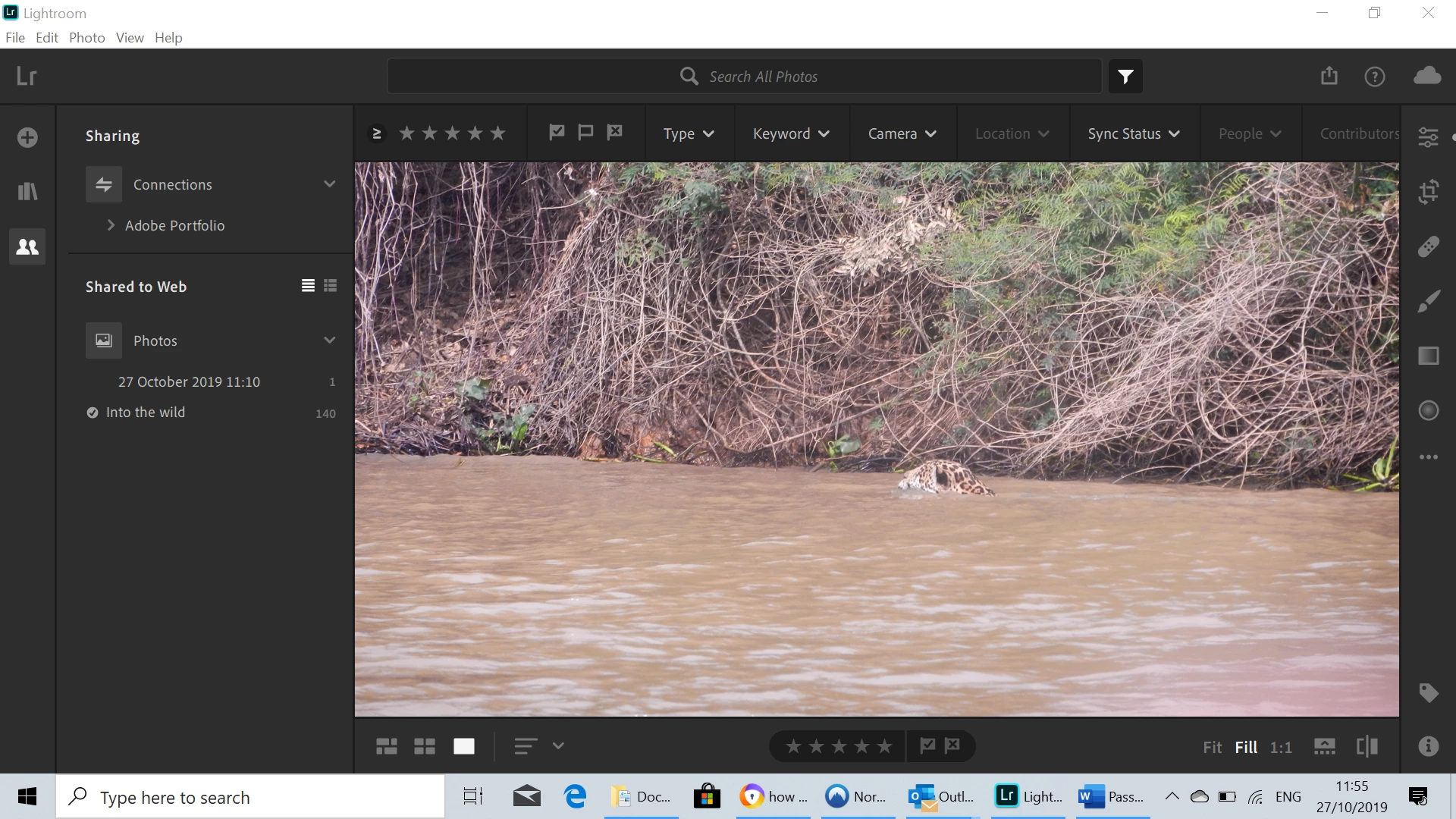
I watched a few free tutorials  https://www.youtube.com/watch?v=HzYGEqZzlCQ on how to add signatures to my albums on Lightroom CC 2019 but for some reason there aren't any sharing nor signature/watermarks options showing up in any of the tabs of my dashboard on my desktop.

I have also looked everywhere in the tutorials section and getting started, but there are no indications on here.

I have enclosed a picture of the layout below. The pictures are in jpeg format but I don't think this would be a reason.

Does anyone have the answer or can help me with this?

Many thanks!


    This topic is closed to new replies. Start a new post to keep the conversation going.
    selondon
    selondonCorrect answer
    Community Expert
    Oct 27, 2019 2:23 PM UTC

    As John says that’s on iOS, Lightroom Desktop (Cloud Based) does not yet have the watermark feature yet.


    You can add your vote here:

    https://feedback.photoshop.com/photoshop_family/topics/watermarks-in-lr-cc

    6 replies

    selondon
    Community Expert
    selondonCommunity ExpertCorrect answer
    Community Expert
    Oct 27, 2019 2:23 PM UTC

    As John says that’s on iOS, Lightroom Desktop (Cloud Based) does not yet have the watermark feature yet.


    You can add your vote here:

    https://feedback.photoshop.com/photoshop_family/topics/watermarks-in-lr-cc

    Translate
    Participant
    Oct 27, 2019 4:14 PM UTC

    Thanks John and Selondon.


    Well considering that we are paying for the service and that photographers want to protect their work, I find this rather pathetic. Not good... 😞


    Translate
    john beardsworth
    Community Expert
    Community Expert
    Oct 27, 2019 4:24 PM UTC

    Adobe offer a range of products under the Lightroom banner. More professional requirements like watermarking are already well-handled with Classic Lightroom, while Cloudy Lightroom's main selling point is syncing photos via the cloud. They don't, maybe can't, develop all the cloud/mobile apps in perfect lockstep, but it is a fair bet that sooner or later Cloudy will also get some primitive watermarking features.

    Translate
    john beardsworth
    Community Expert
    Community Expert
    Oct 27, 2019 1:03 PM UTC

    You're looking at a tutorial for the iOS version of Lightroom, but your screenshot only shows the mac/pc Cloudy Lightroom.


    The first comment on that video says this.

    Translate