

Question
How to Enable diagnostic Mode in Lr Android
Hi All,
To enable the Diagnostic Mode in Lightroom Android
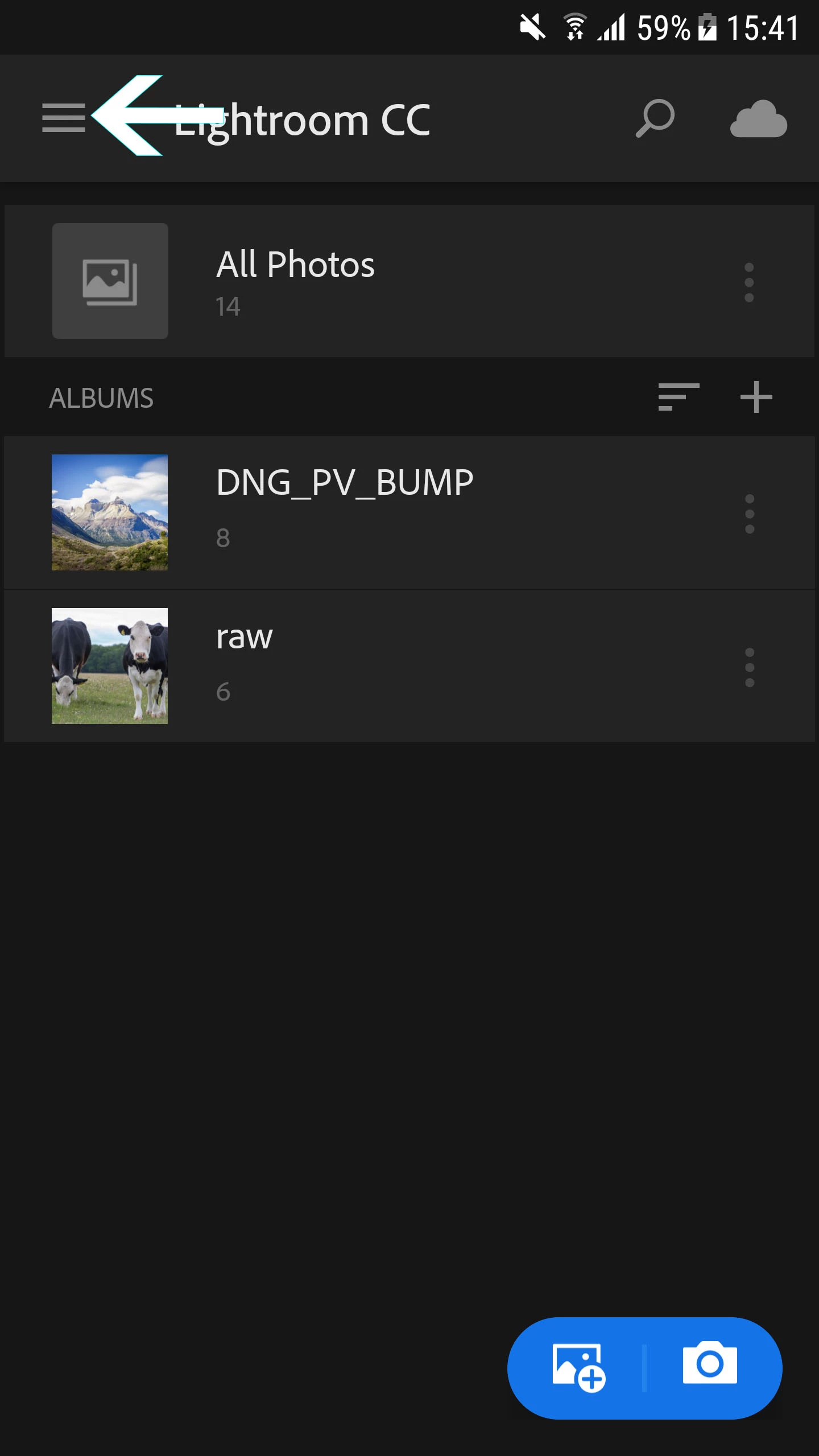
- Please click on the three line menu to open the Settings Panel
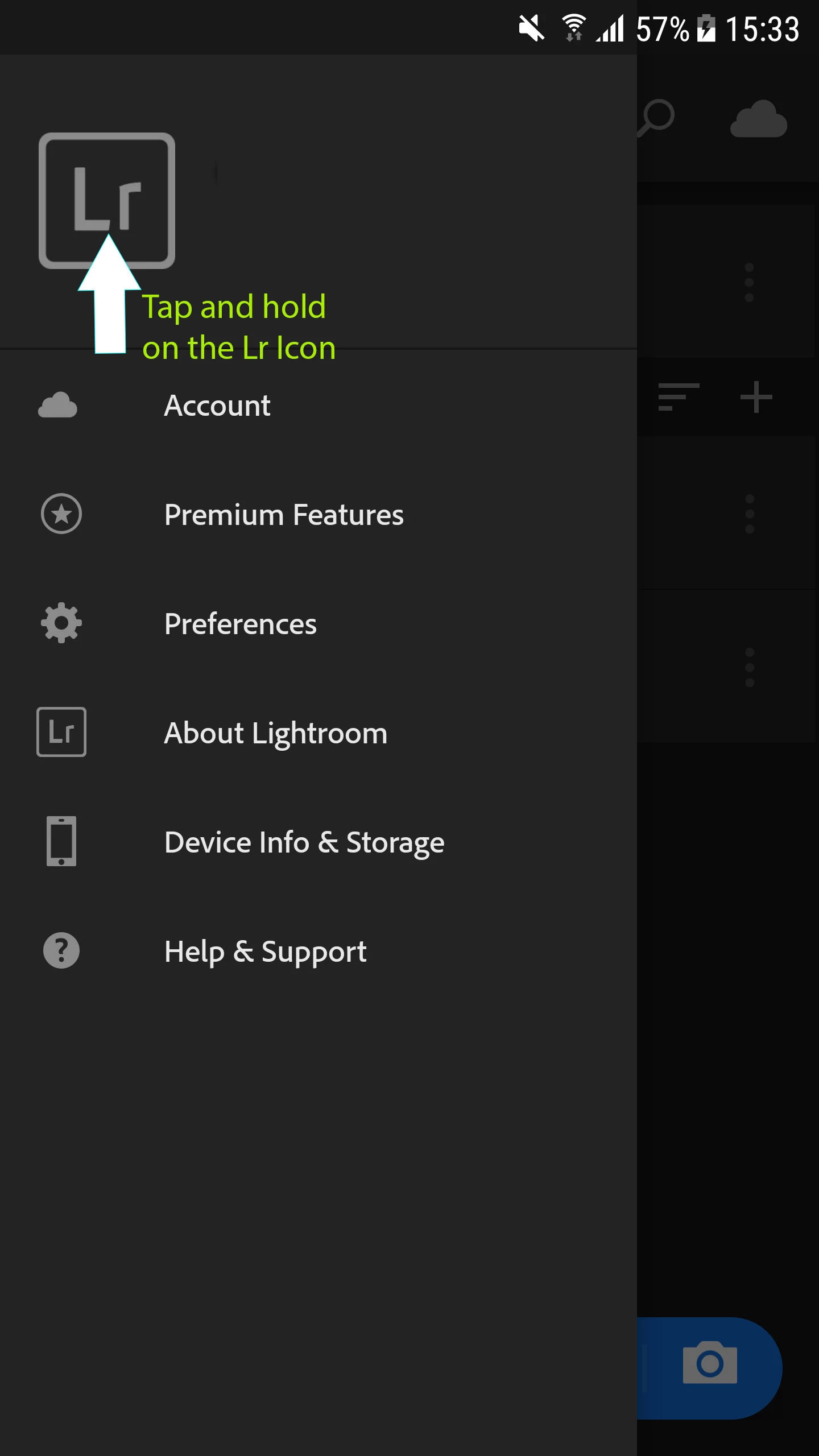
2. Click and hold on the Lr icon in the settings panel
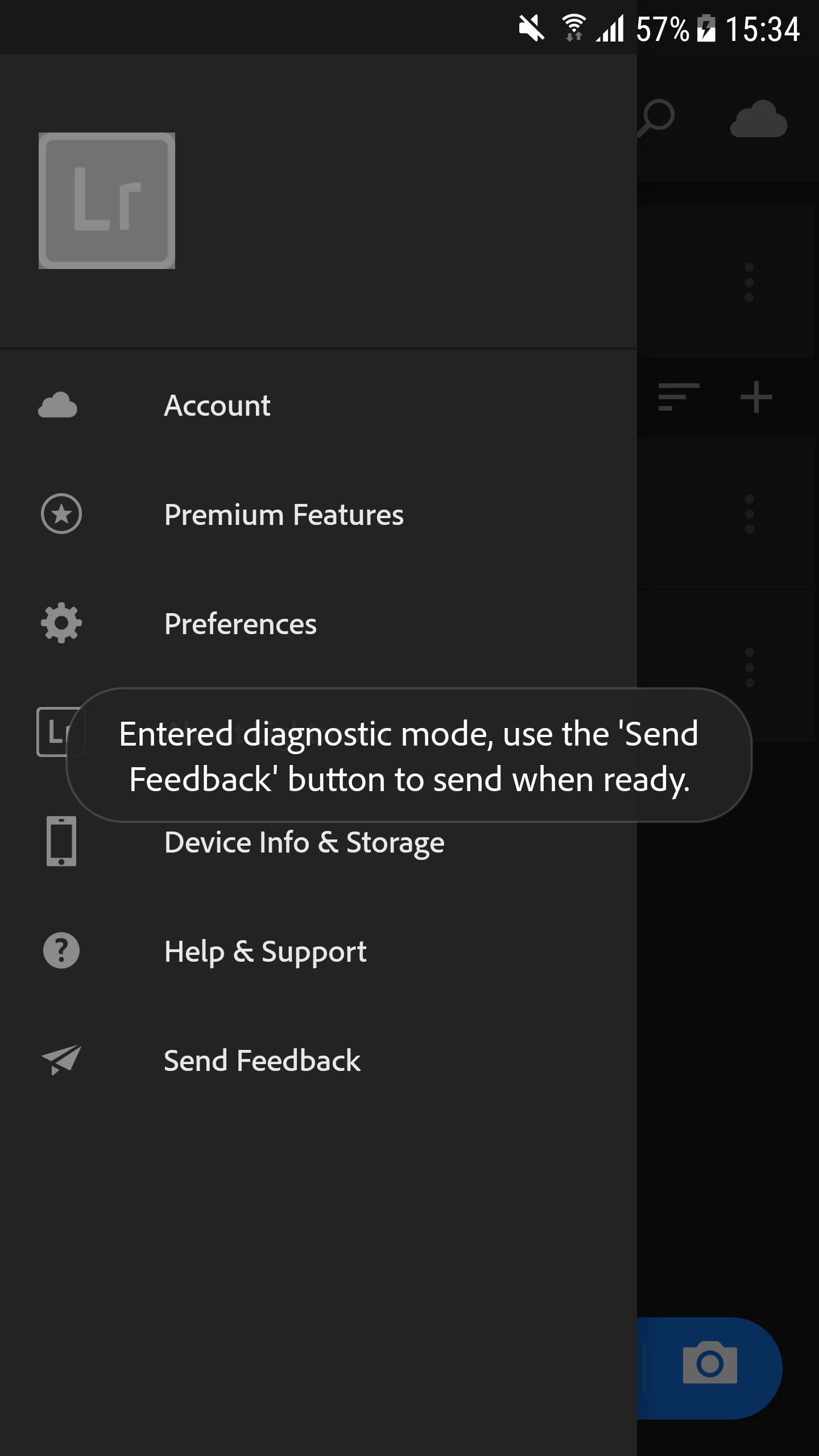
3. You will get a toast message stating that "Entered Diagnostic Mode, use the send feedback button to send when ready"
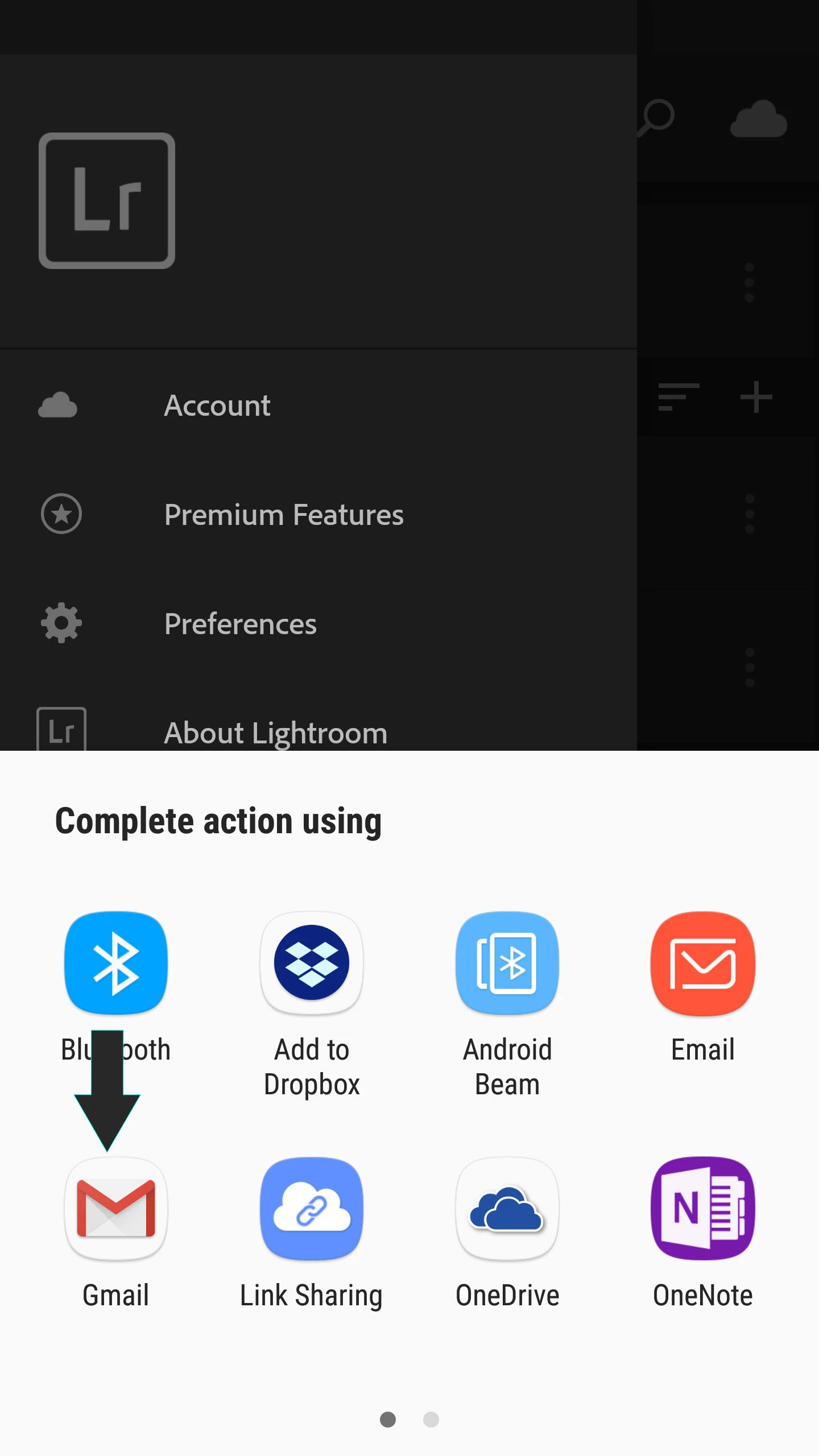
Once you are on this screen use the application and try to recreate the issue that you are facing, and then click on "Send feedback" button. It will open the share sheet (might take 2-5 min depending on the phone) from there select the mail application that you use on your phone and send us the email.
Below is the screenshot of the reference
 AdChoices