How to force Lightroom CC to accept duplicates
Hi,
I've made the bold move to import my very messy and unorganised library to Lightroom CC by just importing everything. Its currently taken 6+ days to sync to your cloud system. However Im struck with 3999 files.
Now I have to clarify I've been a useless twit for over 12 years and I've owned many cameras. I don't regular clean my library and I've built it and stripped my catalog down that many times I have encountered tons of duplicates and I've lost files along the way - My own fault I know. I'm trying to remedy my years of mistakes by using the cloud based library.
However I can't just accept that Lightroom CC matches duplicates on these metrics below (this is what I've read elsewhere);
1, File Name
2, Metadata time stamp
3, General metadata.
Of the log file Lightroom CC generated I've looked up just one file thats currently listed as in the new Lightroom CC library and in the existing library its been taken from. There are 9 files in total that share that duplicate name. You can clearly see 5 are in both libraries however, 4 are missing.
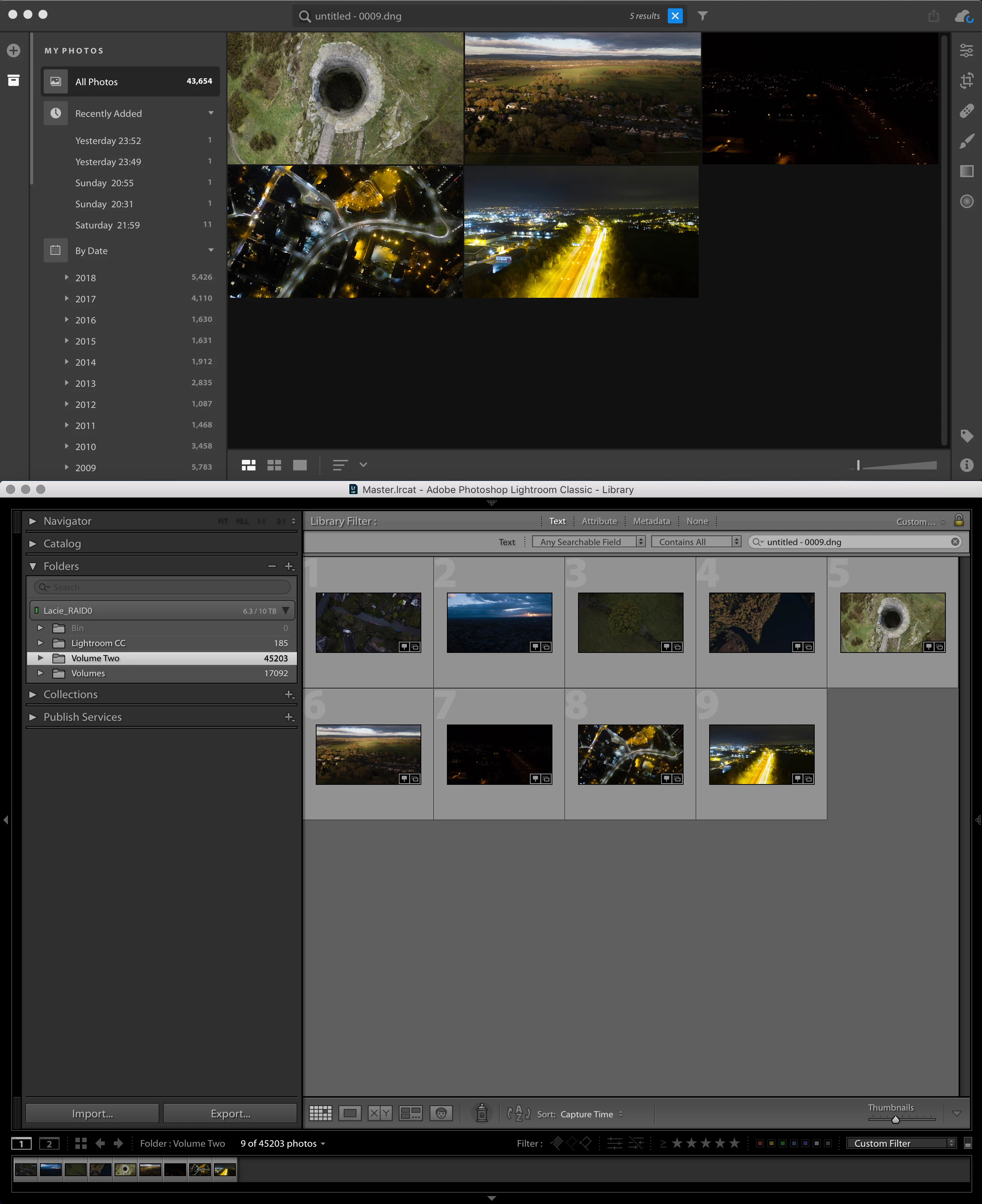
I can't go through the log file one by one for 4,000 files. What are my options? Lightroom gives me only the option to okay the window or save a log file.
Any help would be greatly appreciated.
 AdChoices