
Participant
November 20, 2025
Question

How to to copy auto edit settings to many pictures

  • November 20, 2025
  • 1 reply
  • 52 views

If I use the auto edit button in Lightroom on one picture.
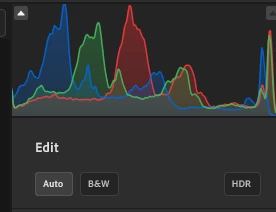
 

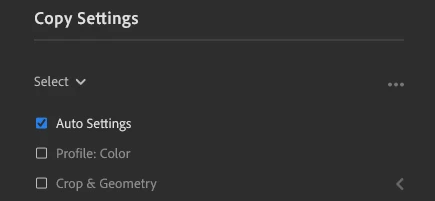
Then use the copy edit settings function from that picture. Then select multiple pictures and paste the settings to these. Then this auto setting isn't applied to the other pictures. Shouldn't this work or do I miss something here? 
 

1 reply

Community Manager
November 20, 2025

Hi @AnderbergC, welcome to the community!
That method should work. Could you let us know which version of Lightroom you’re using? Also, if you open one of the photos you tried to batch edit and check the Versions panel, do you see any changes recorded there?
Thanks so much!
Alek

*(If you mention me with an @, like @Aleke, I’ll get a notification and can respond faster.)*
Participant
November 20, 2025

Hi @Aleke , thank you!

I'm using Lightroom version 9.0.


I looked at the version panel but couldent see any records there. I will do some more tests and see if I can figure out whats wrong because I'm quite sure that it has worked before.

Community Manager
November 20, 2025

Thanks @AnderbergC!
When you paste your settings, do you notice a loading bar in the top-left corner of the window? Please let us know if you’re able to reproduce the issue consistently. If you can, it would be super helpful if you could also share a quick screen recording so we can take a closer look and investigate further.
Thanks so much!
Alek

*(If you mention me with an @, like @Aleke, I’ll get a notification and can respond faster.)*