Hi there,
This is a particular workflow. Lightroom currently does not have an option to selectively sync images to Lightroom Classic.
If it is a feasible number of images, you can export them from Lightroom (cloud) as Original + Settings (XMP) & import them to Lightroom Classic for Printing.
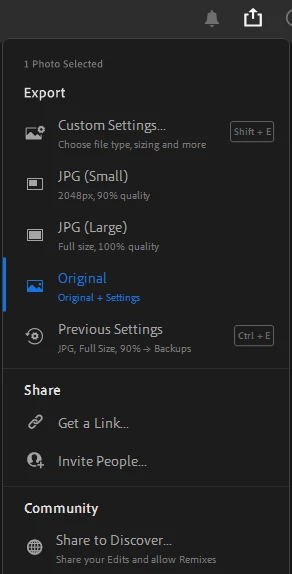
You can also try exporting in specific PPI by selecting Custom Settings > Dimensions > Custom > Change 'Long Side' To inches from pixels.
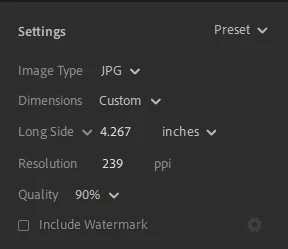
For help in understanding how PPI can be utilized in place of DPI, check the response from our community expert here:
https://community.adobe.com/t5/lightroom-ecosystem-cloud-based-discussions/option-to-export-300dpi-please/m-p/12407386#M57667
Let me know if it helps,
Thanks!
Sameer K




 AdChoices