

Susan 2033
Participating Frequently
February 15, 2026
Answered

I can't find Enhance or Super Resolution on the the desktop version of the free Lightroom download

  • February 15, 2026
  • 1 reply
  • 0 views

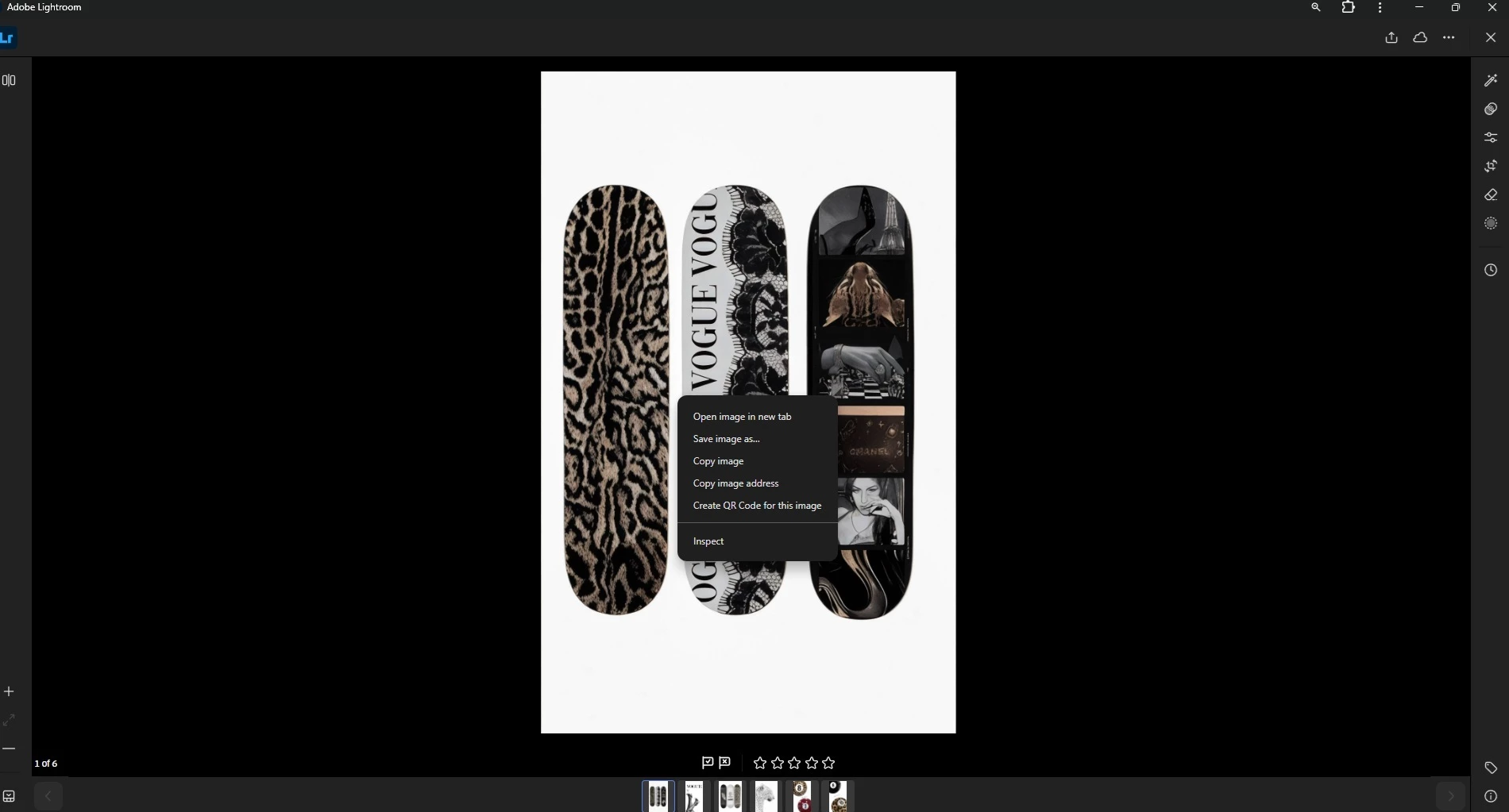
I downloaded the free desktop version of Lightroom. I want to use the Super Resolution feature. When I right click on the photo, the menu does not offer Enhance. I can’t find it anywhere in the program. I’ve attached an image of my screen when i right click. Please help. 
 

    Correct answer JohanElzenga

    There is no free desktop version. What you show in your screenshot is not a desktop version of Lightroom, but Lightroom Web (perhaps downloaded as a Google Chrome app). Lightroom web does not have Super Resolution.

    1 reply

    JohanElzenga
    Community Expert
    JohanElzengaCommunity ExpertCorrect answer
    Community Expert
    February 15, 2026

    There is no free desktop version. What you show in your screenshot is not a desktop version of Lightroom, but Lightroom Web (perhaps downloaded as a Google Chrome app). Lightroom web does not have Super Resolution.

    -- Johan W. Elzenga
    Susan 2033
    Participating Frequently
    February 15, 2026

    Thank you so much for letting me know. I spent frustrating hours trying to figure out where that feature is. I specifically downloaded it to try the Super Resolution feature. It’s very disappointing and misleading that it wasn’t included in the trial, based on this information. Is there a free trial that offers Super Resolution?


    JohanElzenga
    Community Expert
    Community Expert
    February 15, 2026

    Lightroom (desktop) and Lightroom Classic include super resolution. There is a short trial period and during that period this should work.

    -- Johan W. Elzenga