

faustolin
Participant
March 21, 2026
Question

I cannot import photos on Lightroom on my new MacBook Air M5

  • March 21, 2026
  • 2 replies
  • 9 views

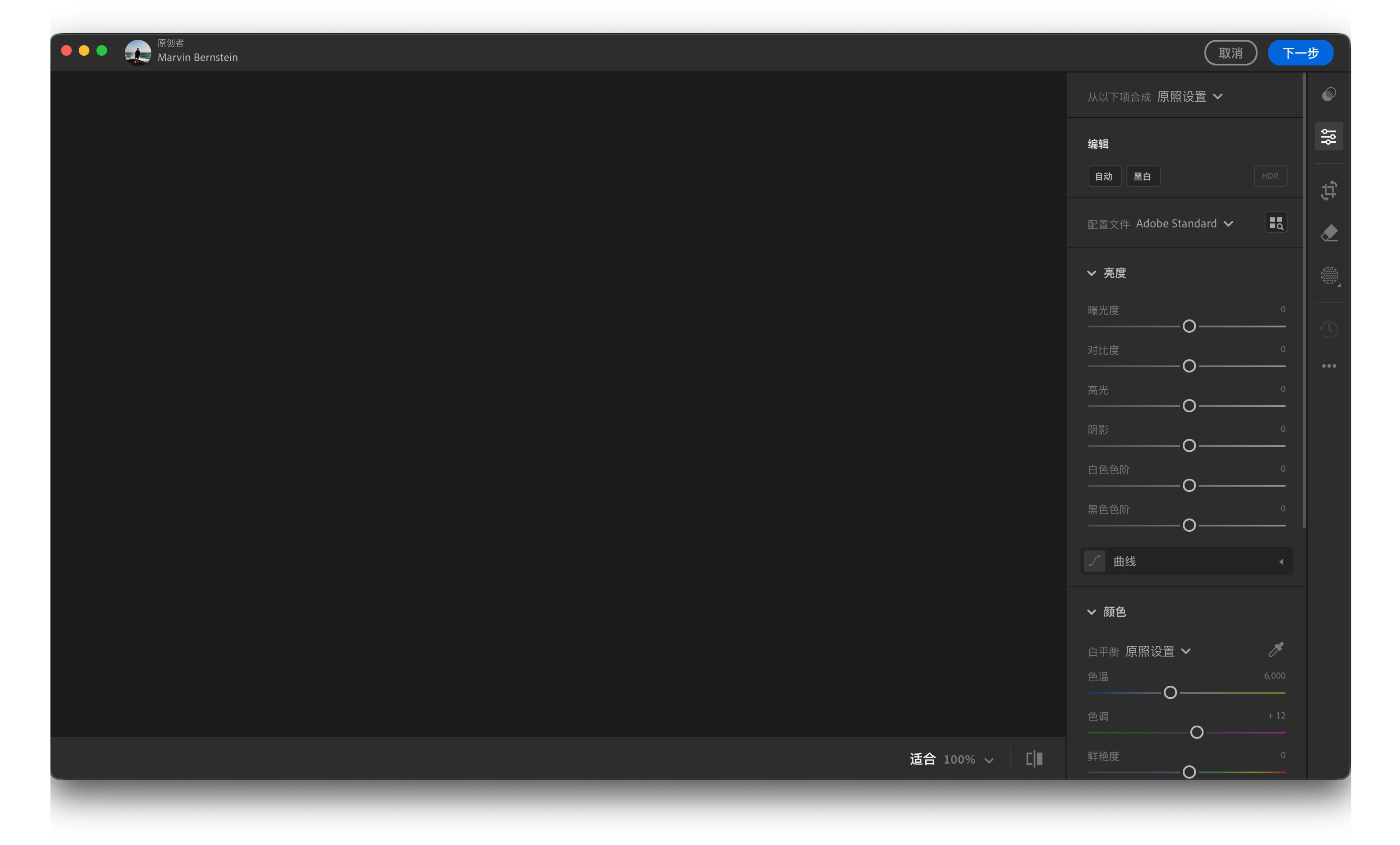
Just installed from the App Store I opened it. Everything works fine but when it comes to photo import, I could not see any photos on the local files. And when I try the own light tutorials, these photos could not be showed correctly on the left side.

 

    2 replies

    Sameer K
    Community Manager
    Community Manager
    April 1, 2026

    Hey, @faustolin. Welcome to the Lightroom Community. I'll need more info to help you figure this out. 

    Please share the system information from Lightroom Help > System info > Copy and paste into a text document > Upload and attach here. 


    Does this happen after a series of steps, or have you installed Lightroom on this machine for the first time? 


    Ensure Lightroom has the required permissions on macOS: https://adobe.ly/466Jir1


    Let us know how it goes. Thanks!
    Sameer K

    (Type '@' and type my name to mention me when you reply)

    faustolin
    faustolinAuthor
    Participant
    March 21, 2026

    刚安装,登陆后,无法查看本地照片导入,云端案例导入左边是黑的。

    不知道要如何解决

    😰